
TradingView plans and pricing: which one a crypto trader actually needs
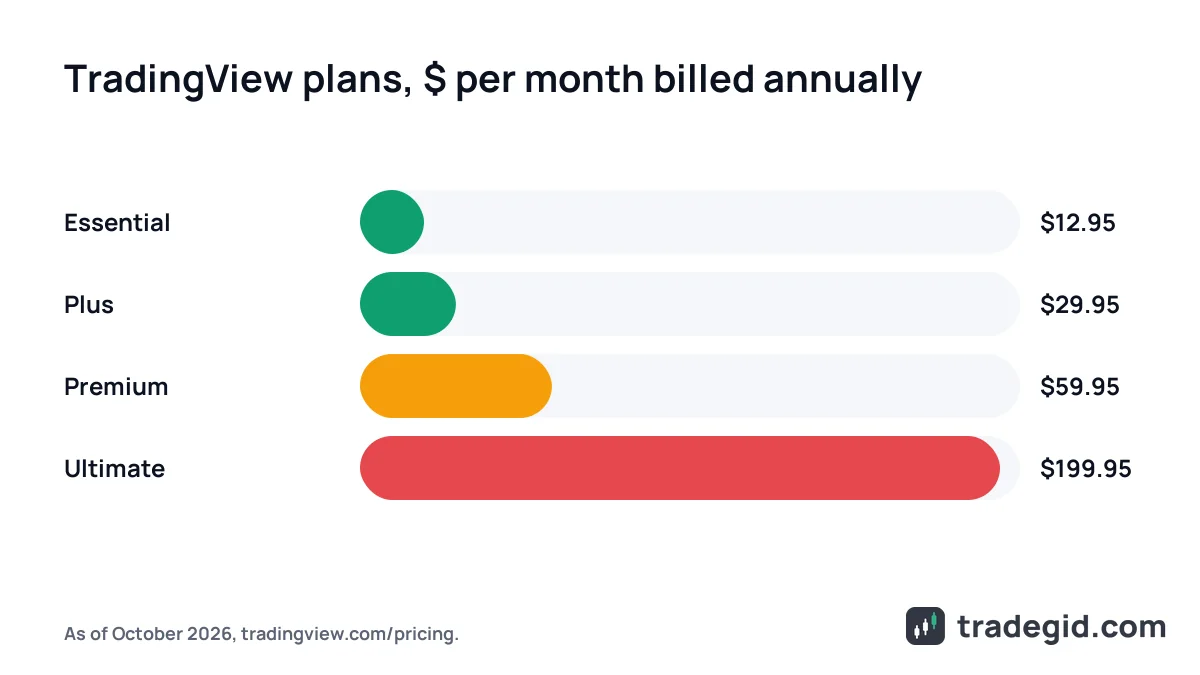
TradingView has five plans: free Basic and paid Essential, Plus, Premium and Ultimate. Paid plans start at $14.95 per month, or $12.95 per month billed annually. Most crypto traders are fine on Basic or Essential, and Premium only makes sense if 100 alerts aren't enough or you need full intraday history for strategy testing.
Contents
TradingView plan cost as of October 2026
Prices below are from tradingview.com/pricing. Annual billing works out 13–17% cheaper than monthly depending on the plan, which is why the page says "Save up to 17%".
| Plan | Monthly | Billed annually (per month) | Annual total |
|---|---|---|---|
| Basic | 0 | 0 | 0 |
| Essential | $14.95 | $12.95 | $155.40 |
| Plus | $34.95 | $29.95 | $359.40 |
| Premium | $69.95 | $59.95 | $719.40 |
| Ultimate | $239.95 | $199.95 | $2,399.40 |
As of October 2026, tradingview.com/pricing. Prices vary by region: some countries see local-currency pricing, and sales tax may be added depending on your location.
TradingView plans in India
TradingView's price list includes separate rupee prices. These are the figures listed for India as of October 2026; check the pricing page while logged in, because the currency you see depends on your account and location.
| Plan | Monthly | Billed annually (per month) |
|---|---|---|
| Essential | ₹1,295 | ₹995 |
| Plus | ₹2,595 | ₹2,095 |
| Premium | ₹5,095 | ₹4,195 |
| Ultimate | ₹20,795 | ₹17,295 |
As of October 2026, from the rupee price list on tradingview.com/pricing. Taxes may apply on top.
About the "Special price" label next to the annual figure: that's just the standard annual price, not a limited-time deal. We don't have TradingView discount codes, and I wouldn't trust "80% off" coupons from forums – at best they don't work, at worst they're phishing.
A lot of people wait for Black Friday. If TradingView runs a seasonal offer, it shows up on the official pricing page, so there's no need to hunt for it elsewhere. Dates aren't announced in advance, so waiting only makes sense if you're in no hurry.
TradingView plans comparison: limits
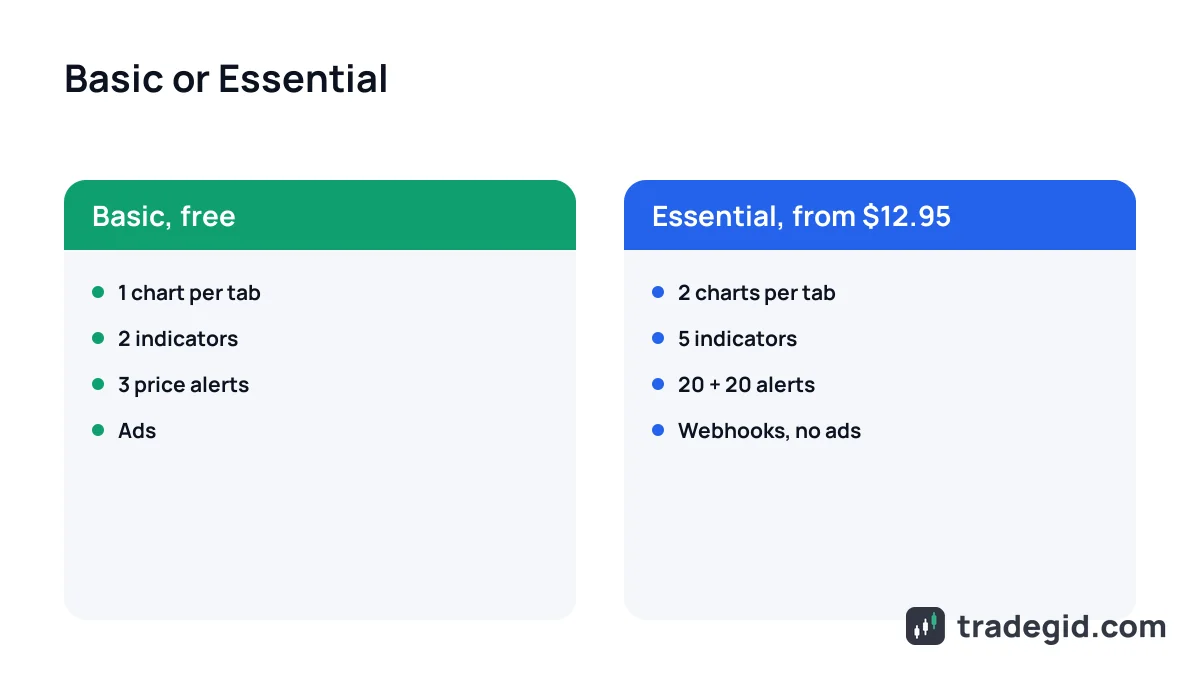
Feature-wise the plans are close: charts, 400+ built-in indicators, Pine Script, paper trading and broker trading are on every plan, even Basic. The difference is in quantities and a handful of advanced tools.
| Limit | Basic | Essential | Plus | Premium | Ultimate |
|---|---|---|---|---|---|
| Charts per tab | 1 | 2 | 4 | 8 | 16 |
| Indicators per chart | 2 | 5 | 10 | 25 | 50 |
| Price alerts | 3 | 20 | 100 | 400 | 1,000 |
| Technical alerts | – | 20 | 100 | 400 | 1,000 |
| Saved chart layouts | 1 | 5 | 10 | unlimited | unlimited |
| Historical bars | 5K | 10K | 10K | 20K | 40K |
| Minute-level history | – | 180 days | 365 days | all | all |
| Second-based intervals | – | – | yes | yes | yes |
| Webhook alerts | – | yes | yes | yes | yes |
| Ads | yes | no | no | no | no |
As of October 2026, comparison table on tradingview.com/pricing. A dash means the plan doesn't include it.
One detail on alerts: Basic alerts last 1 month, Essential and Plus alerts last 2 months, and on Premium and Ultimate they don't expire. If you set an alert on a distant level, on the cheaper plans you'll need to renew it.
What each TradingView plan gives you
TradingView says Ultimate is the only plan available to professional users and links its definition of "professional" from the pricing page. If you trade your own money, you almost certainly don't need it.
Is TradingView Premium worth it for crypto?
Good news for crypto traders: crypto exchanges don't appear in the paid market data list on the pricing page. Binance, Bybit, OKX and other exchange quotes are available on any plan, unlike NYSE or CME data, which you buy separately. So the choice comes down to convenience.
When the free Basic plan is enough
- You trade one or two coins and check the chart a few times a day.
- Two indicators are enough, for example EMA and RSI.
- You keep levels in your head or need no more than three alerts.
- You're still learning and practising on the paper account.
You can trade on Basic for months. It starts to pinch when you need more than three alerts or more than two indicators.
When Essential or Plus makes sense
- Essential – when you hit the 3-alert, 2-indicator wall. 20 alerts and 5 indicators cover most swing setups.
- Essential – when you need webhooks so alerts can trigger a bot.
- Plus – when you trade intraday and watch 4 charts at once: one coin on several timeframes or BTC next to an altcoin.
- Plus – when you want second-based charts for scalping.
Essential fixes Basic's main limits for the least money, and Plus is for intraday traders who follow several charts at once.
TradingView Premium vs Ultimate
Premium is worth it if you test Pine Script strategies and need full minute-level history, volume footprint or hundreds of alerts. For a retail crypto trader Ultimate is overpaying: its main extras are tick data and professional-user status.
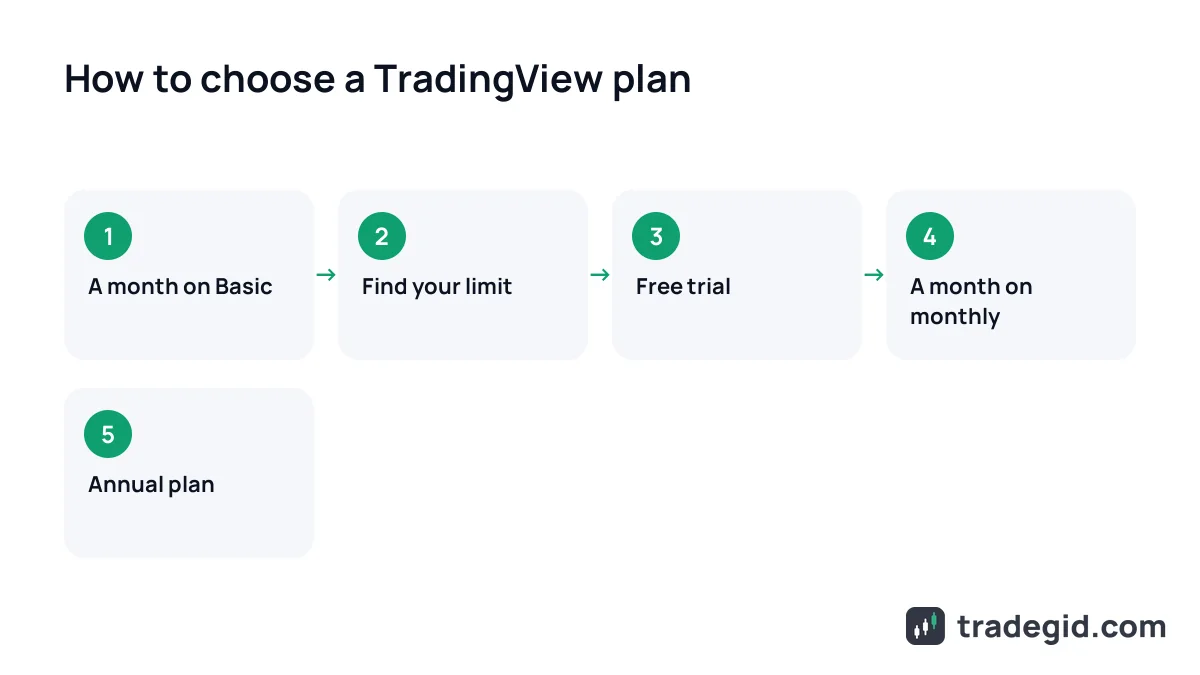
I spent over a year on Basic, then moved to Essential because of alerts. I only went up to Premium for short stretches while writing and backtesting a strategy.
TradingView free plan: getting the most out of it
The only legitimate way to use TradingView for free is to squeeze Basic. A few habits that help without breaking any rules:
- Save an indicator template so your two main indicators load in one click.
- Put alerts only on key levels and track minor ones in your exchange app.
- Use several browser tabs: Basic gives one chart per tab, but you can open more than one tab.
- Before paying, start a free trial of a paid plan – each plan in the comparison table has a Try free button.
Free TradingView is a working tool, not a demo. Use the trial to find out whether you really need a paid plan.
One thing about the free trial: cancelling a trial ends it immediately. If you want to use the whole trial period, set a calendar reminder instead of cancelling right after you sign up.
How to pay for a TradingView subscription
- Choose plan and billingOn tradingview.com/pricing switch between Monthly and Annually and pick a plan.
- Choose a payment methodCard, PayPal, Apple Pay or crypto. Crypto works for both monthly and annual plans, including via Binance Pay.
- Check the totalDepending on your country, sales tax may be added – you'll see it at checkout.
- Set a reminderSubscriptions renew automatically. You can cancel any time and keep access until the paid term ends.
If your local card is declined, paying in crypto is an official option, not a workaround.
Refunds: only annual plans are refundable, and only if you ask within 14 days of payment. Monthly plans and upgrades aren't refunded. That's why I'd only commit to an annual plan after a month on monthly billing.