

What is TradingView and what is it used for in crypto trading
TradingView is an online charting platform for crypto, stocks and forex. You use it to read price, draw levels, add indicators and set alerts, and once you connect an exchange you can place orders straight from the chart. The Basic plan is free and is enough to get started.
Contents
- TradingView explained in plain words
- How TradingView works: the main features
- TradingView benefits for crypto traders
- How to trade on TradingView: connecting an exchange
- Is TradingView free?
- How to start using TradingView
- TradingView desktop app vs web vs mobile
- TradingView alternatives
- TradingView issues and reviews: is it safe?
TradingView explained in plain words
Picture one screen with charts for almost any market: bitcoin on Binance, ether on Bybit, the S&P 500, gold, EUR/USD. According to the company, more than 100 million traders and investors use the platform, and it covers over 3.5 million instruments.
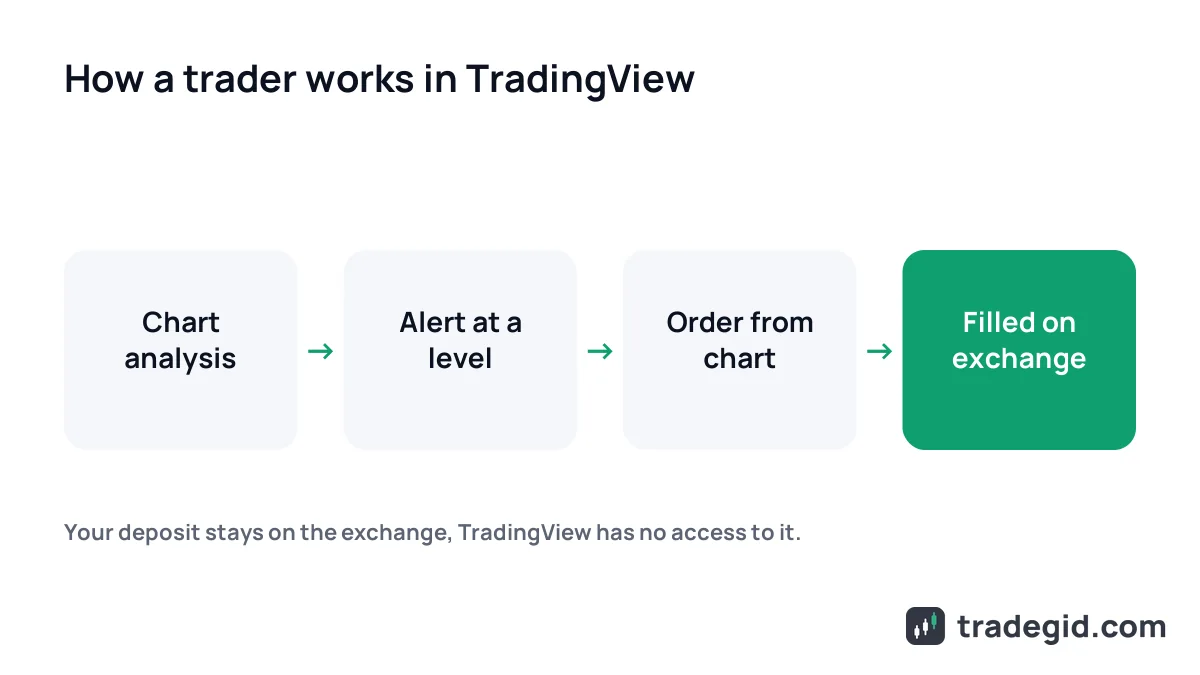
The key thing for a beginner: TradingView is not an exchange and not a broker. You don't deposit money there and you don't buy anything inside it. It's an analysis tool. If you want to trade from its charts, you link your own exchange account and the orders go there.
The company was founded in 2011, with headquarters in New York and a European office in London. It works in the browser at tradingview.com, as a desktop app and on Android and iOS.
How TradingView works: the main features
TradingView charts
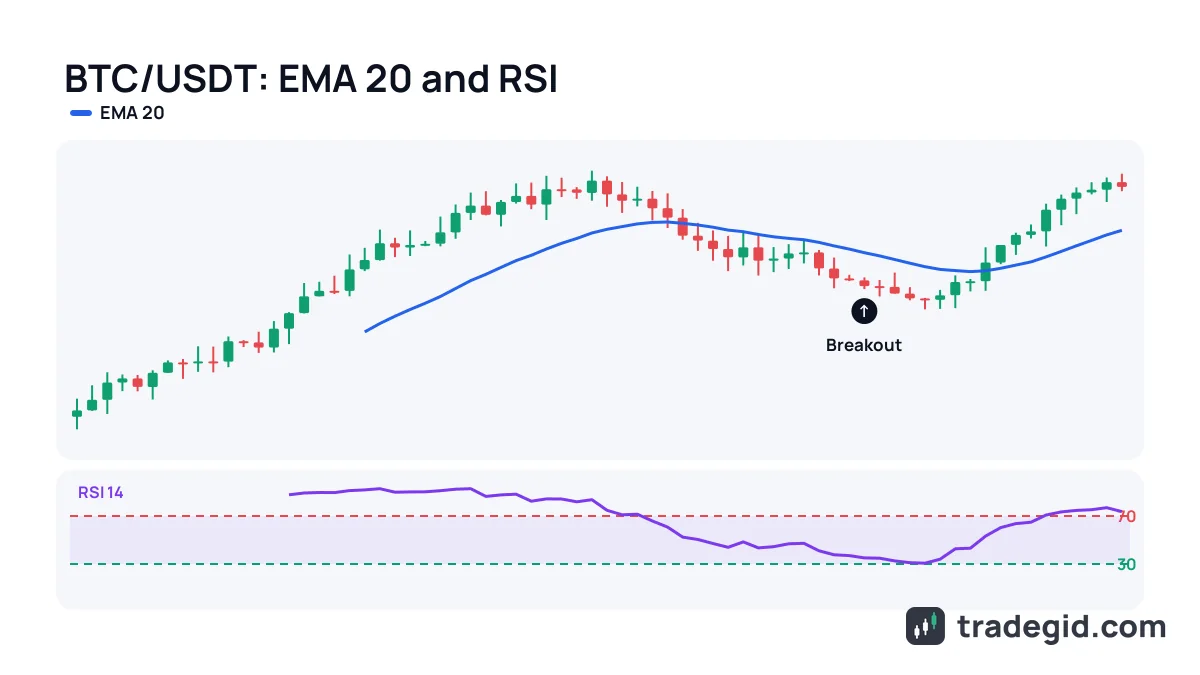
Any pair opens by ticker with an exchange prefix: BINANCE:BTCUSDT, or BYBIT:ETHUSDT.P for a perpetual. Timeframes run from minutes to months, chart types include candles, bars, line, Heikin Ashi and Renko. I keep spot and the perpetual of the same coin side by side, so I can see when the contract drifts away from spot.
Indicators and drawing tools
There are 400+ built-in indicators and over 100,000 community scripts. We cover the popular ones separately: best TradingView indicators for crypto, RSI, MACD and moving averages. You also get 110+ drawing tools: levels, trendlines, Fibonacci, a long/short position tool with risk calculation.
Alerts
An alert notifies you when price or an indicator hits a condition. It arrives in the app, by email and, on paid plans, via webhook to a bot. For me this is the main feature: no need to sit at the screen, the platform tells you when BTC reaches your level.
Screeners, Pine Script and trading ideas
The screener filters coins by daily change, volume, RSI value and more. Pine Script is TradingView's own language for writing indicators and strategies and testing them on history. In the Ideas section traders publish chart breakdowns, there are thousands of BTCUSDT ideas at any time.
Paper trading
Paper Trading is a virtual-money account inside TradingView. You practise orders, stops and take-profits without risking a real deposit. Before your first leveraged trade I'd run it for at least a couple of weeks.
| Feature | What it does | Practical use |
|---|---|---|
| Charts | Any pair from any listed exchange, timeframes from minutes | Entry and exit analysis, spot vs perpetual |
| Indicators | 400+ built-in, 100K+ community scripts | Trend, overbought/oversold, volume |
| Alerts | Notification on price, indicator or drawing | Stop staring at the screen, don't miss levels |
| Screeners | Filter coins by dozens of fields | Find what is moving right now |
| Pine Script | Custom indicators and strategy tests | Check an idea on history before trading it |
| Paper Trading | Trades on a virtual account | Practice without risk |
| Chart trading | Orders via a connected exchange | Analysis and execution in one window |
Feature list from tradingview.com/pricing, as of October 2026. Some limits depend on the plan.
TradingView benefits for crypto traders
Every exchange terminal has charts, and for my first year I got by with those. I switched to TradingView when I started trading on two exchanges and realised I was keeping levels from two different windows in my head.
- One screen for every exchange. Your drawings stay on the ticker and don't vanish when you switch exchanges.
- Server-side alerts. You can shut down your laptop and the alert still reaches your phone.
- Indicators your exchange doesn't have. Community scripts, volume profile, your own settings.
- Other traders' analysis. Ideas are useful as a second opinion, not as signals.
- Practice without money. Paper Trading and Bar Replay let you rewind history and drill a setup.
TradingView isn't about magic indicators, it's about order: all charts, levels and alerts in one place, whatever exchange you trade on.
How to trade on TradingView: connecting an exchange
Below the chart there's a trading panel. Pick your exchange, log in, and you can place limit and market orders and drag stop-loss and take-profit lines right on the chart. The money stays on the exchange, TradingView only routes the order.
| Exchange | Broker profile on TradingView | Officially confirmed |
|---|---|---|
| Binance | Yes | Spot and futures (TradingView blog, 2022 and 2023) |
| Bybit | Yes | Chart trading, market list shown in the trading panel |
| OKX | Yes | Crypto chart trading, products depend on region |
| Bitget | Yes | Chart trading, market list shown in the trading panel |
| Gate | Yes | Spot, margin and futures, 3.6K+ pairs (TradingView blog, December 2025) |
As of October 2026, based on broker profiles at tradingview.com/brokers/. Which markets you can trade depends on your country and your exchange verification. These exchanges are not available to residents of every country, including the US and UK.
You need your own verified exchange account. If you don't have one yet, start with an exchange from the list above – full reviews are in our Exchanges section.
Is TradingView free?
The free Basic plan gives you all charts, all indicators, Pine Script, paper trading and trading via an exchange. The limits are about quantity: one chart per tab, two indicators at a time, three price alerts, and ads.
| Item | Basic | Essential |
|---|---|---|
| Price | 0 | $14.95 per month, or $12.95 per month billed annually |
| Charts per tab | 1 | 2 |
| Indicators per chart | 2 | 5 |
| Price alerts | 3 | 20 |
| Technical alerts | None | 20 |
| Ads | Yes | No |
As of October 2026, tradingview.com/pricing. In some countries prices are shown in local currency (in India, in rupees), and sales tax may be added.
All plans, limits and my take on who needs which one are on the TradingView plans page.
How to start using TradingView
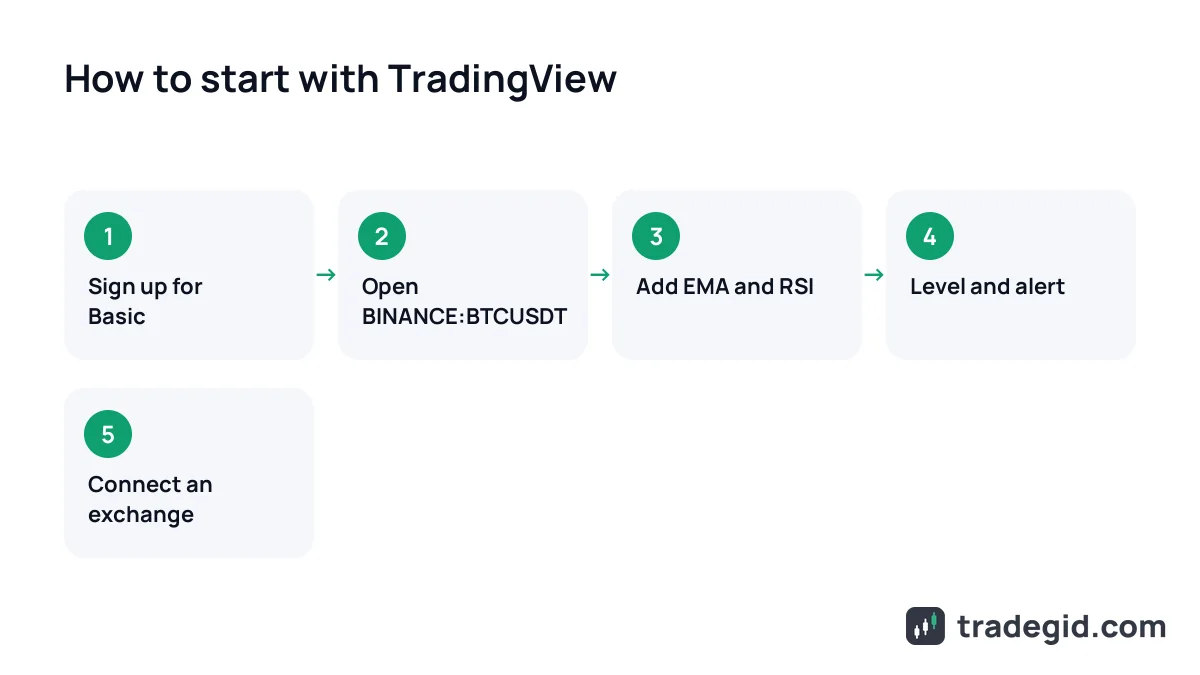
- Sign upAt tradingview.com with email or Google. No card needed for Basic.
- Open a chartType
BTCUSDTin search and pick the exchange you trade on, for example BINANCE or BYBIT. - Add two indicatorsClick Indicators: EMA and RSI are enough to start. Basic won't take more than two at once.
- Mark levels and set an alertDraw a horizontal line at the nearest level, right-click it and choose Add alert.
- Practise with Paper TradingIn the trading panel choose Paper Trading and drill entries, stops and targets.
- Connect your exchangeOnce comfortable, pick your exchange in the trading panel and log in.
Half an hour goes into sign-up and drawing levels, then TradingView becomes your trading desk. There's no need to start with real money – the paper account is right there.
TradingView desktop app vs web vs mobile
Yes, TradingView has a desktop app. TradingView Desktop runs on Windows, macOS and Linux and is available on every plan, including the free one. Compared with the browser it handles multiple monitors better and can sync the symbol across tabs. On my phone I mostly receive alerts and check my drawings.
If the desktop app is not working, the web version at tradingview.com has the same features and syncs your layouts. Download the app only from tradingview.com/desktop: fake "TradingView Premium" installers on other sites are a common way to plant malware that steals exchange logins.
TradingView alternatives
- Your exchange's own charts. Free and next to the order book, but your drawings are tied to one exchange.
- Aggregators like CoinMarketCap. Good for a market overview and market caps, not for technical analysis.
- Dedicated scalping terminals. Built around the order book and tape, but harder to set up and usually paid.
I haven't found a full free replacement for TradingView: alternatives cover one job, TradingView covers most of them at once.
TradingView issues and reviews: is it safe?
TradingView doesn't hold deposits and doesn't trade for you, so you can't lose money "on TradingView" – there's none there. Complaints in reviews are usually about the exchanges connected as brokers or about login and connection glitches.
The real risks sit around it: sellers of "lifetime premium" accounts, fake installers and paid "signals" copied from public ideas. An idea on TradingView is the author's opinion, not a guarantee. The trade decision and the stop-loss are always yours.
In this section
- PlansBasic, Essential, Plus, Premium, Ultimate: prices, limits and what to pick.
- IndicatorsWhich TradingView indicators work in crypto and how to build a setup that is not cluttered.