

Best TradingView Indicators for Crypto Trading
The best TradingView indicators for crypto are not secret scripts with arrows but a handful of proven tools: EMA for trend, RSI or MACD for momentum, ATR and Bollinger Bands for volatility, volume and VWAP for confirmation. Below is a table of 12 indicators with the mistakes people make on each, ready setups for scalping and swing trading, and how to add an indicator to your chart.
Contents
- Four groups of indicators and the question each one answers
- Table: 12 popular TradingView indicators for crypto
- Ready setups for scalping, day trading and swing trading
- Buy/sell signal indicators: why you should not trust the arrows blindly
- Free, paid and invite-only indicators
- How to add an indicator on TradingView
- Why you should not stack 10 indicators on one chart
- In-depth indicator guides on TradeGid
Four groups of indicators and the question each one answers
Every indicator is calculated from price, volume and time. It knows nothing new about the market – it just repackages the same candles. So it helps to group indicators not by popularity but by the question they answer. If two indicators answer the same question, the second one is clutter.
- Trend – where is the market going and should I trade with it: EMA, SMA, Supertrend, Ichimoku.
- Momentum oscillators – how strong and fast the move is and whether it is running out of steam: RSI, Stochastic RSI, MACD.
- Volatility – how wide price is swinging right now and where to put the stop: ATR, Bollinger Bands.
- Volume and liquidity – is real money behind the move and where large positions sit: Volume, VWAP, Volume Profile, Open Interest.
A working setup takes one indicator from two or three different groups, not five oscillators that all say the same thing.
Trend indicators
Moving averages are where I start on any chart. EMA 20 and EMA 50 on the 4-hour timeframe tell you at a glance who is in control. Supertrend does the same job more simply: line below price means uptrend, line above means downtrend. Ichimoku packs trend, levels and momentum into one cloud, but it is hard to read when you are starting out.
Oscillators: RSI, Stochastic RSI, MACD
Oscillators answer the question "is this move overheated?". RSI runs from 0 to 100, MACD shows the gap between two EMAs and the moment momentum turns. Stochastic RSI is the fastest of the three: good for scalping, but on higher timeframes it throws a lot of false signals.
Volatility indicators
ATR shows the average candle range and is mainly a stop-loss tool: in crypto, a stop tighter than one ATR gets hit by random noise. Bollinger Bands draw a channel around the average: a squeeze often comes before a big move, but it does not tell you which way.
Volume and liquidity indicators
Volume confirms breakouts: a break of a level on thin volume often fails. VWAP shows the volume-weighted average price for the session, and intraday traders love trading around it. Volume Profile shows at which prices the most trading happened – those are your liquidity zones. Open Interest shows how much money is sitting in open futures positions.
Open Interest is a built-in indicator on TradingView. According to the TradingView help center, for crypto derivatives on Binance, Bybit, OKX, Bitget and several other exchanges the data is available intraday down to the 1-minute timeframe (checked October 2026). It pairs well with the funding rate: price, OI and funding all rising together is a sign of an overcrowded long side.
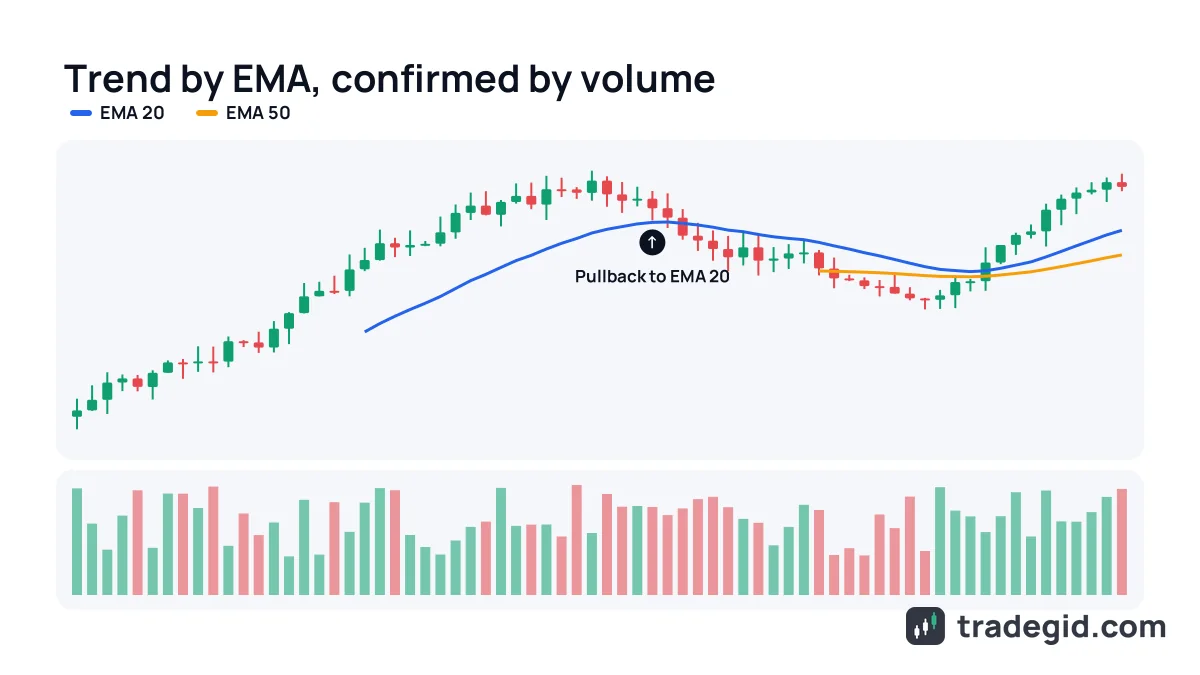
Table: 12 popular TradingView indicators for crypto
| Indicator | What it shows | Best use | Common mistake |
|---|---|---|---|
| RSI | Strength of the move on a 0–100 scale | Pullbacks in a trend, divergences on 1h–1D | Shorting every move above 70 in a strong rally |
| MACD | Gap between two EMAs and shifts in momentum | Confirming reversals on 4h–1D | Taking every line cross in a range |
| EMA / SMA | Average price and trend direction | Direction filter, dynamic support | Waiting for price to touch the line to the cent |
| Bollinger Bands | Volatility channel around SMA 20 | Squeeze before a move, ranges | Selling the upper band in a trend |
| Stochastic RSI | Fast overbought and oversold readings | Scalping on 1–15m in a range | Using it on the daily as an entry trigger |
| VWAP | Volume-weighted average price for the session | Intraday trading | Reading VWAP on a weekly chart |
| Volume Profile | Volume traded at each price level | Finding liquidity zones and targets | Building the profile on too short a range |
| Fibonacci | Retracement levels 0.382 / 0.5 / 0.618 | Targets and entry zones on pullbacks | Drawing from random points instead of clear swing highs and lows |
| Ichimoku | Trend, levels and momentum in one cloud | Swing trading BTC and ETH on 4h–1D | Using it on low timeframes and illiquid altcoins |
| ATR | Average candle range | Stop placement and position sizing | Treating ATR as a direction signal |
| Supertrend | Trend direction as a line below or above price | Trailing stop in a strong trend | Trading every color flip in a range |
| Open Interest | Total open futures positions | Spotting overheating and liquidation cascade risk | Reading rising OI as a bullish signal by itself |
Timeframes are rough guidance from practice, not rules. Test any indicator on your coin's history first.
On TradingView, Fibonacci is a drawing tool, not an indicator: you find it in the left toolbar, not in the indicator list. I still put it in the table because in crypto half the market trades the 0.5 and 0.618 levels, and price really does react there often.
Ready setups for scalping, day trading and swing trading
| Style | Timeframe | Setup | Why this combination |
|---|---|---|---|
| Scalping | 1–5 minutes | VWAP + EMA 9/21 + Volume | Fast direction and volume confirmation, no lagging oscillators |
| Day trading | 15 minutes – 1 hour | EMA 20/50 + RSI 14 + VWAP | Trend, RSI pullback and session average price |
| Swing trading | 4 hours – 1 day | EMA 50/200 + MACD + Volume Profile | Big-picture direction, momentum shifts and high-volume levels |
| Leveraged futures | 15 minutes – 4 hours | EMA 20/50 + RSI + ATR + Open Interest | Adds ATR-based stop size and an overheating check to the entry |
These are starting points. Changing an EMA period or dropping an indicator is fine; adding a fifth and sixth usually is not.
For scalping, the best indicators are the simplest ones. On the 1-minute chart you have no time to read an Ichimoku cloud, you need a decision in seconds. For swing trades it is the opposite: you can afford MACD and a volume profile, because there are fewer signals and you can check each one calmly.
Buy/sell signal indicators: why you should not trust the arrows blindly
Searches like "best TradingView buy sell indicator" and "most accurate TradingView indicator" are the most popular ones, and this is exactly where beginners lose the most. The community library has thousands of scripts that paint green and red arrows. On historical data they look perfect. In live trading they do not.
- Repainting – the script changes past signals after the fact. On history the arrow sits at the exact bottom, but in real time it would have appeared three candles later or not at all.
- Curve fitting – the settings were tuned for one specific stretch of the chart. On another period or another coin the same script loses money.
- Screenshots without losses – the author shows the winners, and the losing streaks stay off camera.
- No source code – if the script is closed, you do not know what it calculates. Often it is plain RSI and EMA under a fancy name.
A buy/sell signal is still RSI, MACD or moving averages, just hidden. Learn the basic indicators and half of the paid scripts become unnecessary.
The same goes for indicators shared on GitHub, Reddit and YouTube. Some are genuinely useful, but a nice backtest in a video is not proof. If a script is open-source, read the code or at least the description of how it works.
Free, paid and invite-only indicators
All built-in TradingView indicators are free on every plan: RSI, MACD, EMA, Bollinger Bands, ATR, VWAP and dozens more. Your plan limits not which indicators you can use but how many you can keep on one chart at the same time. Open-source community scripts are free too, and you can read their code to see how they are calculated.
Invite-only indicators are scripts where the author grants access personally. According to the TradingView help center, if the "Use on chart" button on a script page is unavailable, you need the author's permission, and the author explains how to get it in the description. Most of the time that access is sold. Before paying, check for a free open-source alternative – there usually is one.
How to add an indicator on TradingView
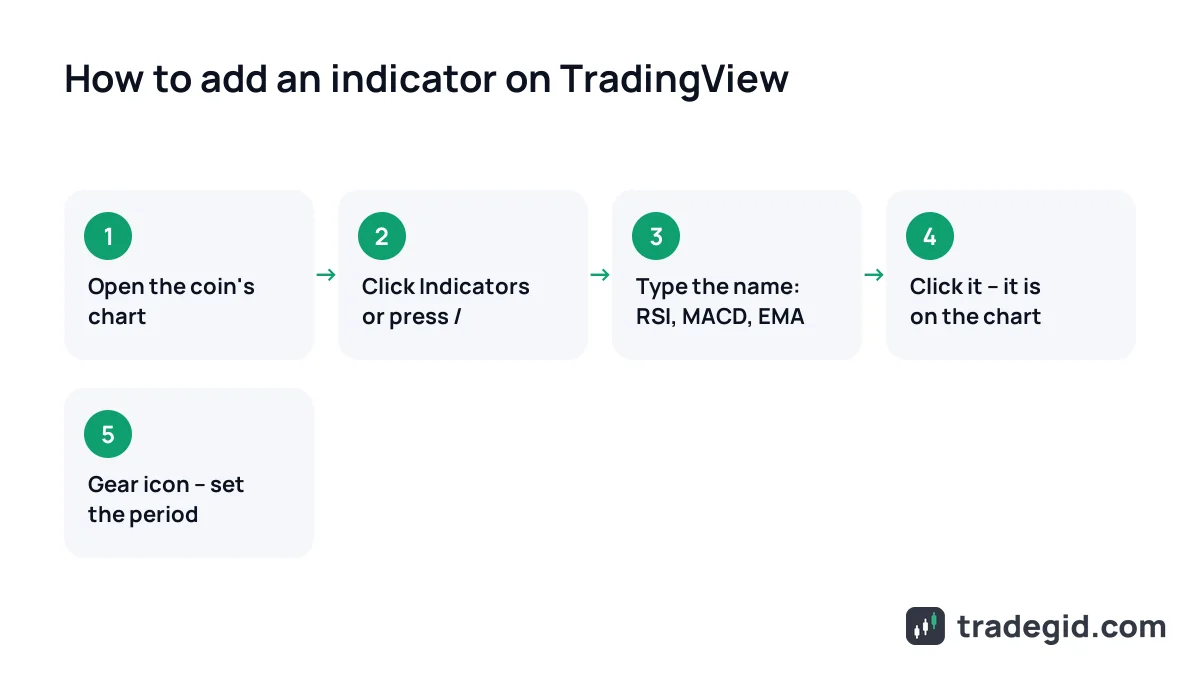
- Open a chartGo to Supercharts and pick a coin, for example BTCUSDT from your exchange. Indicators belong to the chart, not the coin, so they stay when you switch tickers.
- Click IndicatorsThe button is on the top toolbar above the chart. The faster way is to press "/" on your keyboard.
- Search by nameType RSI, MACD or EMA. Built-in indicators are in the Technicals tab, user-made ones are under Community Scripts.
- Click the nameThe indicator appears on the chart right away. Oscillators like RSI and MACD open in a separate pane below price, while averages and bands sit on the candles.
- Adjust the settingsHover over the indicator name in the top-left corner of the chart and click the gear icon. That is where you change the period, price source, levels and colors.
Five clicks and the indicator is on your chart. The important part is opening the settings straight away so you know which period you are actually trading.
How to remove or hide an indicator
Hover over the indicator name in the top-left corner of the chart and three buttons appear: hide (eye), settings (gear) and remove (trash can). Hiding is handy for indicators you only need now and then: it stays in the list but stops drawing. To clear everything at once, the left toolbar has a Remove Drawings & Indicators option.
Indicator not showing or not working
The usual causes: the indicator is hidden with the eye icon, the free plan's limit of two indicators per chart is already used, the community script is invite-only, or there is not enough data – EMA 200 on the daily will not draw on a coin that listed three months ago.
Why you should not stack 10 indicators on one chart
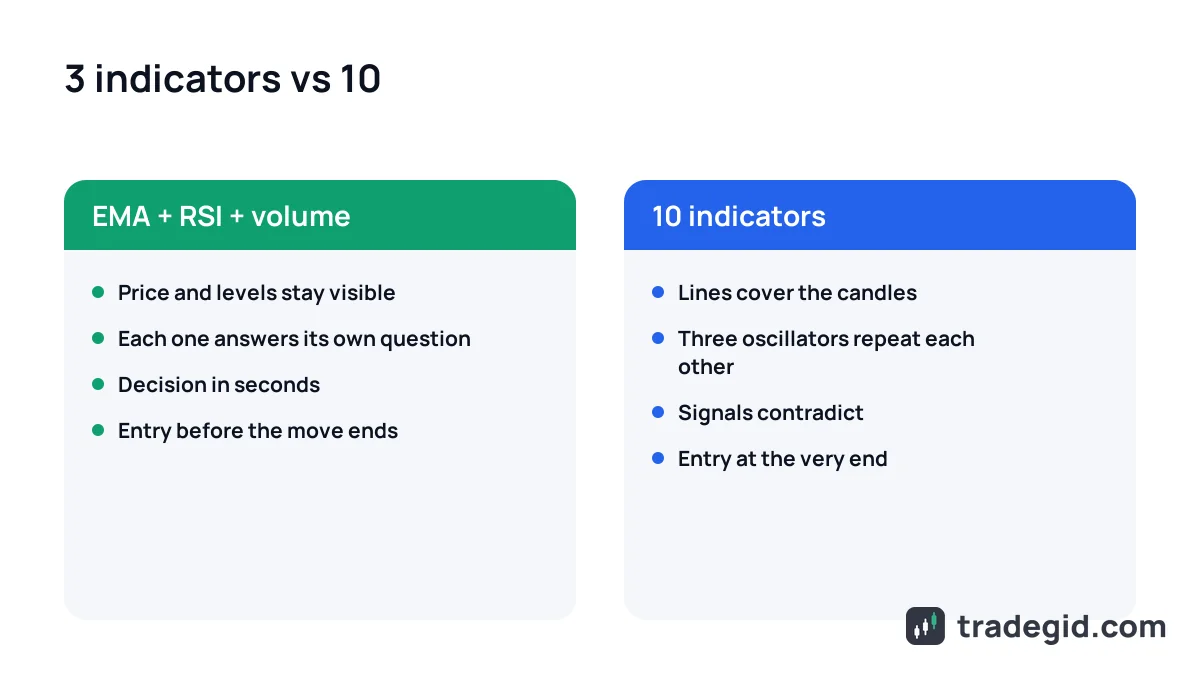
Back in 2020 my chart had RSI, Stochastic, MACD, CCI, two pairs of moving averages and Bollinger Bands. It felt like more confirmation meant safer entries. In reality I was waiting for everything to turn green and entering at the very end of the move.
- Duplication – RSI, Stochastic and CCI all measure the same thing: momentum. Three identical signals are one signal, not three.
- Lag – every extra confirmation pushes your entry later. By the time all of them agree, the best part of the move is gone.
- Paralysis – indicators contradict each other, so you either never enter or pick the one that agrees with what you wanted anyway.
- Screen noise – the lines hide price itself, the levels and the candle patterns.
Two or three indicators from different groups beat ten from the same group. If an indicator has not changed a single decision in a month, remove it.
| Plan | Indicators per chart | Charts per tab |
|---|---|---|
| Basic (free) | 2 | 1 |
| Essential | 5 | 2 |
| Plus | 10 | 4 |
| Premium | 25 | 8 |
| Ultimate | 50 | 16 |
From the TradingView pricing page, checked October 2026. More detail in our TradingView plans guide.
The two-indicator limit on the free plan annoys a lot of people, but it is enough to start: EMA on price and RSI in a pane is already a working combination. If you keep hitting the limit, first ask yourself which indicator is redundant.
In-depth indicator guides on TradeGid
We cover the most useful indicators on separate pages: crypto settings, signals, combinations and futures trade examples.
- RSI – the formula in plain words, 70/30 vs 80/20 levels, divergences and a futures strategy.
- MACD – how to read the lines and histogram and why crosses in a range lie.
- Moving averages – EMA vs SMA, the 20, 50 and 200 periods and trading off averages.
Start with RSI and moving averages, since more than half of all strategies are built on them, and add MACD once those two make sense.
Every indicator in this guide is in TradingView's built-in library, and the free plan is enough to get started.
In this section
- RSIFormula, settings, divergences and an RSI futures strategy with a worked trade example.
- MACDLines, histogram, 12-26-9 settings and a worked MACD futures trade.
- Moving averagesEMA vs SMA, 20/50/200 periods, golden cross and dynamic support.