

Gate Sign Up: Referral Code, Verification and First Deposit
Signing up on Gate takes 3–5 minutes: country of residence, email or phone, a verification code and a password. The referral code fills in automatically when you open the form through a referral link, and it cannot be added once the account exists. After that comes mandatory KYC – without it Gate will not let you deposit or withdraw.
Contents
Open the sign-up form through our link and the referral code is filled in for you.
Sign up on GateUVRGV1FXThe code can only be entered during sign-up.
What to prepare before you sign up
- An email address or phone number you will keep access to. Each email or number can be linked to one account only.
- A valid ID: passport, national ID card or driving licence. It must not be expired.
- A phone with a camera for the face check. It is quicker in the Gate app than on a laptop.
- An authenticator app (Google Authenticator or similar) for two-factor authentication.
- About 15 minutes so you do not rush and mistype your details.
What really matters is an ID in your own name and a country that is not on the restricted list. The rest can wait, but without KYC you cannot fund the account.
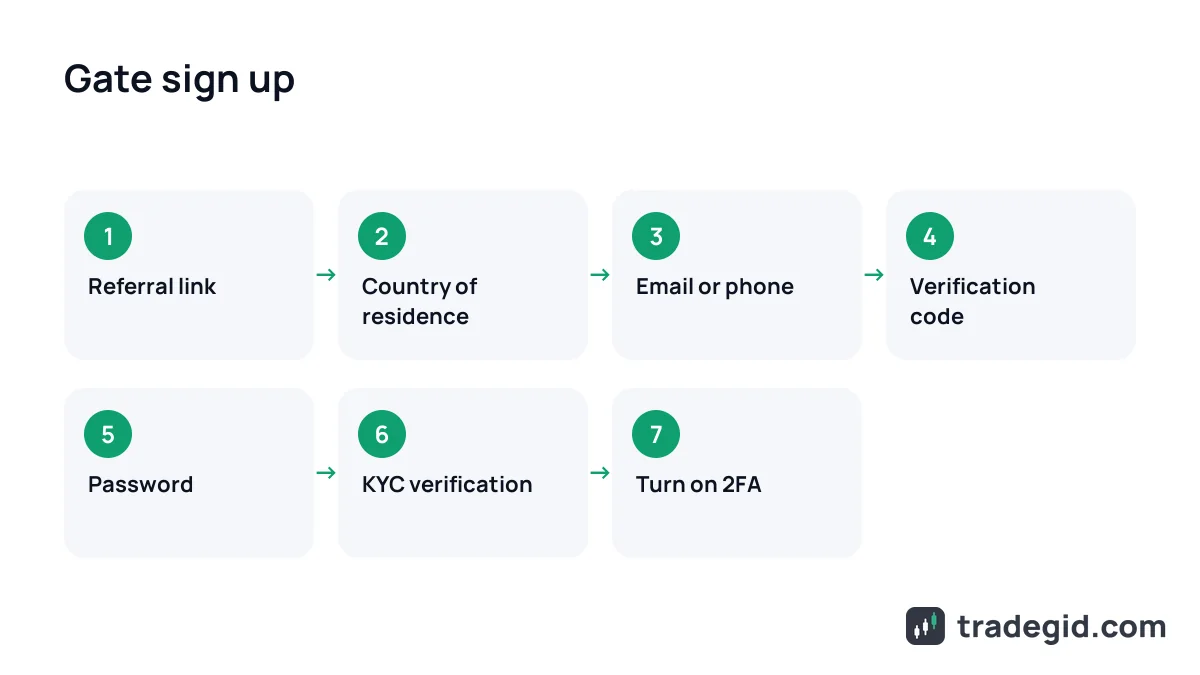
How to sign up on Gate, step by step
The steps are the same on gate.com and in the app. The order below follows Gate's official registration guide (updated June 2026), with my notes added.
- Open the form via the referral linkClick the sign-up button on this page. gate.com opens with the referral code already filled in. If you go to the site directly, the Sign Up button is in the top right corner.
- Choose your country of residencePick the country where you actually live. It is matched against your ID during KYC, and fixing a wrong choice later means going through support. Tick the box to accept the user agreement.
- Enter your email or phoneChoose a sign-up method and enter the address or number. If you came through our link, check that the referral code field shows UVRGV1FX.
- Confirm the codeGate sends a code by email or SMS. According to Gate's help centre it is valid for 15 minutes; if it does not arrive, tap Resend and check your spam folder.
- Set a passwordUse a unique password with upper and lower case letters, numbers and symbols. Do not reuse your email password.
- Complete verificationIn your profile, open Identity Verification (KYC), enter your details exactly as on the ID, upload a photo of the document and do the face scan.
- Turn on 2FAIn security settings, link an authenticator app. From then on, logins and withdrawals require a one-time code.
Creating the account takes a couple of minutes; the document review is what you wait for. Most mistakes happen at the country step and when typing in KYC details.
Gate referral code: where to enter it
A Gate referral (invitation) code is linked to your account only at sign-up. Open the form through a referral link and the code is filled in automatically. If you register manually, type it into the referral code field on the email or phone step.
Our code is UVRGV1FX; it is shown on the Gate card on this page with a copy button. If you already created an account without a code, it cannot be added later, and opening a second account with the same ID is pointless because it will not pass KYC.
Gate sign-up bonus and welcome rewards
Gate runs regular promotions for new users; the sign-up page currently mentions welcome rewards of up to 135 USDT. These are usually coupons and vouchers for completing tasks such as passing KYC, depositing and holding funds, and making a trade. Terms and eligible countries change, so read the rules in the rewards section (Rewards Hub) of your account. Vouchers have to be activated in time or they expire.
Be careful with sites promising a "free" Gate bonus code worth thousands of dollars. Whatever code you use, the rewards come from Gate's own campaign rules, and those are published in your account, not on third-party pages.
KYC verification on Gate
KYC on Gate is mandatory. Without it you cannot deposit, withdraw, use P2P or join Launchpool. It is easiest in the app: Profile – Identity Verification.
- Enter your country of residence, nationality and document type.
- Type your name and document number exactly as they appear on the ID.
- Photograph the original document: all four corners in frame, no glare. JPG or PNG, up to 4 MB.
- Complete the face scan in front of the camera.
- Once your identity is approved, Gate may ask you to verify your address – enter it and submit.
KYC checks three things against each other: the form, the document and your face. Any mismatch between them leads to a rejection.
According to Gate's help centre, review takes 10 minutes to 12 hours, and up to 24–48 hours for manual review. Users under 18 cannot be verified.
| Problem | Cause | What to do |
|---|---|---|
| Photo will not upload | File over 4 MB or not JPG/PNG | Resize the photo or verify in the app |
| Rejected: blurry photo | Glare, cropped corners, poor light | Reshoot the original in daylight with all corners visible |
| Rejected: document not accepted | Scan, screenshot or photocopy | Photograph the physical document, not a screen or copy |
| Rejected: details do not match | Name or number typed differently from the ID | Check spelling, remove extra spaces and special characters |
| Document expired | Validity date has passed | Use another valid document |
| Country not supported | You live in a Gate restricted country | You cannot pass KYC; choose another exchange |
| No answer for a long time | Manual review | Wait up to 48 hours, then contact live support |
Based on Gate's KYC help articles, as of October 2026.
No account yet? Sign up on Gate through the link and the code is added automatically.
Sign up on GateUVRGV1FXThe code can only be entered during sign-up.
2FA and security settings
Set up security right after KYC. Exchange accounts almost always get hijacked through a stolen password or SIM swap, not through the exchange itself.
- Authenticator app (2FA) – the bare minimum. Write the backup key on paper; without it, recovering the account after losing your phone takes days.
- Fund password – a separate password for withdrawals and P2P, different from your login password.
- Anti-phishing code – a word Gate adds to all its emails. An email without it is fake.
- Withdrawal address whitelist – withdrawals only to wallets you added in advance.
2FA plus a separate fund password blocks most theft scenarios. The anti-phishing code protects you from fake emails, which almost every new exchange user receives.
First deposit on Gate
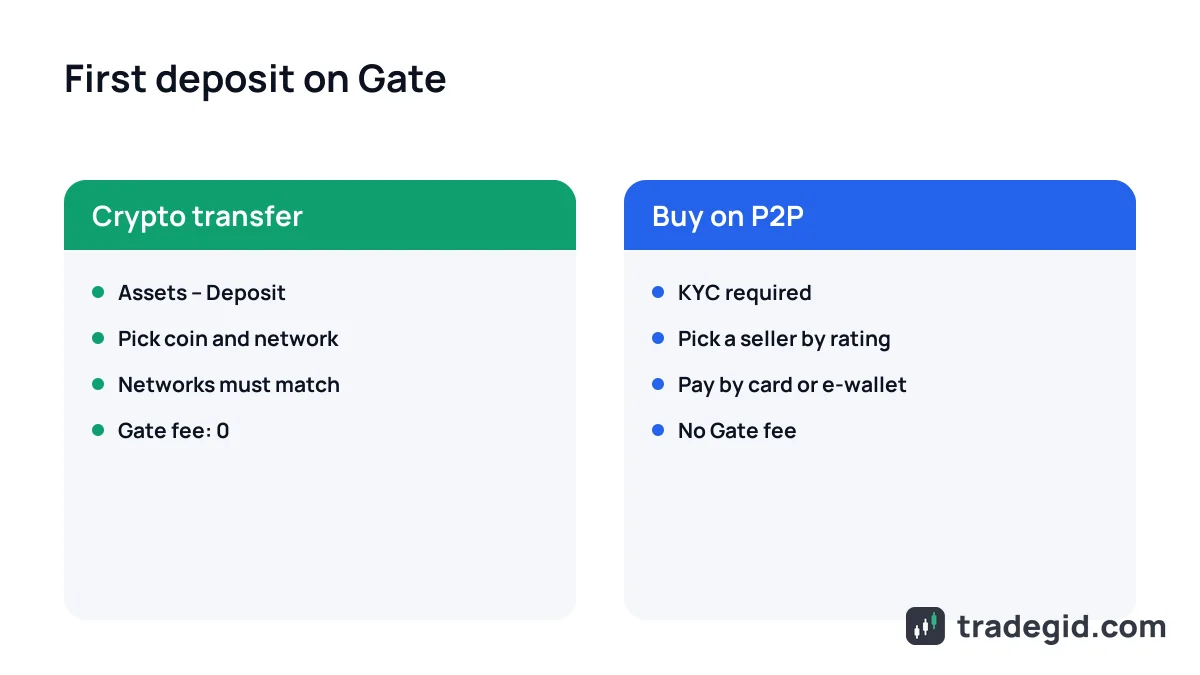
There are two main routes. The first is to send crypto from another exchange or wallet: Assets – Deposit, pick the coin and the network. Gate charges nothing for deposits; the sender pays the network fee.
The second is to buy USDT on P2P from another user with local currency. Gate advertises zero platform fees on P2P, so your cost is the seller's spread. Which currencies and payment methods appear depends on your country, so check the filter before you count on it. How to choose a seller safely is covered in the P2P section.
If you plan to trade futures, move part of your USDT from the spot account to the futures account and start with low leverage. Before the first trade, read how leverage works and what liquidation means.