

TradingView Essential vs Plus vs Premium: which plan to pick and is Premium worth it
For most crypto traders Essential is the right plan: 20 + 20 alerts and 5 indicators per chart for $12.95 a month billed annually. Plus is worth it when you trade intraday across several charts or need second-based intervals. Premium pays off if you build Pine Script strategies and backtest them on full history, or you run hundreds of alerts.
Contents
- Essential vs Plus vs Premium in one minute
- TradingView plans compared: Essential, Plus and Premium limits
- The 5 limits that matter for crypto
- TradingView Essential vs Plus: when the upgrade pays
- TradingView Plus vs Premium: what the extra $30 buys
- Which plan for which trader: scalper, swing trader, investor, Pine Script developer
- Is TradingView Premium worth it? The math
- How to upgrade or downgrade mid-subscription
- When it's cheapest to buy, and how not to overpay
Essential vs Plus vs Premium in one minute
All three share the same charts, 400+ built-in indicators, Pine Script, chart trading through your exchange and no ads. They differ in quantities (charts, indicators, alerts, history) and a few tools that unlock only on Plus or Premium.
TradingView Pro vs Pro+ vs Premium are the same plans under old names: Essential used to be Pro, Plus was Pro+.
| Plan | Monthly | Billed annually (per month) | Annual total | Annual saving |
|---|---|---|---|---|
| Essential | $14.95 | $12.95 | $155.40 | $24 |
| Plus | $34.95 | $29.95 | $359.40 | $60 |
| Premium | $69.95 | $59.95 | $719.40 | $120 |
As of November 2026, tradingview.com/pricing. Sales tax may be added depending on your country. Basic is free; Ultimate is $239.95 monthly or $199.95 per month billed annually.
TradingView Premium price in India
| Plan | Monthly | Billed annually (per month) | Annual total |
|---|---|---|---|
| Essential | ₹1,295 | ₹995 | ₹11,940 |
| Plus | ₹2,595 | ₹2,095 | ₹25,140 |
| Premium | ₹5,095 | ₹4,195 | ₹50,340 |
As of November 2026, rupee price list on tradingview.com/pricing. The currency you see depends on your account and location; taxes may apply on top.
Each step up costs roughly twice the one below, so ask which limit you're hitting right now. All five plans and other currencies are on TradingView plans and pricing.
TradingView plans compared: Essential, Plus and Premium limits
Everything that actually differs between the three middle plans, plus a couple of shared rows for context.
| Feature | Essential | Plus | Premium |
|---|---|---|---|
| Charts per tab | 2 | 4 | 8 |
| Indicators per chart | 5 | 10 | 25 |
| Indicator on indicator | 1 | 9 | 24 |
| Price alerts | 20 | 100 | 400 |
| Technical alerts (indicators, strategies) | 20 | 100 | 400 |
| Watchlist alerts | – | – | 2 |
| Alert duration | 2 months | 2 months | no expiry |
| Multi-condition alerts | – | yes | yes |
| Second-based alerts | – | yes | yes |
| Webhook alerts | yes | yes | yes |
| Historical bars on chart | 10K | 10K | 20K |
| Minute-level history | 180 days | 365 days | all |
| Second-level history | – | – | all |
| Second-based intervals | – | yes | yes |
| Custom timeframes, range bars | yes | yes | yes |
| Intraday custom-formula charts (spreads) | – | yes | yes |
| Chart data download | – | yes | yes |
| Volume profile | yes | yes | yes |
| Volume footprint, TPO, volume candles | – | – | yes |
| Auto chart patterns | – | – | yes |
| Deep Backtesting (full history in Strategy Tester) | – | – | yes |
| Saved chart layouts | 5 | 10 | unlimited |
| Parallel chart connections | 10 | 20 | 50 |
| Publish invite-only scripts | – | – | yes |
| Customer support | regular | priority | priority |
As of November 2026, comparison table on tradingview.com/pricing. A dash means the plan doesn't include it. Multi-timeframe analysis, Bar Replay, paper trading, broker trading and the desktop and mobile apps are on every plan.
TradingView Premium number of devices
The pricing page lists no device limit: one subscription works in the browser, desktop app and mobile. What's capped is parallel chart connections – each open tab counts as one, and over the cap the oldest tab disconnects.
Desktop vs web makes no difference to the plan choice: the desktop app is on every plan, Basic included, with the same limits. Get it only from tradingview.com/desktop, never a 'Premium desktop exe' from elsewhere.
The 5 limits that matter for crypto
Binance, Bybit, OKX and other crypto exchange quotes are free on every plan, unlike NYSE or CME data. So for crypto the plan is about convenience, and five things decide it.
- Alerts. Crypto trades 24/7, and alerts let you stop watching the screen at night. 20 cover 4–5 coins with levels; 100 cover a dozen coins plus indicator alerts.
- Charts per tab. Essential gives you two: the coin plus BTC. Plus gives four: one coin on four timeframes or four altcoins side by side.
- Indicators per chart. Five is EMA, RSI, volume profile and two more. Add VWAP, ATR, MACD and your own script, and Essential gets tight.
- Minute-level history. 180 days on Essential is thin for backtesting a scalping system. Premium opens all of it.
- Alert expiry. On Essential and Plus alerts last 2 months and then need renewing. On Premium you can park an alert on a distant level and forget it.
Nearly everyone hits alerts and indicators first, history much later. If 20 alerts and 5 indicators are enough, there's no reason to pay for Plus.
TradingView Essential vs Plus: when the upgrade pays
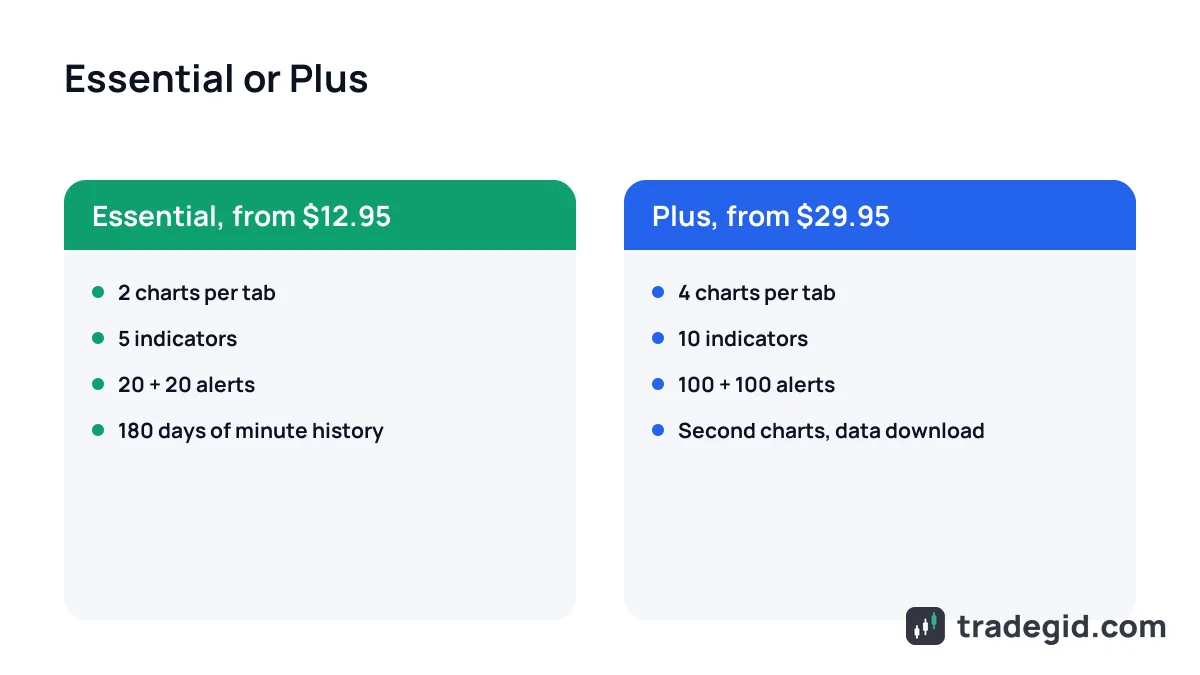
The gap is $17 a month on annual billing. For that you get five times the alerts, double the charts and indicators, and a few tools Essential doesn't have at all.
- Second-based intervals and alerts on them – for scalping news spikes and liquidation cascades.
- Multi-condition alerts – for example, price above a level and RSI above 50 in one alert instead of two.
- Intraday spreads – a chart like
BINANCE:BTCUSDT.P-BINANCE:BTCUSDTto watch the perp drift from spot during the day. - Chart data download to a file – handy if you crunch stats in a spreadsheet or Python.
Plus earns its price for intraday trading. A swing trader taking a couple of trades a week will barely use any of it.
TradingView Plus vs Premium: what the extra $30 buys
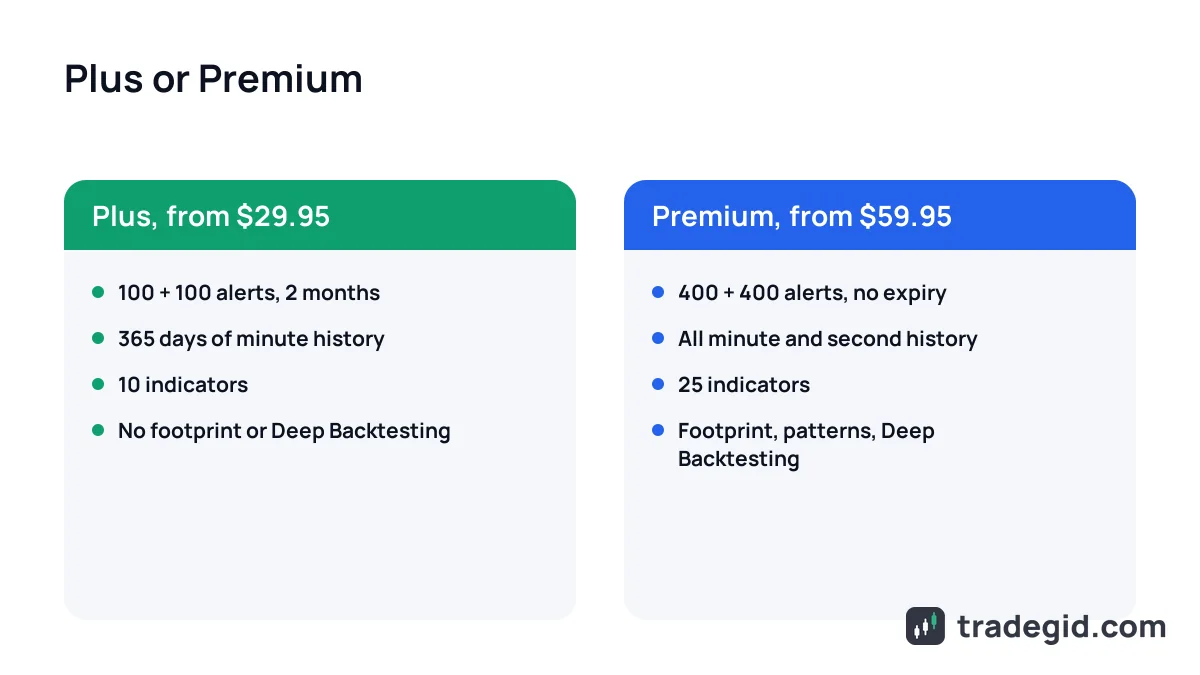
Premium is mainly for people who test strategies. Deep Backtesting runs a strategy over the symbol's entire history rather than the last 20K bars, full minute and second history is unlocked, and the tester can use intrabar detail.
Then order flow: volume footprint, TPO and volume candles, useful if you trade off futures clusters. And comfort: 400 + 400 alerts that never expire, 8 charts per tab, 25 indicators, auto chart patterns.
I've been on Essential for years and moved up to Premium only for a month or two while building and testing a strategy. For daily trading I didn't need it; for development I did.
Which plan for which trader: scalper, swing trader, investor, Pine Script developer
| Who you are | Plan | Why |
|---|---|---|
| Learning, 1–2 coins | Basic | Nothing to pay for yet |
| Swing trader, spot or futures | Essential | 20 + 20 alerts, 5 indicators |
| Investor buying monthly | Basic or Essential | Daily charts and a few alerts |
| Scalper, intraday trader | Plus | Second charts, 4 charts, 100 alerts |
| Pine Script developer | Premium | Deep Backtesting, full minute history |
| Order-flow trader | Premium | Footprint and TPO start at Premium |
My recommendation from experience, not a rule. Limits as of November 2026.
Is TradingView Premium worth it? The math
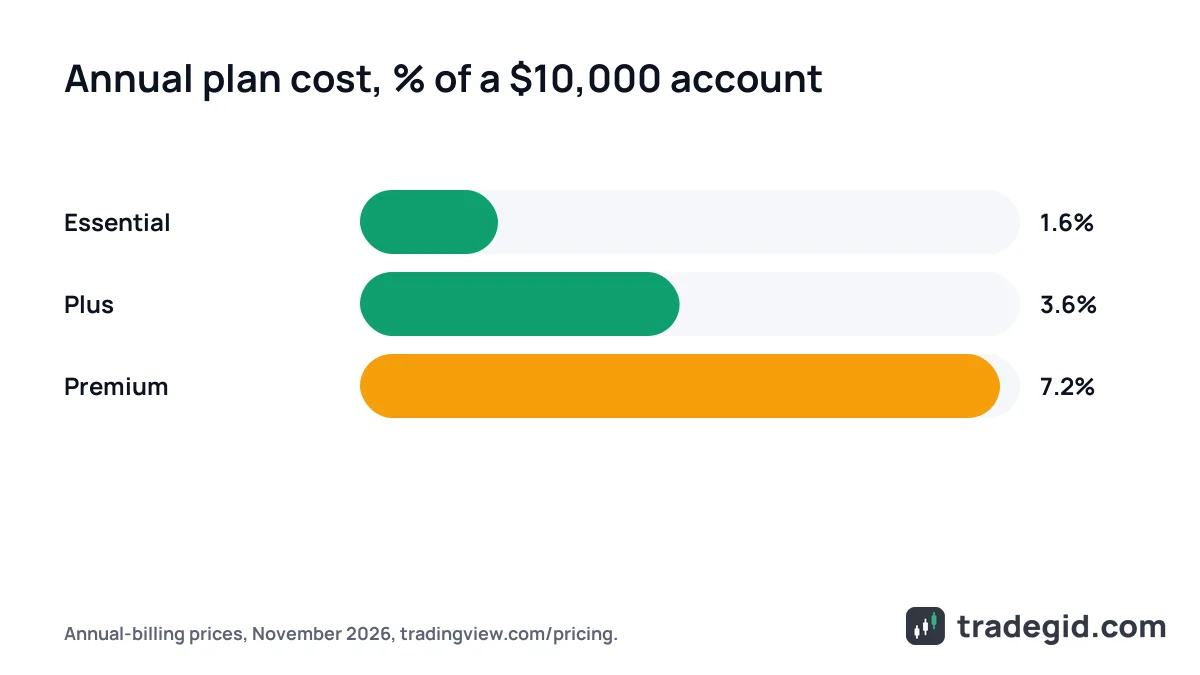
A subscription is a fixed cost whether you're up or down. I compare the annual price with the trading account: if the plan eats a big share, you feel pressure to earn it back, and that hurts your trading.
| Account size | Essential ($155.40) | Plus ($359.40) | Premium ($719.40) |
|---|---|---|---|
| $500 | 31% | 72% | 144% |
| $2,000 | 7.8% | 18% | 36% |
| $10,000 | 1.6% | 3.6% | 7.2% |
| $50,000 | 0.3% | 0.7% | 1.4% |
Annual-billing price as of November 2026. Formula: annual cost / account size. Not a return forecast.
My rule of thumb: tools shouldn't cost more than 1–2% of the account per year. With $2,000 that means Basic or Essential; Premium would be 36% a year. In India the ratio is similar: ₹50,340 a year for Premium vs ₹11,940 for Essential.
The exception is strategy development: one month of Premium at $69.95 to test an idea on full history is sensible even on a small account.
How to upgrade or downgrade mid-subscription
Paid days don't vanish when you switch plans, but upgrades and downgrades work differently, per TradingView's help center.
- Upgrading an annual planNo extra payment: remaining days convert into days on the new plan, so the term gets shorter and the next billing date moves up. With 4 or fewer days left, you'll have to pay.
- Upgrading a monthly planYou buy the higher plan right away (monthly or annual), and the remaining days of the old one are converted by price ratio and added to the new subscription.
- DowngradingYou pick the lower plan on the pricing page and it starts only when the current paid period ends. Until then you keep the higher plan.
- Bought in the App Store or Google PlayChange the plan only where you bought it. To move to web billing, turn off auto-renewal and let the term end.
You can upgrade any time without losing money, while a downgrade only kicks in from the next period. An upgrade can't be reversed.
Conversion ratios: 2 days of Essential = 1 day of Plus, 2 of Plus = 1 of Premium, 4 of Essential = 1 of Premium. So 200 days left on annual Essential become 50 days of Premium.
When it's cheapest to buy, and how not to overpay
Annual plans are usually cheapest around Black Friday, and the offer appears on TradingView's own pricing page. If you can wait, see what's known about this year's sale on TradingView Black Friday.
- Pay monthly for a month first, then go annual: only annual plans are refundable, within 14 days of payment.
- A cancelled free trial ends immediately, so set a reminder instead.
- An upgrade isn't a trial and can't be rolled back for a refund.
- Done with the plan? Turn off auto-renewal early – see how to cancel a TradingView subscription.
What saves money isn't a promo code but the order of steps: test monthly, buy annual in sale season and switch off auto-renewal on time.