

What is a seed phrase in crypto: meaning, safe storage and what to do if you lose it
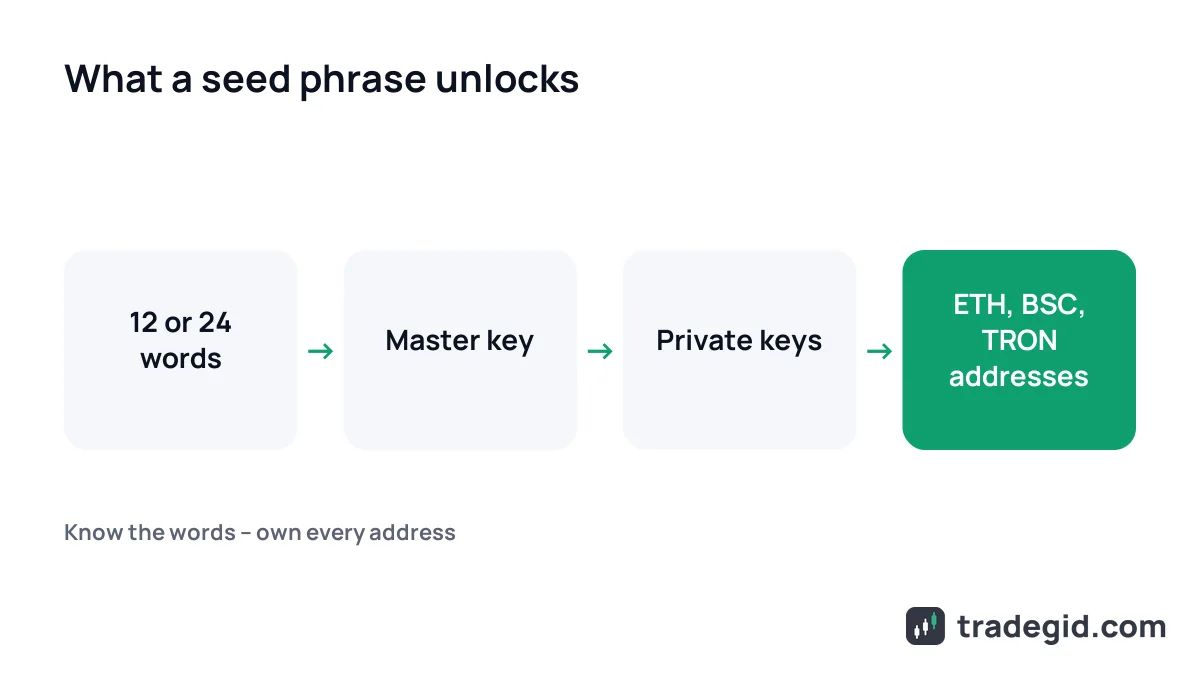
A seed phrase (also called a recovery phrase) is a list of 12 or 24 English words from which your wallet derives every private key and address. Whoever has those words controls the funds – no password, phone or SMS code needed. Below: where to find it in MetaMask, Trust Wallet and Phantom, how to store it, and what to do if it leaks or is lost.
Contents
- Seed phrase meaning: what it is in plain words
- Recovery phrase vs private key vs password
- Where to find your seed phrase in MetaMask, Trust Wallet and Phantom
- How to store a seed phrase safely
- What to do if someone saw your seed phrase
- Lost seed phrase: what you can and can't do
- How scammers steal seed phrases
- Buy crypto, then move it to your own wallet
Seed phrase meaning: what it is in plain words
When you create a self-custody wallet (MetaMask, Trust Wallet, Phantom, TronLink, Ledger), the app generates a random number and turns it into words. From those words it derives private keys, and from the keys – addresses on every network: Ethereum, BNB Chain, TRON, Solana. The coins live on the blockchain; the seed phrase is the access.
Most wallets follow a standard called BIP39: a word list of 2,048 words, each unique by its first four letters, and phrases of 12, 15, 18, 21 or 24 words. You'll usually see 12 (MetaMask, Trust Wallet) or 24 (Ledger). Part of the last word is a checksum, so a typo or a swapped word makes the wallet reject the phrase.
A seed phrase example that is safe to show: the BIP39 test vector – "abandon" eleven times, then "about". It's valid, but the whole internet knows it. Never post your real phrase, not even "as an example".
Recovery phrase vs private key vs password
A password unlocks the app on one device. A private key controls a single address. The seed phrase is the master key to the whole wallet.
| What it is | What it opens | If you forget it | Who can see it |
|---|---|---|---|
| Seed phrase (12–24 words) | Every address in the wallet, on any device | Gone for good if you also lose the wallet | Nobody |
| Private key | One address (account) | Can be derived again from the seed phrase | Nobody |
| App password or PIN | The wallet on this one device | Reset it by reinstalling and restoring from the seed phrase | Nobody, but a leak is less critical |
| Exchange login and password | Your account on Bybit, OKX, Binance | Recovered through exchange support and KYC | Nobody, 2FA codes included |
Based on MetaMask and Trust Wallet help centres, data as of November 2026.
Seed phrase on Binance, Bybit or Coinbase
A regular exchange account has no seed phrase. The exchange holds the coins, and you log in with email, password and 2FA. A "Binance seed phrase" search usually means a separate Web3 wallet inside the app.
Binance Wallet is an MPC wallet with no seed phrase: one key share sits in your cloud, encrypted with a recovery password (Binance FAQ, updated 2 December 2025). Bybit Web3 has a Seed Phrase Wallet, and its help page says Bybit can't restore a lost phrase. Its Cloud and Keyless wallets closed on 31 May 2025.
Just want to buy USDT or BTC? No seed phrase needed – an exchange account runs on password and 2FA. Bybit works in India and Nigeria; Philippine sign-ups are paused.
New accounts via the link: tasks worth up to 250 USDT; 25% off spot fees paid in MNT.
Sign up on BybitJ8NKMGThe code can only be entered during sign-up.
Where to find your seed phrase in MetaMask, Trust Wallet and Phantom
If the wallet still opens, you can view the phrase in settings after entering your password or PIN. Paths from the official help centres as of November 2026:
- MetaMask (extension): Settings → Security and password → Manage wallet recovery → Reveal, or Account details → Secret Recovery Phrase.
- MetaMask (mobile): Account details → Secret Recovery Phrase → password → hold to reveal.
- Trust Wallet (mobile): tap the wallet name → three dots → Manual Backup → PIN.
- Trust Wallet (extension): Manage Wallets → Back up your Secret Phrase → Show.
- Phantom: avatar → Settings → Security & Privacy → Show Recovery Phrase. Wallets made with Google or Apple have one too.
- TronLink: Manage Wallets → "…" next to the wallet → Mnemonic → Export.
- Ledger: the 24 words are shown once during setup. The recovery sheet you filled in is your copy.
In software wallets the phrase sits under security or backup and only opens after your password. On hardware wallets, the paper you filled in at setup is your only copy.
How to store a seed phrase safely
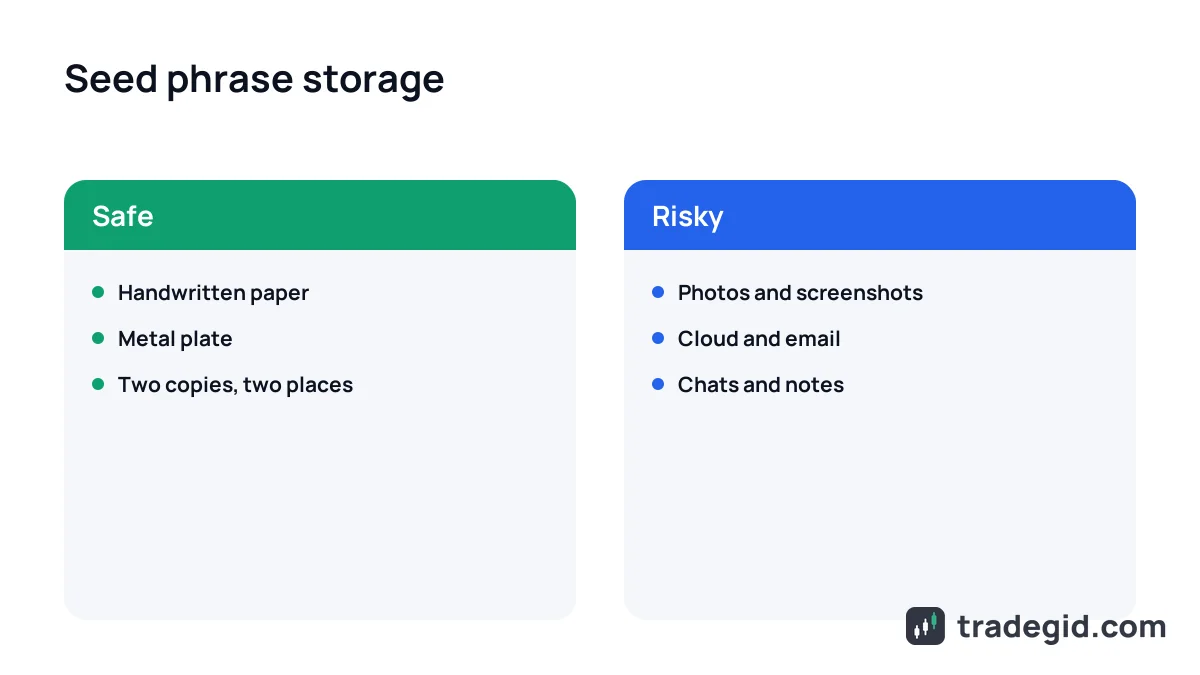
The phrase should exist only offline, in at least two places. Photos, cloud drives, notes, email and chats can all be read sooner or later. MetaMask's help centre also rules out password managers.
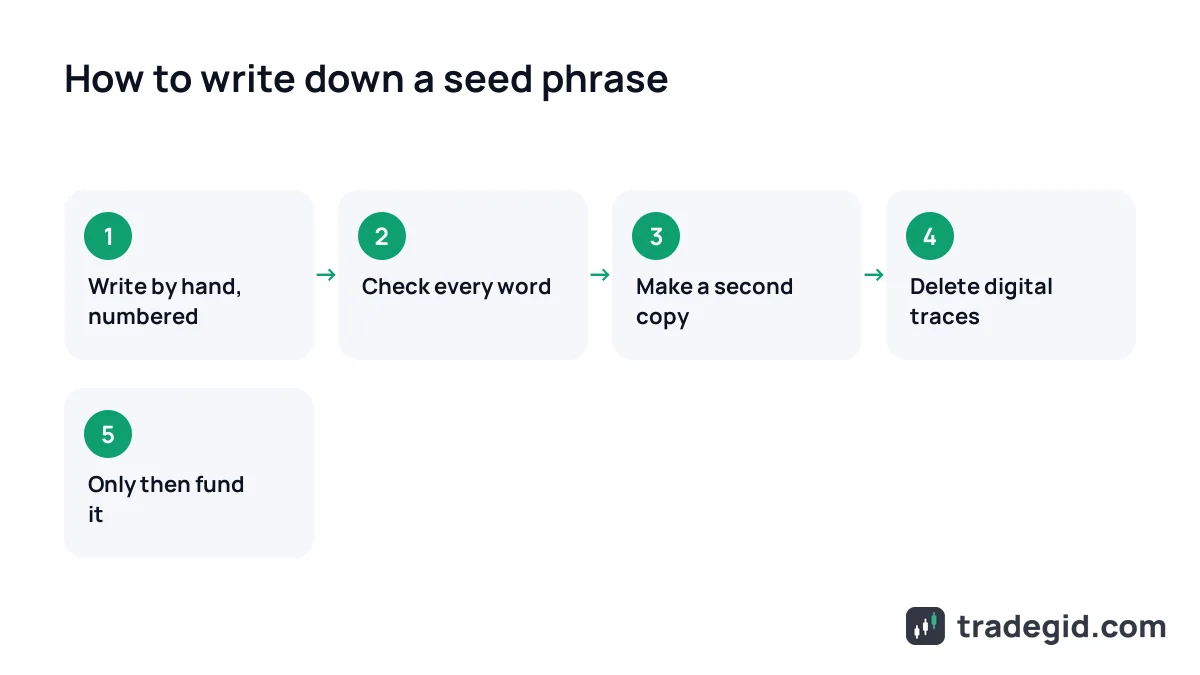
- Write it by handOn paper or the wallet's recovery card. Number the words and use block letters.
- Check every wordCompare with the screen in order and pass the wallet's confirmation step.
- Make a second copyKeep it in another place, so a fire or flood doesn't take the wallet with it.
- Move it to metalFor larger amounts, steel survives fire and water.
- Remove every digital traceNo screenshot, photo, clipboard copy or note. If one existed, make a new wallet.
Two offline copies in different places protect you from both theft and loss. A single sticky note under the keyboard does neither.
| Where | Rating | Why |
|---|---|---|
| Paper hidden at home | OK | Offline, but fears fire, water and prying eyes |
| Metal plate | Safe | Survives fire and water |
| Two copies in different places | Safe | One lost copy isn't lost money |
| Photo or screenshot on your phone | Risky | Galleries sync to the cloud; malware scans them |
| Google Drive, iCloud, email | Risky | Hacked account = drained wallet |
| WhatsApp, Telegram, notes app | Risky | Hijacked chats get read first |
| Password manager | Risky | MetaMask advises against it |
| Memory only | Risky | Forget one word and it's over |
Author's rating based on MetaMask, Trust Wallet and Ledger guidance, November 2026.
Storing a seed phrase on metal
A metal plate is the same backup stamped on steel. Four letters per word are enough, since BIP39 words are unique by their first four letters. It solves durability, not secrecy – hide it like paper.
Passphrase – the "25th word"
Some wallets, mostly hardware ones, let you add your own extra word – a passphrase – that opens a separate hidden wallet. Any passphrase gives a valid wallet, so typos go unnoticed, and Ledger doesn't store it. Beginners can skip it; if you use one, write it down separately.
What to do if someone saw your seed phrase
You can't change the seed phrase of an existing wallet – MetaMask says so plainly. The fix is a new wallet and moving the funds first.
- Create a new wallet with a new phrase, ideally on a clean device.
- Write the new phrase down offline before funding it.
- Move everything from the exposed wallet, largest amounts first, keeping a little ETH, BNB or TRX for fees.
- Stop using the old address and remove it from exchange address books.
- If the leak came from your device, clean it – malware will see the new phrase too.
Speed matters: bots watch compromised addresses and sweep them within minutes. Move the funds first, investigate later.
Lost seed phrase: what you can and can't do
If the wallet still opens, go to settings using the paths above, reveal the phrase and write it down now. MetaMask needs your password, Trust Wallet your PIN.
With Ledger: lost the device but have the 24 words – restore on a new device. Lost the words but the device works – set up a new wallet, write its phrase down and move the funds.
If the app is gone and there's no phrase, nobody can restore the wallet – MetaMask, Trust Wallet and Bybit don't store your words. "Lost seed phrase finder" services usually ask for the words you still have, then take what's left.
"Invalid phrase" error when importing
The checksum doesn't match. Usual causes: a typo, wrong order, an extra space, a capital letter, or a non-BIP39 phrase – Electrum has its own seed system. If the import works but the wallet is empty, check the network and passphrase.
How scammers steal seed phrases
- Fake support on Telegram, Discord and X. They message first, offer to "unlock" or "sync" your wallet and ask for the words.
- "Wallet validation" sites. A form with 12 boxes to "verify" or "restore" your wallet. Real wallets never need this.
- Fake browser extensions. In July 2025 Koi Security found over 40 fake Firefox extensions posing as MetaMask, Trust Wallet, Phantom, OKX and others.
- Fake sites in search. Searches like "Ledger start" return clones on free site builders. Download wallets only from the official site.
- "Leaked" phrases with a balance. A phrase posted in YouTube comments opens a multisig wallet with USDT on TRON: you send TRX for fees and still can't withdraw (Kaspersky via Cointelegraph, December 2024).
- Online seed phrase generators. The site owner may log every phrase. Let the wallet app generate it.
Every scheme comes down to one thing: getting you to type the words where they don't belong. A seed phrase is entered only to restore a wallet in the official app.
Where to keep the coins themselves is covered in how to store crypto. We also walk through seed phrases in a live beginner webinar (held in Russian).
Buy crypto, then move it to your own wallet
The usual path: buy USDT or BTC on an exchange (card or P2P in INR, NGN or PHP), practise transfers with a small amount, then move part to your own wallet. OKX and Gate don't serve India; Gate also excludes the Philippines.
New accounts via the link: tasks worth up to 250 USDT; 25% off spot fees paid in MNT.
Sign up on BybitJ8NKMGNew accounts via the link are enrolled in the OKX New User Bonus program automatically.
Sign up on OKXK2FMEIJ3New accounts: a welcome package worth up to 135 USDT for tasks; lower fees paid in GT.
Sign up on GateUVRGV1FX20% off spot fees paid in BGB; new-user rewards in the Reward Center.
Sign up on BitgetBGGAPKEJ