

Binance Spot Grid Bot: Step-by-Step Setup with Exact Button Names
A Binance spot grid takes about five minutes to set up: Trade > Trading Bots > Spot Grid, then the AI or Manual tab, a price range, the number of grids and an amount in USDT. There is no separate bot fee, you pay normal spot fees. Below are the steps with button names, a parameter table, a worked example and an honest risk list.
Contents
- What a spot grid is and how it works on Binance
- Steps 1-3: sign up, KYC and USDT in your spot wallet
- How to create a spot grid on Binance: web and app
- Grid parameters: what each does and what a beginner should set
- Worked example: range 90-110, 20 grids, 1,000 USDT
- Bot fees on Binance
- For new users
- Common beginner mistakes
- Other exchanges and bots
You need a Binance account first. Signing up through the link opens the form with the referral code filled in, and the bot is available after verification.
New accounts get up to 100 USD in trading-fee vouchers after KYC.
Sign up on Binance58328288The code can only be entered during sign-up.
What a spot grid is and how it works on Binance
A spot grid places limit orders in a ladder inside a price range: it buys on the lower levels and sells on the upper ones. Every closed "buy low, sell high" pair adds to grid profit. While price moves sideways, the profit builds up by itself.
Binance gives you three ways to set parameters: the AI tab (parameters from technical analysis over a period you choose), Popular (copy someone else's strategy with Copy) and Manual. I start with AI to see sensible numbers and then move them into Manual, so I know exactly what I am changing.
Steps 1-3: sign up, KYC and USDT in your spot wallet
- Sign up through the referral linkRegister on Binance: the form opens with the referral code filled in. Confirm your email or phone, set a password and turn on 2FA. Details are in the registration guide.
- Verify your identity (KYC)Without KYC many features stay limited. Upload your ID and pass the face check in the profile or the app, and give your real country. New accounts get welcome vouchers after KYC, see the section for new users below.
- Put USDT in your spot walletBuy USDT on P2P or by card, or send it from another wallet, then move it to the spot wallet with the transfer button. In the app the default funding source is Spot, Funding and Earn together, and you can change it through Available.
Before launching a bot you need a registered, verified account and USDT in the spot wallet. Everything else is set in the bot form.
How to create a spot grid on Binance: web and app
Web path: Trade > Trading Bots > Spot Grid (or Create Strategy > Create). App path: Trade > Bots > Spot Grid. Button and tab names come from the Binance help center articles on creating a Spot Grid and on its parameters. The interface can differ slightly by region.
Grid parameters: what each does and what a beginner should set
| Parameter | What it does | What a beginner should set |
|---|---|---|
| Pair | The market the bot trades | BTC/USDT or ETH/USDT: deeper liquidity, less slippage |
| AI / Popular / Manual tab | Where the parameters come from | AI to start, then Manual so you understand each number |
| Lower / Upper price | The limits outside which the bot does not trade | Edges of the last 2-3 weeks of range plus 3-5% |
| Grids | Number of grids, 2 to 500 (up to 170 with Trailing Up) | 10-30, with a step of at least 0.5-0.7% after fees |
| Arithmetic / Geometric | Equal price step or equal percentage step | Arithmetic for a narrow range, Geometric for a wide one |
| Investment | Total USDT for the bot | 5-10% of deposit, not below the minimum order per grid |
| Trigger price | Starts the bot when price reaches a level | Use it to enter lower than the current price, otherwise leave empty |
| Take Profit / Stop Loss | Closes above the upper or below the lower limit | Always set Stop Loss, 3-5% below the lower limit |
| Sell All Base Coins on Stop | Sells the base coin when the bot stops | Turn on if you do not want to be left holding the coin |
| Trailing Up | Moves the grid up as price rises | Only after your first few runs |
Source: Binance help center articles on creating a Spot Grid and on its parameters. Binance does not state a minimum investment as a number: the form and Bot Marketplace show it.
Worked example: range 90-110, 20 grids, 1,000 USDT
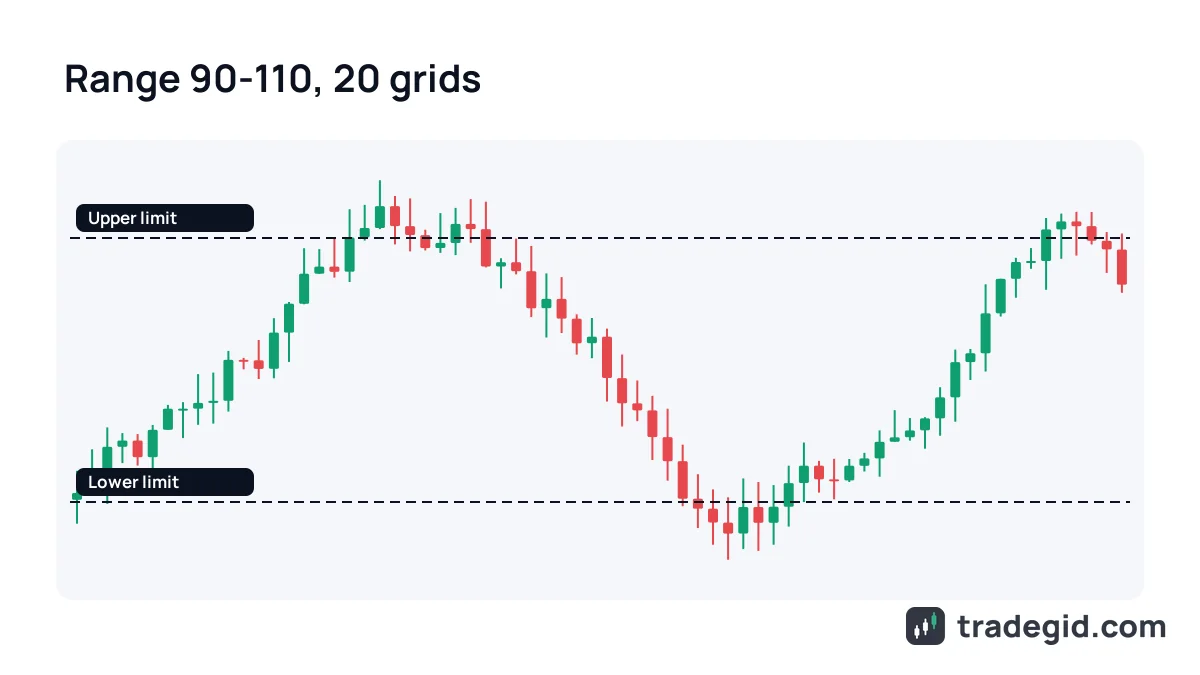
A coin trades at 100 USDT, the range is 90-110, 20 arithmetic grids, 1,000 USDT. The grid step is 1 USDT (about 1%) and each order is about 50 USDT. One buy-sell pair earns roughly 0.5 USDT before fees and about 0.4 USDT after two 0.1% fees. That is around 0.8% per order.
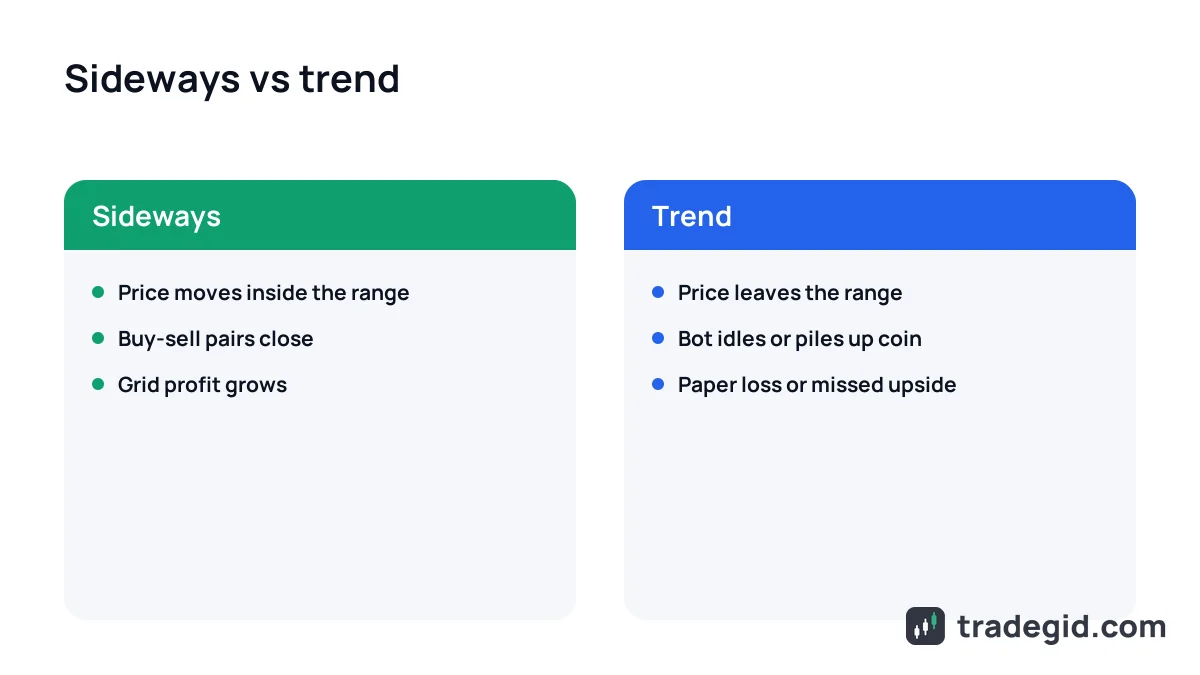
Now the other side. If price falls to 90 the bot buys every lower level and you hold about 10 coins at an average above the market: a paper loss of roughly 7% of the amount (a rough estimate). If price rises above 110 the bot sells everything and stops with a gain of about 3%, and further upside passes you by. Try your own numbers in the calculator.
Bot fees on Binance
Binance charges no separate bot fee: grid orders pay the normal spot rate. The base-coin reserve for fees is topped up automatically. The 0.075% rate for paying in BNB is not described for bot orders in the help center, so do not build it into your math.
| Item | Rate | Comment |
|---|---|---|
| Bot subscription | 0 | Free |
| Spot maker / taker | 0.1% / 0.1% | Grid orders are limit orders, but the rate is the same |
| Paying fees in BNB | 0.075% | Not confirmed for bots, check your own rate in the profile |
| Creator share when copying | Not found | Bot Marketplace terms are not given as a number in the help center |
Sources: Binance fees, Trading Bots Terms.
For new users
I write this the way the exchange itself does: bonuses for all new users, with conditions and dates. Check the Rewards section after you register for what is live.
- After KYC, new accounts get vouchers worth up to 100 USD against trading fees (not for Russia, Uzbekistan and Binance Kazakhstan).
- Binance runs campaigns from time to time with vouchers and spot fee rebates: some rewards need a turnover above 10,000 USD, and in some regions (EEA, US, UK) the campaigns are not available. Look at the banner on the home page and the Rewards section.
- I found no dedicated bot promo for new users. Loss Protection Vouchers exist only for Futures Grid and go to selected users.
Vouchers cover fees, not bot losses. Rely on the terms on the campaign page, they change.
If you do not have a Binance account yet, sign up through the link, finish KYC and start with a small amount.
New accounts get up to 100 USD in trading-fee vouchers after KYC.
Sign up on Binance58328288The code can only be entered during sign-up.
Common beginner mistakes
- Too many grids. A 0.2% step with a 0.1% fee on each side leaves nothing.
- A range wider than needed. Money is spread thin and trades are rare. A very narrow range, on the other hand, runs out fast.
- No Stop Loss. A downtrend turns the bot into a bag of coins. Decide in advance where you exit.
- Cancelling an order by hand. Touching grid orders ends the strategy, and so does a delisting of the pair.
- Launching after a big rally. The bot buys at the top and sits at a loss.
Nearly all losses come from a wrong range and no exit plan, not from a broken bot.
Other exchanges and bots
The grid principle, how to pick a range and the full risk breakdown are in the general guide: grid bot for beginners. All bots are listed in the bots section. Manuals for the other exchanges: Bybit, Bitget, Gate.
New accounts get up to 100 USD in trading-fee vouchers after KYC.
Sign up on Binance58328288New accounts via the link: tasks worth up to 250 USDT; 25% off spot fees paid in MNT.
Sign up on BybitJ8NKMG