

Bitget Spot Grid Bot: Step-by-Step Setup with Exact Button Names
A Bitget spot grid is created like this: Trade > Bots > Create bot > Spot grid, then AI Spot Grid or Manual, the limits, number of grids, Arithmetic or Geometric and an amount in USDT. There is no separate bot fee, standard trading fees apply. Check your country first: Bitget is closed to several regions.
Contents
- What a spot grid is and how it works on Bitget
- Steps 1-3: sign up, KYC and USDT in your spot wallet
- How to create a spot grid on Bitget: web and app
- Grid parameters: what each does and what a beginner should set
- Worked example: range 90-110, 20 grids, 1,000 USDT
- Bot fees on Bitget
- For new users
- Common beginner mistakes
- Other exchanges and bots
You need a Bitget account first. Signing up through the link opens the form with the referral code filled in, and the bot is available after verification.
20% off spot fees paid in BGB; new-user rewards in the Reward Center.
Sign up on BitgetBGGAPKEJThe code can only be entered during sign-up.
What a spot grid is and how it works on Bitget
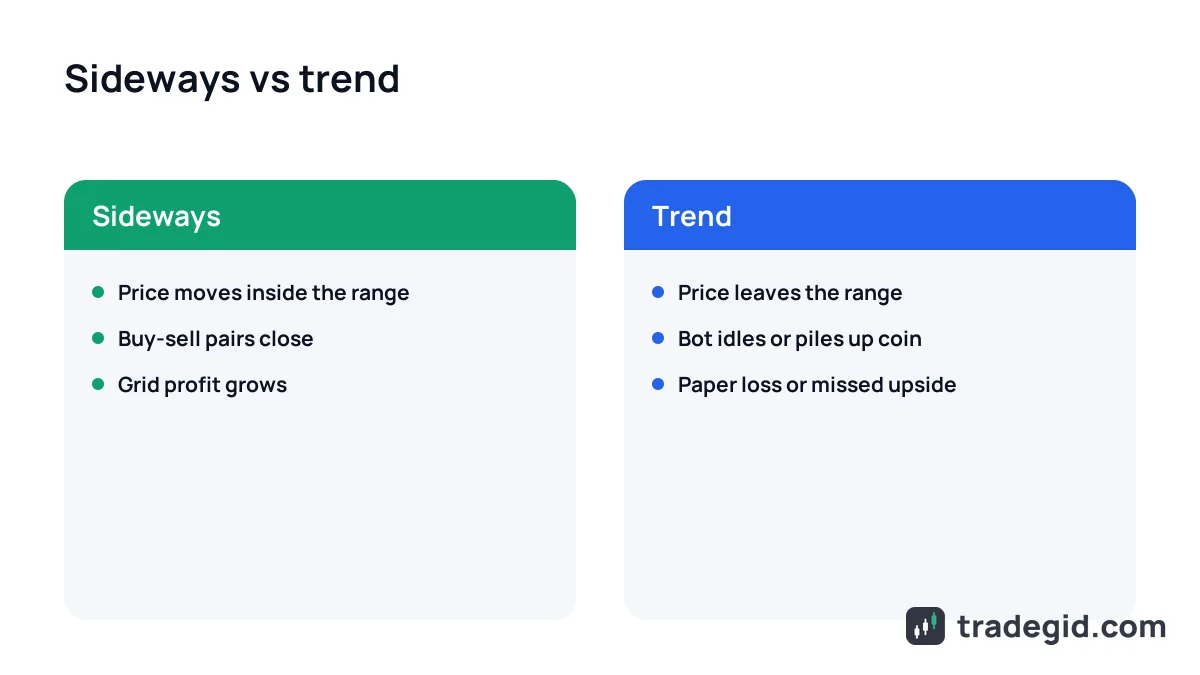
A spot grid buys on the lower levels of a range and sells on the upper ones, and grid profit is the price difference on each closed pair. Floating PnL is the price change on the coins you hold. The bot works best in a sideways market and does not trade outside the range.
Bitget has two close relatives. Spot grid: you set the range and grids yourself or use AI Spot Grid. Spot Position Grid: the system picks the range and grid count from a backtest and you only enter the amount. This page covers the regular Spot grid.
Steps 1-3: sign up, KYC and USDT in your spot wallet
- Sign up through the referral linkIf Bitget is available in your country, register through the link: the form opens with the referral code filled in. Confirm your email or phone, set a password and turn on 2FA. See Bitget registration.
- Verify your identity (KYC)Pass identity verification in your profile: a document and a face check. The country must match where you really live, or you risk a block and trouble withdrawing.
- Put USDT in your spot walletBuy USDT on P2P (Bitget charges no P2P fee except on NGN ads) or send it from another wallet, and make sure the spot account holds enough: the bot takes the funds from there.
Registration, KYC and USDT in the spot account are all the preparation. The bot deducts the amount when you create it.
How to create a spot grid on Bitget: web and app
App path: Trade > Bots > Create bot > Spot grid. On the website the bot sits in Trade, in the Bots section, with the same steps (I checked the web menu names against the help center only for the app). Field names follow Bitget's help article on Spot Grid in the app.
Grid parameters: what each does and what a beginner should set
| Parameter | What it does | What a beginner should set |
|---|---|---|
| Pair | The bot's market | BTC/USDT, ETH/USDT |
| AI Spot Grid / Manual | System parameters or your own | AI to start, Manual to understand |
| Upper Limit / Lower Limit | Range limits | Last 2-3 weeks of range + 3-5% |
| Number of grids | How many orders in the range | 10-30 |
| Arithmetic / Geometric | Equal price step or equal percentage | Arithmetic for narrow, Geometric for wide ranges |
| Starting / Termination condition | Start and end by price, RSI, BOLL | Immediate to start, no termination condition |
| TP price / SL price | Close at a price up or down | SL 3-5% below the lower limit |
| Slippage | Allowed slippage: 1%, 2% or N/A | 1% for liquid pairs |
| Trailing grid | Moves the grid up as price rises | Keep off for the first runs |
| Sell at termination | Sells all coins when the bot ends | Turn on if you do not want to keep the coin |
| HODL mode | Grid profit buys more of the base coin | Keep off: it complicates tracking |
Source: Bitget help center, Spot Grid in the app. Bitget does not name concrete minimum amounts in the help center, the form shows them.
Worked example: range 90-110, 20 grids, 1,000 USDT
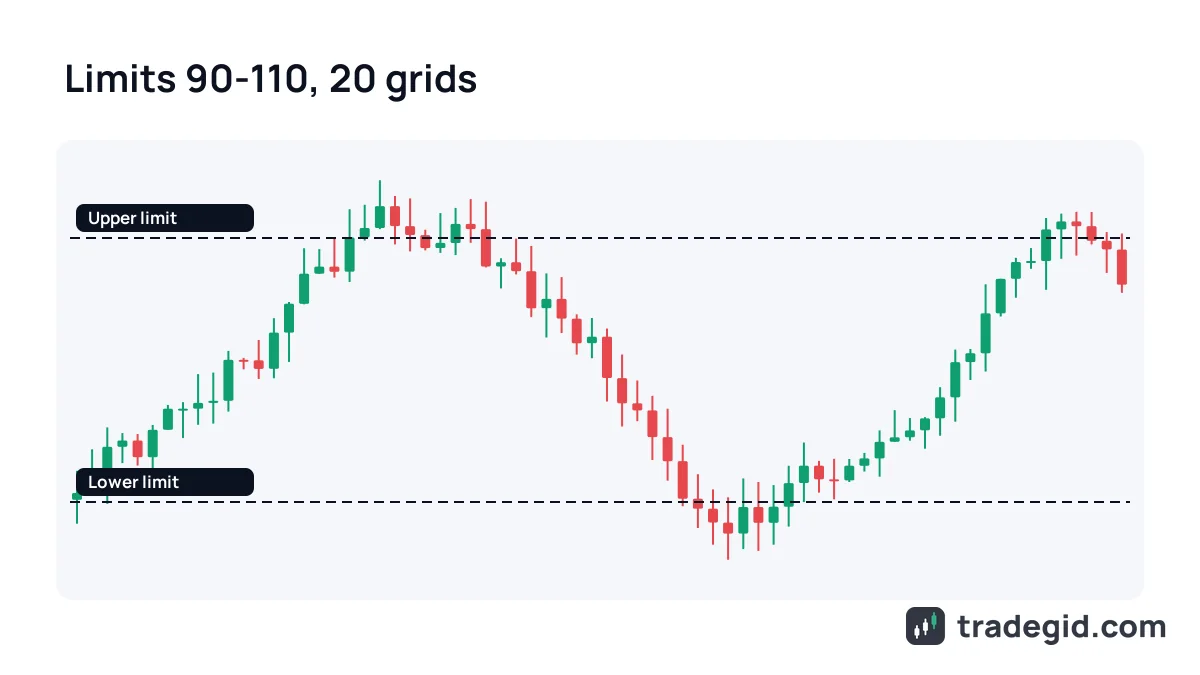
A coin trades at 100 USDT, limits 90-110, 20 arithmetic grids, 1,000 USDT: the step is about 1 USDT and each order is 50 USDT. A buy-sell pair earns about 0.5 USDT before fees and about 0.4 USDT after a 0.1% fee on each side.
If price falls under 90 you are left with a coin bought higher: a paper loss of roughly 7% of the amount (a rough estimate). Above 110 the bot sells everything and stops with a gain of about 3%. Put your own numbers into the calculator.
Bot fees on Bitget
Bitget charges no separate bot fee: normal spot fees apply. The 20% discount for paying in BGB works on spot, but I did not verify whether it covers bot orders.
| Item | Rate | Comment |
|---|---|---|
| Bot subscription | 0 | Free |
| Spot maker / taker | 0.1% / 0.1% | Standard rate |
| Paying in BGB | 0.08% / 0.08% | Not verified for bots |
| Bot Copy Trading | Creator share 0/10/20/30% | Taken only from profit; AI bots cannot be copied |
Sources: Bitget fees, Bitget Trading Fees help article.
For new users
As the exchange puts it: bonuses for all new users. The conditions show after login, so check them in the account itself.
- A 20% discount on spot fees when paying in BGB and newcomer bonuses in Reward Center.
- Reward Center: per the Bitget academy rules, in the first 7 days a deposit of 50 USDT or more earns 200 points and a first trade of 50 USDT or more earns 500 points. Points convert into coupons, and unused points expire at year end. The rules carry no date.
- Bot vouchers: trial position vouchers for Spot Grid (the voucher covers losses, profit is capped by take-profit, 2% by default) and discount vouchers (they reduce your own amount in the bot, one per bot, valid about 7 days). You claim them in Coupon Center. Check Coupon Center for live bot campaigns.
A voucher lets you try a bot with someone else's money, but its profit is capped. Read the terms.
If you do not have a Bitget account yet, sign up through the link, finish KYC and start with a small amount.
20% off spot fees paid in BGB; new-user rewards in the Reward Center.
Sign up on BitgetBGGAPKEJThe code can only be entered during sign-up.
Common beginner mistakes
- A tiny step. A 0.1% fee per side eats any step below 0.3%.
- Price leaving the range. Up, you sit in USDT; down, you hold a cheaper coin.
- Editing parameters on the fly. It cancels unfilled orders and rebuilds the grid, so do it deliberately.
- HODL mode without understanding it. Profit turns into coin and the result depends on price.
- Counting a voucher as profit. The take-profit cap limits your gain.
Simple mistakes (step, range, no SL) cost more than any good setup earns.
Other exchanges and bots
The grid principle, how to pick a range and the full risk breakdown are in the general guide: grid bot for beginners. All bots are listed in the bots section. Manuals for the other exchanges: Binance, Bybit, Gate.
20% off spot fees paid in BGB; new-user rewards in the Reward Center.
Sign up on BitgetBGGAPKEJNew accounts via the link: tasks worth up to 250 USDT; 25% off spot fees paid in MNT.
Sign up on BybitJ8NKMG