

Grid Bot: What It Is, How It Works and How to Set Up the Grid
A grid bot places a ladder of limit orders inside a price range you set: it buys on each step down and sells on each bounce. Profit per cycle is the grid step minus the fee on the buy and on the sell. It works in a sideways market, and when price leaves the range downward it leaves you holding coins at a loss.
Contents
- What a grid bot is and how it earns
- Arithmetic vs geometric grid
- How to choose the range and the number of grids
- Profit per grid: minus a double fee
- Trailing up: a grid that follows price upward
- Grid vs DCA vs holding: what to choose
- When a grid works and when it loses money
- Grid bots on Binance, Bybit, Bitget and Gate
- Your first spot grid, step by step
I've been running spot grids since 2021. They do well where price drifts in a channel for weeks and badly where a trend starts. Below: how the grid works in numbers, how to pick a range, and what is actually left after fees.
What a grid bot is and how it earns
You set a lower price, an upper price and a number of grids. The bot splits the range into cells and places limit orders in each: a buy lower, a sell higher. Bought at 99,000 USDT, sell order at 100,000 – the gap is a bit over 1%, minus 0.1% fee on the buy and 0.1% on the sell, which leaves about 0.8% from that pair of orders. Price swings and the bot repeats the cycle again and again.
On spot, such a bot effectively works long only: it buys a coin and sells it higher, there is no short. So a spot grid has no liquidation, but there is the risk of being left with a coin that fell.
New accounts via the link: tasks worth up to 250 USDT; 25% off spot fees paid in MNT.
Sign up on BybitJ8NKMGNew accounts get up to 100 USD in trading-fee vouchers after KYC.
Sign up on Binance5832828820% off spot fees paid in BGB; new-user rewards in the Reward Center.
Sign up on BitgetBGGAPKEJNew accounts: a welcome package worth up to 135 USDT for tasks; lower fees paid in GT.
Sign up on GateUVRGV1FXNew accounts via the link are enrolled in the OKX New User Bonus program automatically.
Sign up on OKXK2FMEIJ3Arithmetic vs geometric grid
In an arithmetic grid the step is the same in dollars. In a geometric grid it is the same in percent of price. Take an illustrative BTC: range 90,000-110,000 USDT, 20 grids, 0.1% fee.
| Parameter | Arithmetic | Geometric |
|---|---|---|
| Step | 1,000 USDT in every cell | about 1.008% of price in every cell |
| Step in percent | 1.11% at the bottom, 0.92% at the top | 1.008% everywhere |
| Net profit per cycle | from 0.72% (top) to 0.91% (bottom) | about 0.81% everywhere |
| Best for | A narrow range with a small price spread | A wide range with a large price spread |
Calculation: step minus a double fee. Prices are illustrative, to show the arithmetic.
The difference shows on wide ranges: in an arithmetic grid the step in percent is larger at the bottom than at the top, so profit per cycle is uneven. A geometric grid evens it out. Binance's help center gives a similar example for a 400-450 range with 5 grids: 2.07-2.29% per cycle for arithmetic and 2.18% for geometric (0.1% fee).
How to choose the range and the number of grids
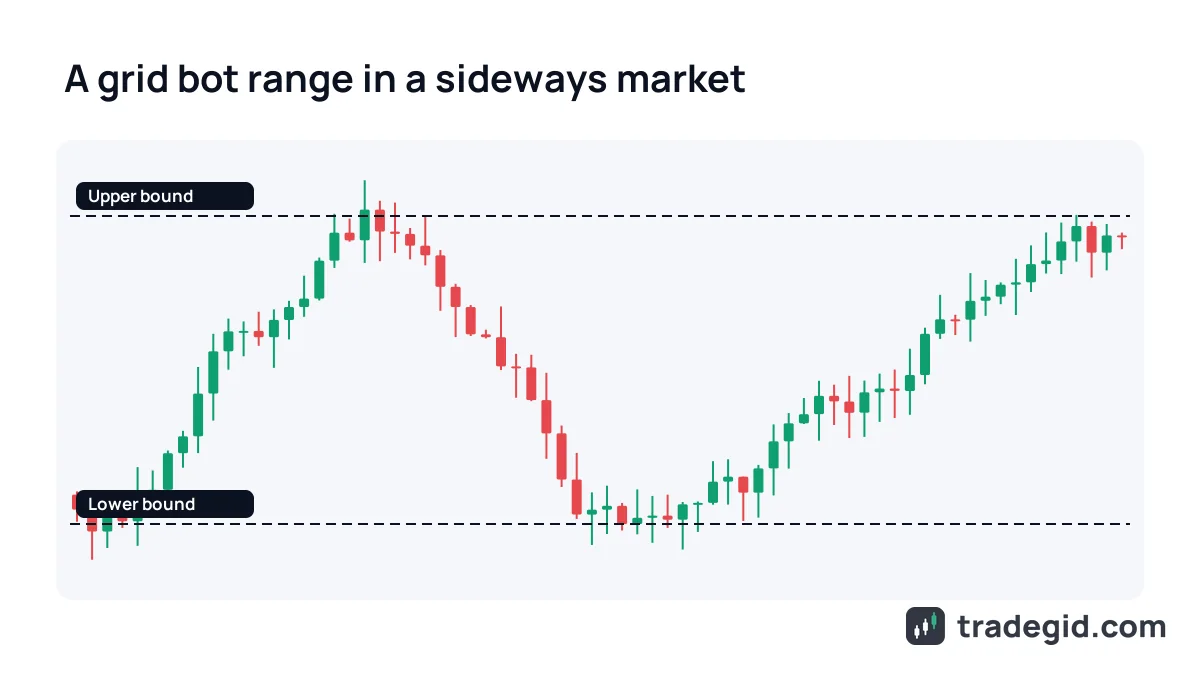
The range is the most important decision. Too narrow and price leaves it fast. Too wide and the money sits idle while the step turns tiny.
- Range: look at the chart for 1-3 months and take the zone where price actually traded. Put the lower bound near strong support and the upper one near resistance.
- The lower bound is the price below which you are willing to hold the coin. If you are not, set a stop loss below the range.
- Number of grids: the step in percent should be well above a double fee. My rule of thumb is at least 0.5% per step at a 0.1% fee.
- Amount per order must be at least the exchange minimum, or the form will not let you create the bot.
- Start with 10-30 grids and watch the bot for a week or two before changing parameters.
Pick the range from the real chart and the number of grids from the step in percent, not by the rule of more being better.
Profit per grid: minus a double fee
Every cycle is two trades, a buy and a sell, and each pays a fee. On spot, Binance, Bybit, Bitget and Gate all start at 0.1%, so a cycle costs 0.2%. If the grid step is below 0.2%, the bot loses on every cycle. In practice you need a margin.
| Grids | Per order | Arithmetic, net profit per cycle | Geometric, net profit per cycle |
|---|---|---|---|
| 10 | 100 USDT | from 1.65% to 2.02% | about 1.83% |
| 20 | 50 USDT | from 0.72% to 0.91% | about 0.81% |
| 40 | 25 USDT | from 0.26% to 0.36% | about 0.30% |
| 100 | 10 USDT | from -0.02% to 0.02% | about 0.001% |
At 100 grids the upper cells of the arithmetic grid lose money and the geometric grid barely earns. Calculation: grid step minus 2 x 0.1%.
More grids mean more frequent trades, but less profit on each and an easier job for the fee to eat it. Check whether a fee discount applies to bots: on Bybit, for example, the discount for paying in MNT does not apply to bots. You can enter your own rate in the calculator above.
Trailing up: a grid that follows price upward
If price moves above the upper bound, a regular grid has sold everything and stands still. Trailing up shifts the grid up with price: the bot cancels the lowest buy order and places a new one near the old upper bound.
- On Bybit the feature needs at least 5 grids and enough free funds.
- On Binance, up to 170 grids are available with Trailing Up on.
- Risk: the grid climbs and new buys happen at ever higher prices. A pullback then hits a more expensive position.
- Bybit advises turning on Trailing Up together with Trailing Stop.
Trailing up helps in a slow uptrend but raises the average buy price. Use it together with a stop.
Grid vs DCA vs holding: what to choose
| Scenario | Holding | Grid | DCA |
|---|---|---|---|
| Sideways | Result near zero | Earns from swings | Average price close to the market |
| Strong rally | Best result | Price left upward: everything sold, part of the rally missed | Buys get pricier, partial participation |
| Sharp drop | Loss on the whole position | Coins bought on the way down, loss on every level | Average price falls, but it is a loss while price stays lower |
| What you must decide | When to sell | Range, stop | Duration and size of buys |
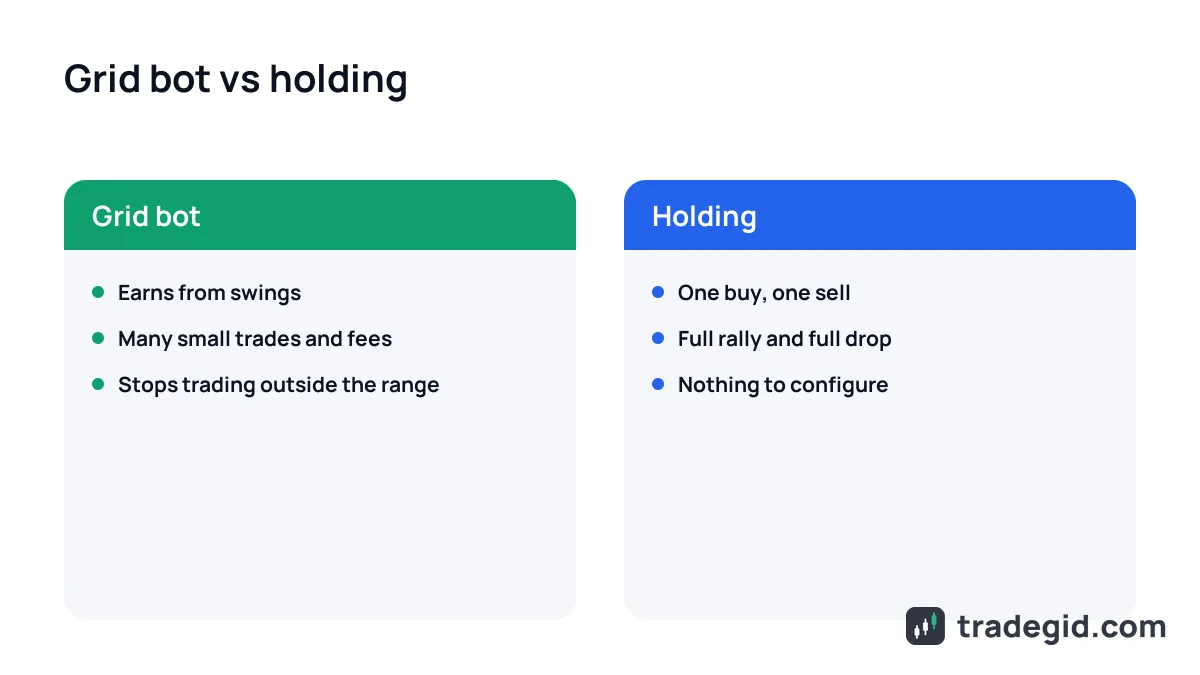
| Fees | Two trades | Many trades | Many small buys |
A qualitative comparison, no promised results: it all depends on the market and the settings. More on other bot types in the bots overview.
When a grid works and when it loses money
Try it yourself. The simulator has three scenarios: sideways, rally and drop. Green dots are buys, red dots are sells. Switch to the drop and watch the unrealized PnL.
- Works: a sideways market with swings clearly larger than a double fee.
- Works partly: a slow rally with Trailing Up, though buys get pricier.
- Loses: a downtrend below the lower bound. The bot holds coins at an average price above the market.
- Loses: a sharp rally above the range without Trailing Up. Profit is locked in, the rally is missed.
- Loses: a grid too tight, where the fee eats the step.
A grid bot is a tool for a channel. In a trend it either idles or piles up losses.
Grid bots on Binance, Bybit, Bitget and Gate
These exchanges do not charge a separate bot fee: trades pay regular fees. Parameters differ everywhere, and step-by-step guides sit on separate pages.
| Exchange | Number of grids and grid type | Features | Guide |
|---|---|---|---|
| Binance | 2-500, arithmetic and geometric | AI, Popular and Manual tabs; Trigger, TP and SL; Trailing Up up to 170 grids | Binance spot grid |
| Bybit | 2-200; grid type for spot grid not described in the help center | Trailing Up from 5 grids, Trailing Stop, Entry Price; KYC Lv.1 required | Bybit spot grid |
| Bitget | Arithmetic and geometric; number of grids not stated in the help center | RSI and BOLL triggers, Trailing grid, HODL mode; with a tiny step the bot matches orders across several grids. Closed to Russia, Belarus and Kazakhstan | Bitget spot grid |
| Gate | 1-1000, arithmetic and geometric | Moving Grid, Coin Accumulation Mode, free bot copying (5% of profit goes to the author). India and the Philippines are on Gate's restricted list | Gate spot grid |
Data from exchange help centers for 03-08 Nov 2026. Minimum amounts are not published: they show in the bot creation form.
Exchanges give bonuses to new users: Bybit – tasks with rewards up to 250 USDT; Binance – vouchers up to 100 USD for trading fees after KYC; Gate – a welcome pack up to 135 USDT for tasks. Check the terms in your account after you sign up. Which bot vouchers are live now, see the exchange's rewards section.
Your first spot grid, step by step
- Sign upSign up on Bybit or another exchange from the table and complete KYC. A spot grid on Bybit needs Lv.1 verification.
- DepositMove USDT to your spot or funding account. Start with an amount you can afford to lose.
- Pair and rangeOpen the bots section, choose a spot grid and a liquid pair such as BTC/USDT. Set the range from a 1-3 month chart.
- Grids and amountPick the number of grids so the step is above 0.5%. Check the amount per order in the calculator above.
- Protection and monitoringSet a stop loss below the range and watch Total P&L, not just grid profit.
Launch your first bot with a small amount and watch how it behaves in your range.
New accounts via the link: tasks worth up to 250 USDT; 25% off spot fees paid in MNT.
Sign up on BybitJ8NKMGNew accounts get up to 100 USD in trading-fee vouchers after KYC.
Sign up on Binance5832828820% off spot fees paid in BGB; new-user rewards in the Reward Center.
Sign up on BitgetBGGAPKEJNew accounts: a welcome package worth up to 135 USDT for tasks; lower fees paid in GT.
Sign up on GateUVRGV1FXNew accounts via the link are enrolled in the OKX New User Bonus program automatically.
Sign up on OKXK2FMEIJ3