

Download the OKX app: web, phone and desktop
Sign up through the referral link first, then the app: OKX only lets you add a code before the account exists. The app opens from the QR code on the referral page in your account or from the official site okx.com, and everything is also available in the browser. Do not install setup files from chats and third-party catalogues.
Contents
Searches like "download okx" bring up both the real pages and a dozen copies. I logged in to OKX on a computer myself, went through the sections and looked at what is also in the phone app and what is easier on the web. Below are the order of steps and the signs of a fake.
Sign up on OKX through the link, then install the app from the exchange's official site and log in.
New accounts via the link are enrolled in the OKX New User Bonus program automatically.
Sign up on OKXK2FMEIJ3The code can only be entered during sign-up.
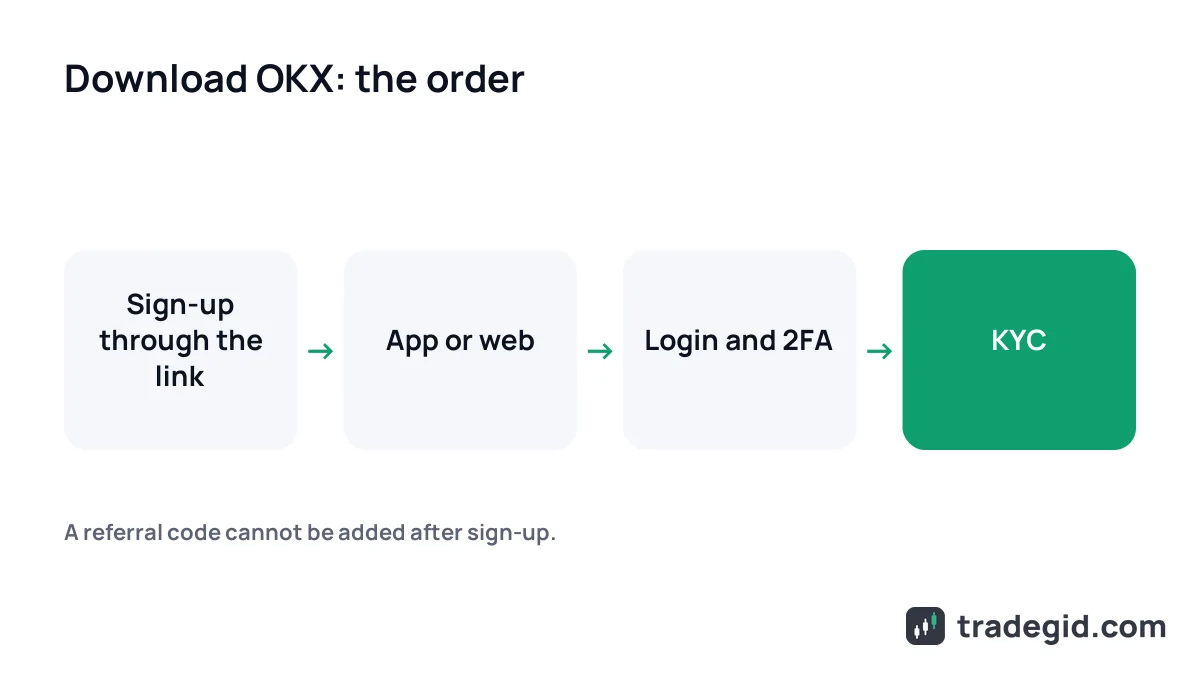
The order: sign up through the link, then the app
The OKX referral programme FAQ says it plainly: the code has to be added before the account is created, and afterwards it can be neither added nor changed. So I go in this order: sign up on OKX, then the app and login to the same account. If you already created an account without the link, the attachment cannot be fixed, and a second account for the code will not work: OKX rejects duplicate identities. What the code gives is on the OKX referral code page.
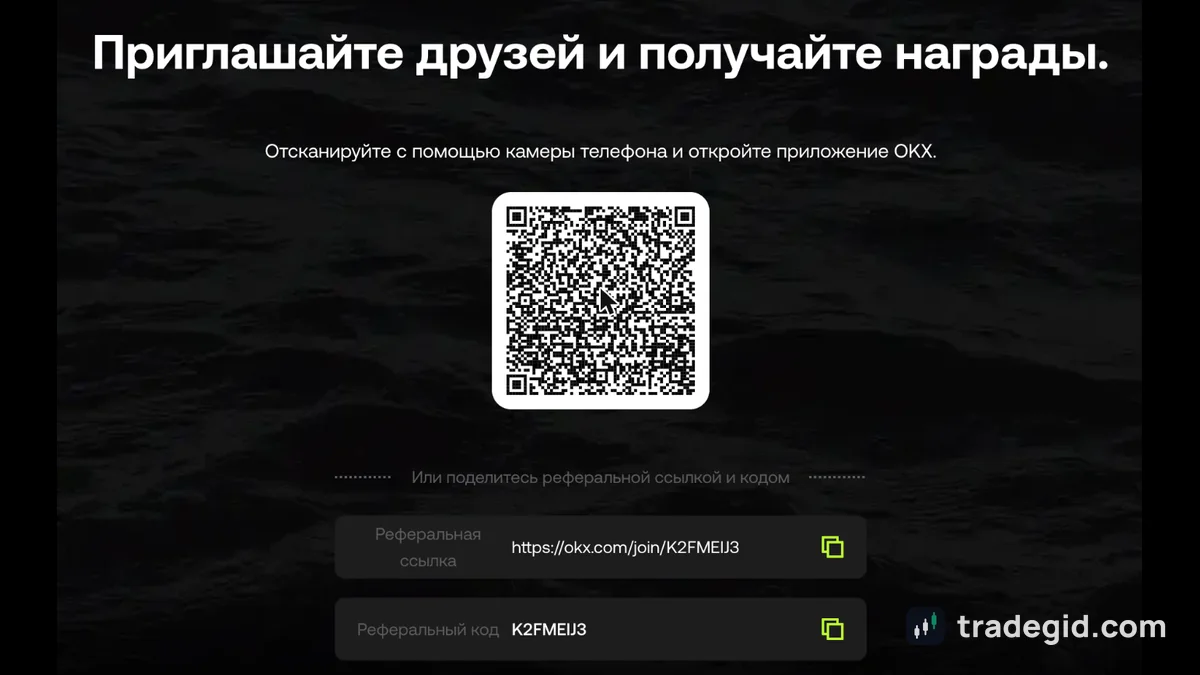
This is the referral page from my account. It has a QR code that leads to the app: a handy way to move from a computer to a phone without typing an address or searching for the app. Next to it are the link and the code K2FMEIJ3, which you can send to friends. The terms for the invited person are not shown on this page; you check them in the new-user bonus programme in the app.
The web version: what is in the account
I work on okx.com in the browser, and it covers everything. The top menu reads "Buy crypto", "Markets", "Trade", "Earn", "Corporate solutions", "Academy", "Orbit" and "More", with "Deposit" and "Assets" buttons on the right. Spot opens through "Trade": chart on the left, order panel on the right. My interface is in Russian, so the names are translated.
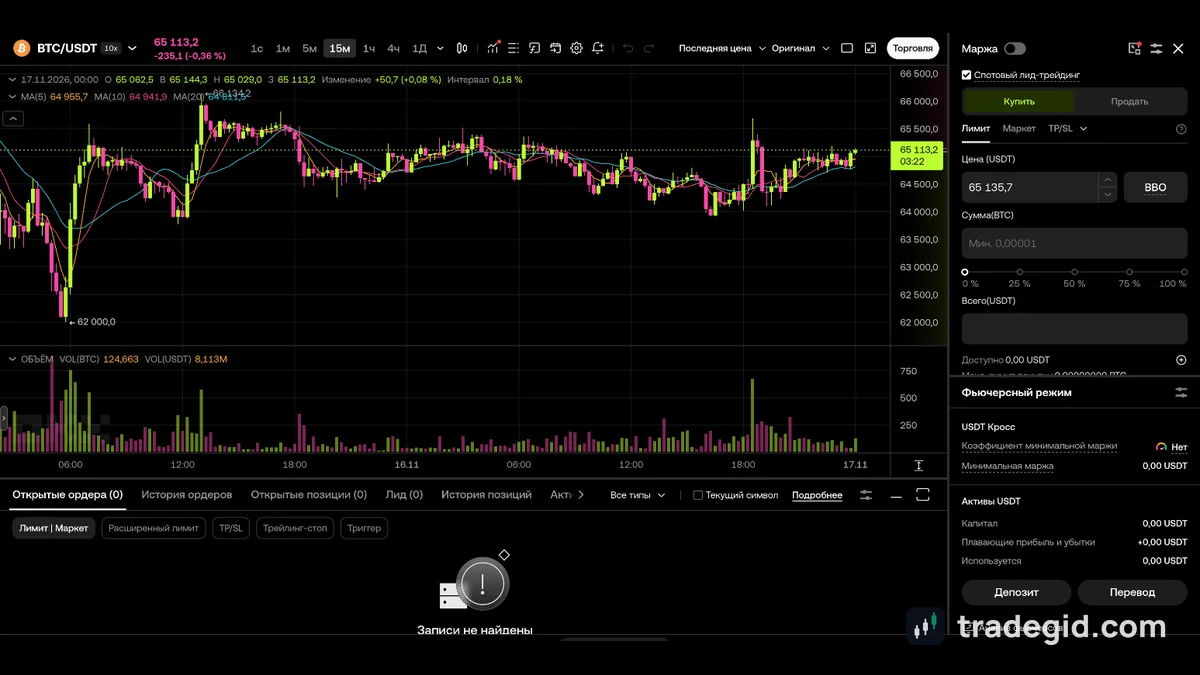
What is worth knowing here. At the top right of the chart is an "Original"/TradingView switch. The "Futures mode" block under the order panel belongs to the unified account: equity and floating P&L are visible at once. At the bottom are the "Open orders", "Order history" and "Open positions" tabs. There is also a "Trade in a floating window" hint: the order form can be pulled over another page so you watch the chart and place an order at the same time. The phone app has the same sections, only more compact, so I find setting up TP/SL step by step and reading order history easier on a big screen. How to trade spot step by step is in the OKX review.
Phone and computer: how they differ in practice
The browser version and the app give the same account and the same assets. On a phone it is handy to top up, check positions and quickly confirm logins and operations. On a computer it is easier to study the chart, set TP/SL and work through Earn. OKX also has a separate client for Windows and Mac, but I would find its link only on the official download page. If in doubt, the browser at okx.com fully replaces it.
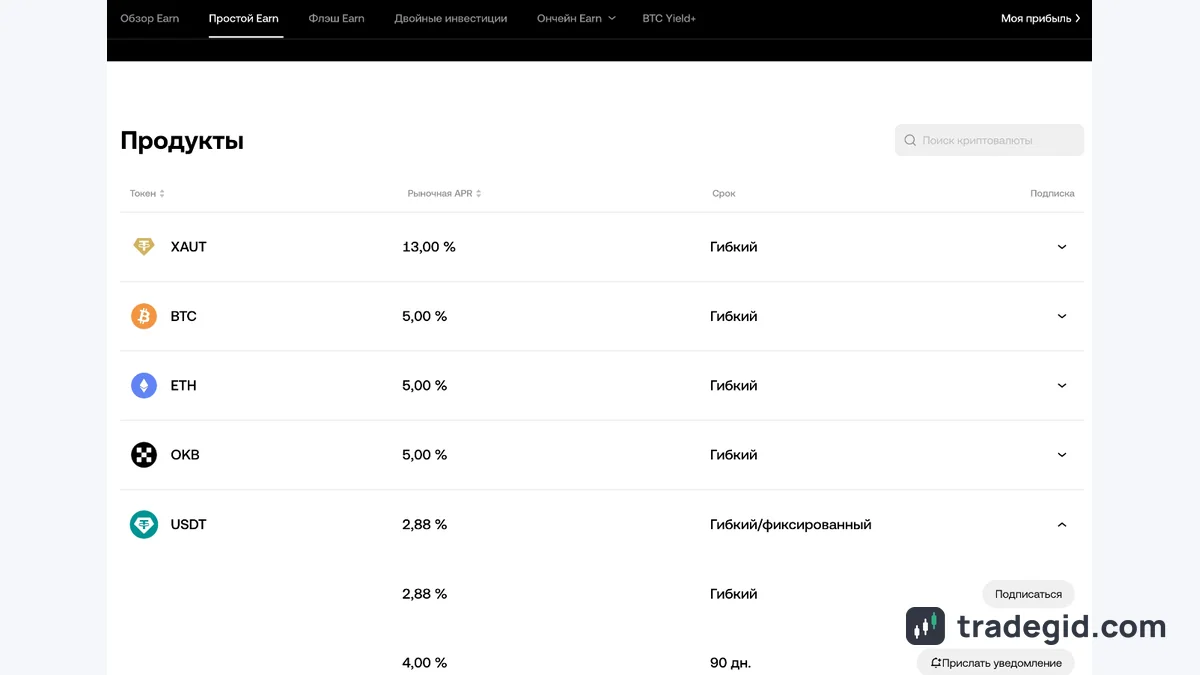
The Earn section is in the top menu. As of 17 November in Simple Earn, my screen shows XAUT at about 13%, BTC, ETH and OKB up to 5% (a bonus rate on a limited amount, on the flexible product), USDT 2.88% flexible and about 4% for 90 days. This is a one-day snapshot, rates change, and it is not a promise of income. The section looks the same on the web and in the app.
How to avoid a fake
- Domain. okx.com and https. Clones on pages.dev, daftpage, blogspot and similar builders are phishing, and in search they sit next to the real page.
- Source of the app. Only the official site okx.com and the QR code from there or from the referral page in your account. Files from Telegram chats and third-party catalogues cannot be checked.
- Anti-phishing code. Set it in the security settings: genuine OKX emails contain it, emails without the code are phishing.
- Permissions. A trading app does not need access to SMS or the call log; if it asks, do not install it.
The domain and the source of the file filter out almost all fakes. Neither OKX nor support ever asks for a wallet seed phrase.
If the app is not in the store of your country, I will not advise changing the region, using someone else's account or switching on a VPN: it breaks the rules and can end with the account blocked. Check OKX's terms for your country in the Risk and Compliance Disclosure on okx.com. If you create a wallet inside the app, write the seed phrase on paper at once; more in the piece on the seed phrase.
What to do after installing
- Log in to the account created through the link.
- Turn on 2FA with an authenticator app (Google Authenticator or similar) and keep the backup key on paper.
- Set an anti-phishing code.
- Profile, Verification, Individual account: document and selfie. You can hardly do anything on OKX without KYC: it is needed for trading, deposits, withdrawals and P2P. Step by step in the registration guide.
- Start with a small amount to go through the whole deposit path.
We do 2FA and KYC at once: without them the account is weakly protected, and trading and withdrawals are unavailable.
After sign-up OKX shows new users a bonus programme: the tasks and rewards are personal and depend on the country, and the terms are visible in the account. Where to keep crypto on and off the exchange is in how to store cryptocurrency.
Availability by country
| Country or region | Status | What to know |
|---|---|---|
| India | Fully restricted | OKX left India in 2024 and lists it as a restricted location |
| Nigeria | Not on the restricted list | Local media reported access restored in 2026; NGN P2P ads are live, licence status unconfirmed |
| Philippines | Not restricted, but not SEC-registered | The SEC named OKX among unregistered platforms in August 2025 and ISPs block the site |
| Russia | Partial restriction | Fiat payment services are restricted, no rouble P2P; crypto trading works for verified users |
| EU / EEA | Separate OKX Europe | MiCA licence, futures only as X-Perps up to 10x |
| Canada, Japan, Hong Kong, Malaysia, Uzbekistan and others | Fully restricted | Sign-up and service unavailable |
From our OKX review and the Risk and Compliance Disclosure. Store availability by country was not checked separately.
More in the OKX review. State your real country of residence: a wrong country on the form leads to a block during document checks.
Sign up on OKX through the link, then the app from the official site.
New accounts via the link are enrolled in the OKX New User Bonus program automatically.
Sign up on OKXK2FMEIJ3The code can only be entered during sign-up.