

Gate Spot Grid Bot: Step-by-Step Setup with Exact Button Names
A Gate spot grid starts at Bots > Spot Grid > Select Trading Pair: choose Ultra AI or Manual Grid Setup, set the Lower and Upper Price Limit, Grid Count and an amount, then press Create. 1 to 1000 grids are allowed and there is no separate bot fee. Below are the steps, parameters and risks.
Contents
- What a spot grid is and how it works on Gate
- Steps 1-3: sign up, KYC and USDT in your spot wallet
- How to create a spot grid on Gate: web and app
- Grid parameters: what each does and what a beginner should set
- Worked example: range 90-110, 20 grids, 1,000 USDT
- Bot fees on Gate
- For new users
- Common beginner mistakes
- Other exchanges and bots
You need a Gate account first. Signing up through the link opens the form with the referral code filled in, and the bot is available after verification.
New accounts: a welcome package worth up to 135 USDT for tasks; lower fees paid in GT.
Sign up on GateUVRGV1FXThe code can only be entered during sign-up.
What a spot grid is and how it works on Gate
A Gate spot grid is long-only: it buys lower and sells higher inside a range. Profit comes from the buy-sell cycles plus any rise in the price of the coin you hold. The formula in the guide: net grid profit = grid arbitrage return minus twice the trading fee.
There are three creation modes: Smart Creation (recommended bots backtested over 7, 30 or 180 days, Ultra AI), Copy (copy a bot from the Marketplace, 5% of profit goes to its author) and Custom Creation (Manual Grid Setup). Ultra AI is fine for a first run, then move to manual setup.
Steps 1-3: sign up, KYC and USDT in your spot wallet
- Sign up through the referral linkIf Gate is available in your country, register through the link: the form opens with the referral code filled in. Give your real country, confirm the code and set a password. See Gate registration.
- Verify your identity (KYC)Without KYC you cannot deposit or withdraw. Complete identity verification in your profile: a document and a face check.
- Put USDT in your spot accountFund the spot account with USDT by crypto deposit or buy it on P2P (Gate charges no P2P fee). The bot deducts the amount from the spot account when you create it.
A country outside the restricted list, finished KYC and USDT in spot are all you need before the bot form.
How to create a spot grid on Gate: web and app
Web path: Bots > Spot Grid > Select Trading Pair, then Ultra AI or Manual Grid Setup and Create. App path: Bots > Create Bot > Spot Grid (modes Ultra AI, Recommended Bot, Manual Grid Setup). Names come from Gate's official Spot Grid guide (the interface may have changed since).
Grid parameters: what each does and what a beginner should set
| Parameter | What it does | What a beginner should set |
|---|---|---|
| Select Trading Pair | The bot's market | BTC/USDT, ETH/USDT |
| Ultra AI / Manual Grid Setup | System parameters or your own | Ultra AI to start |
| Lower / Upper Price Limit | Trading limits | Last 2-3 weeks of range + 3-5% |
| Grid Count | Number of grids, 1-1000 | 10-30 |
| Quantity Increment | Grows the order size across grids, off by default | Do not use on the first runs |
| Trigger Price | Starts when price is at or below the set level | Empty or slightly below market |
| Stop-Loss / Take-Profit Price | Closes below the lower or above the upper limit | Always SL, 3-5% below the limit |
| Sell All Assets on Termination | Sells everything to USDT at market on stop | Turn on if you do not want to keep the coin |
| Coin Accumulation Mode | Converts profit into the chosen coin | Keep off for simplicity |
| Moving Grid | Shifts the range by MA or breakout | Only with experience |
Source: Gate's official Spot Grid guide. The guide covers arithmetic and geometric grids, but its formulas are images, so I do not retell them. No minimum amount is named, the form shows it.
Worked example: range 90-110, 20 grids, 1,000 USDT
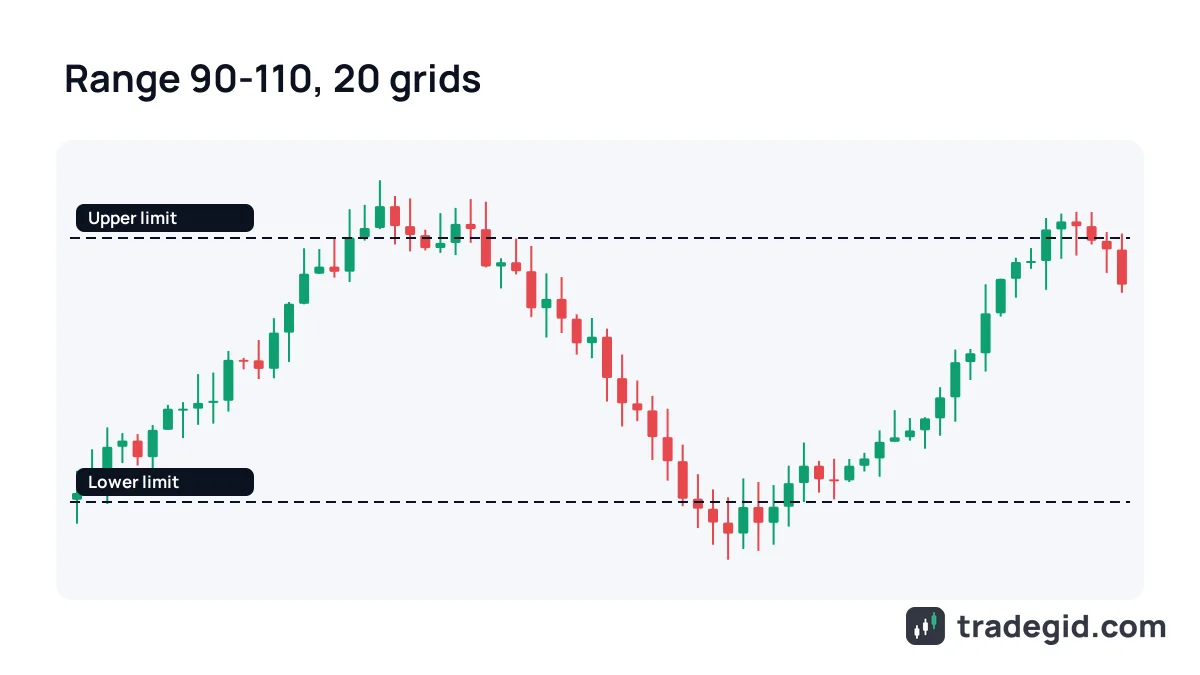
A coin trades at 100 USDT, range 90-110, 20 grids, 1,000 USDT. The step is about 1 USDT and each order is 50 USDT. A buy-sell pair earns about 0.5 USDT before fees and about 0.4 USDT after a 0.1% fee per side. It is the same calculation: grid return minus twice the fee.
If price falls below 90 you are left with a coin bought higher: a paper loss of roughly 7% of the amount (a rough estimate). Above 110 the bot sells everything for a result of about 3%. Check your own numbers in the calculator.
Bot fees on Gate
Gate charges no separate bot fee: trades pay normal rates, and the guide's net profit formula is grid return minus twice the fee. The 0.09% rate for paying in GT is not described for bot orders. Copying a bot is free, and 5% of the copied bot's profit goes to its author after it ends.
| Item | Rate | Comment |
|---|---|---|
| Bot subscription | 0 | None found |
| Spot maker / taker | 0.1% / 0.1% | Same for limit and market orders |
| Paying in GT | 0.09% | Not verified for bots |
| USDC/USDT | 0% / 0% | Pair volume does not count toward VIP |
| Copying a bot | 5% of profit to the author | After the copy ends |
Sources: Gate fees, Gate Bots Instructions help article.
For new users
As the exchange puts it: welcome tasks for all new users. Conditions and dates are below, and the current list is in Rewards Hub after you register.
- A welcome package of up to 135 USDT for tasks in Rewards Hub. These are task rewards, not withdrawable cash.
- Gate runs bot campaigns from time to time (for example, Bot Trial Fund), see gate.com/announcements.
- Gate periodically gives new accounts a higher Earn rate for a short term, so look for the banner in Simple Earn after you register.
Bot funds usually work only for grid bots and give a limited amount. Read the terms before launching.
If you do not have a Gate account yet, sign up through the link, finish KYC and start with a small amount.
New accounts: a welcome package worth up to 135 USDT for tasks; lower fees paid in GT.
Sign up on GateUVRGV1FXThe code can only be entered during sign-up.
Common beginner mistakes
- A country on the restricted list. The account can be frozen together with the bot.
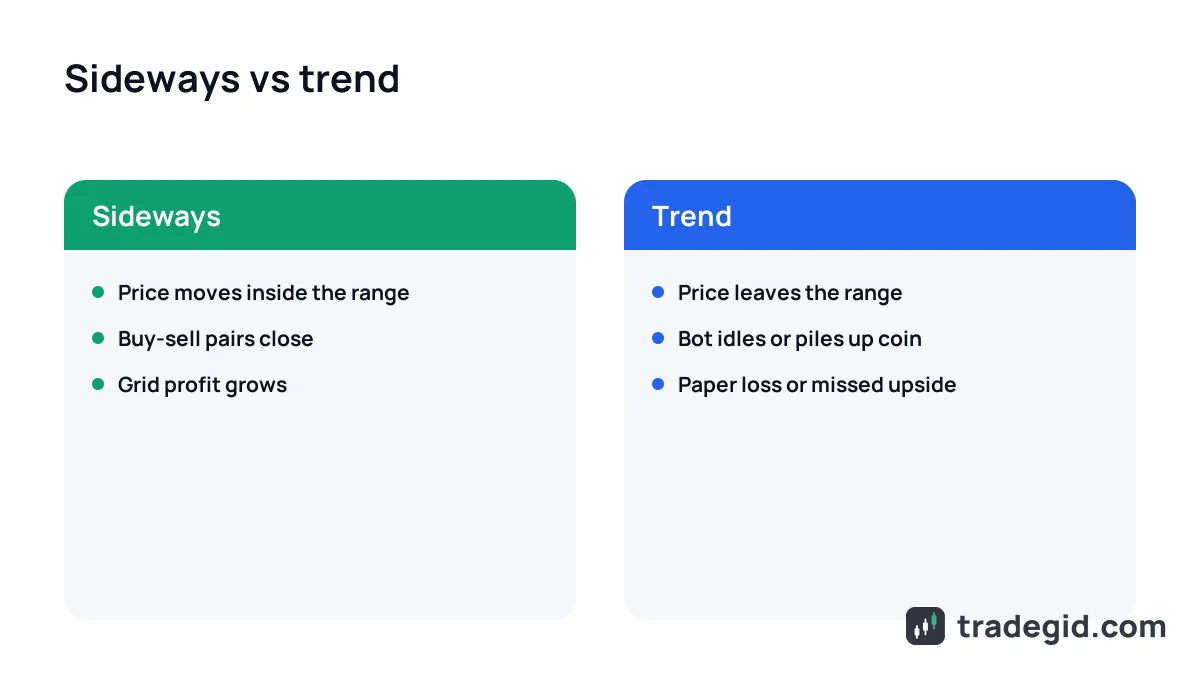
- A range that is too narrow. Price leaves fast and the bot idles.
- Many grids on a small amount. Profit per grid does not cover the fee.
- Moving Grid without experience. Shifting the range can buy at the top.
- No Stop-Loss. A long downtrend leaves you holding bags.
A narrow range and no SL are the main causes of unpleasant surprises.
Other exchanges and bots
The grid principle, how to pick a range and the full risk breakdown are in the general guide: grid bot for beginners. All bots are listed in the bots section. Manuals for the other exchanges: Binance, Bybit, Bitget.
New accounts: a welcome package worth up to 135 USDT for tasks; lower fees paid in GT.
Sign up on GateUVRGV1FXNew accounts via the link: tasks worth up to 250 USDT; 25% off spot fees paid in MNT.
Sign up on BybitJ8NKMG