

Download the Binance App: Web Version, Phone and PC
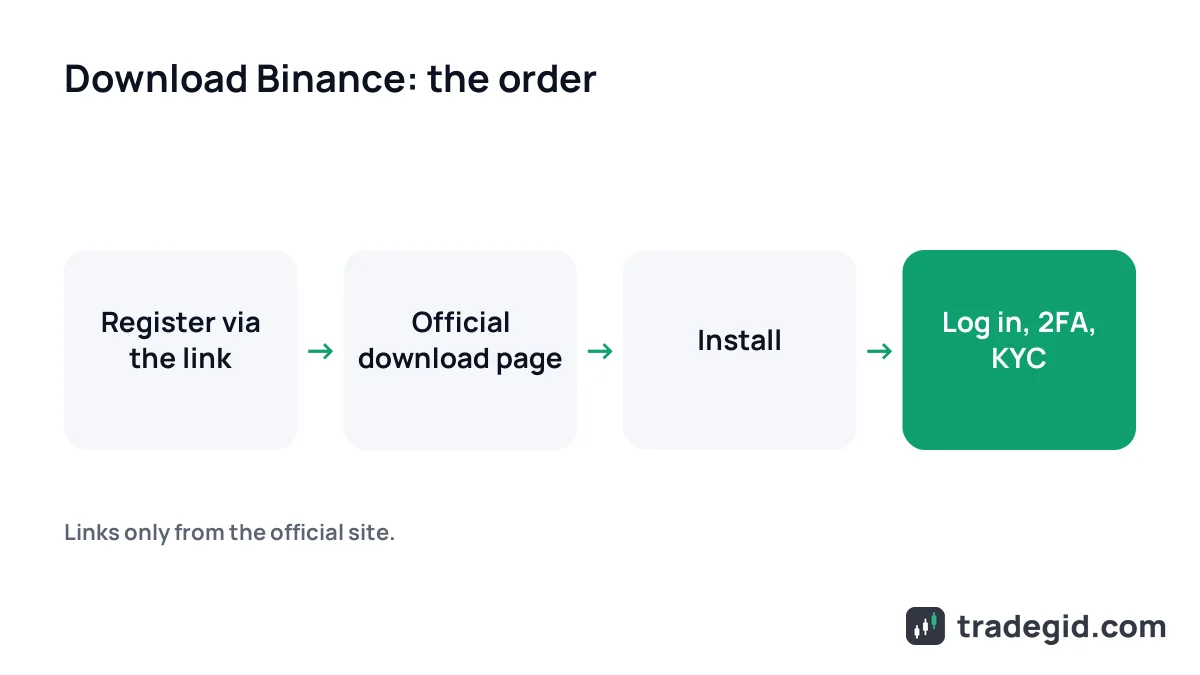
You download the Binance app from the exchange's official site (binance.com/en/download), and the right order is: register through the referral link first, then install the app and log in to the account you created. The same account opens in the browser, the sections are the same and only the screen layout differs. Do not install files from third-party sites or "mirrors": that is how scammers work.
Contents
Binance gives you one account for everything: the browser, the mobile app and the desktop client open the same balance. Below is the install order, then screenshots from my account of the web terminal, Convert and P2P so you know in advance what you will see, and finally the checks against fakes.
Register through the link first (referral code 58328288), then download the app from Binance's official site and log in to the account you created.
New accounts get up to 100 USD in trading-fee vouchers after KYC.
Sign up on Binance58328288The code can only be entered during sign-up.
The order: register first, then the app
An account is created once and works on the site and in the app, so it is easier to register before installing: the form on the site is simpler and referral code 58328288 is filled in automatically. If you open the app and register inside it, you can still enter the code, but the field appears after the account is created, on the success screen.
If you skipped the field, Binance's help page says the code can be linked later, but the conditions are strict: within 30 days of registration, no deposits or trades yet, on a main account without a linked code, and only if your KYC data has not been used on another account in the last 180 days. Details are on the Binance referral code page. It is more reliable to do it all at once: register on Binance, then the app.
Account through the link first, app second: that way the referral code is linked at once and you never meet fakes in search results.
The web version: what the terminal looks like
The terminal opens on binance.com in an ordinary browser, nothing to install. Here is the top part of the BTC/USDT spot screen.
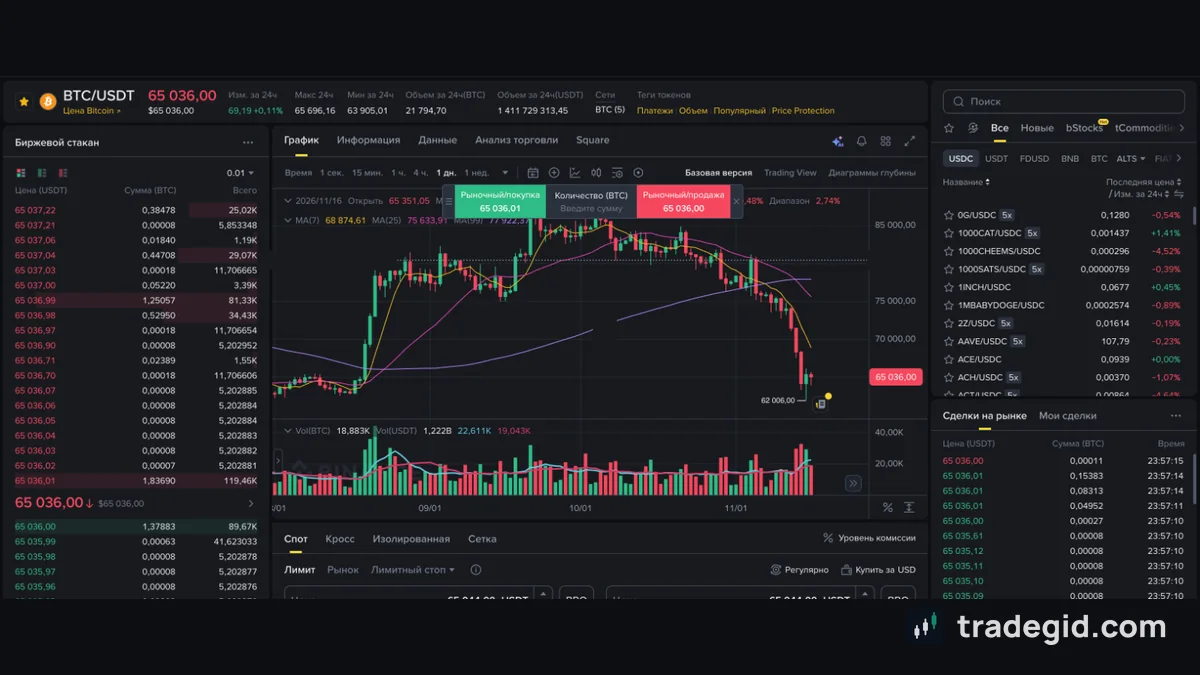
The header shows the price, 24-hour change, high and low, volume, networks and "Token Tags". The order book is on the left, and in the middle is the chart with the tabs Chart, Info, Data, Trading Analysis and Square. Right on the chart sits a "Market/Buy" and "Market/Sell" panel with a quantity field: a quick order without the form. On the right is a pair list with USDC, USDT, FDUSD, BNB and BTC filters, and "Market Trades" below it.
The mobile app has the same sections, but a phone cannot fit everything at once, so the order book, chart and order form switch by tabs. For long sessions with indicators and for futures I find the browser more comfortable, while the app is good for quick actions: checking a position, topping up, confirming a withdrawal. Binance also has a desktop client on the download page, but the browser at binance.com is usually enough. How to trade in the terminal step by step is in the Binance review.
Convert and Lite mode for a first purchase
If the terminal looks scary the first time, start with Convert: a page that swaps one coin for another in two fields. The mobile app also has a simplified Lite mode, switched inside the Binance app itself and not a separate program. Binance changes names and switch locations from time to time, so if you cannot find it, search the help centre for "Lite".
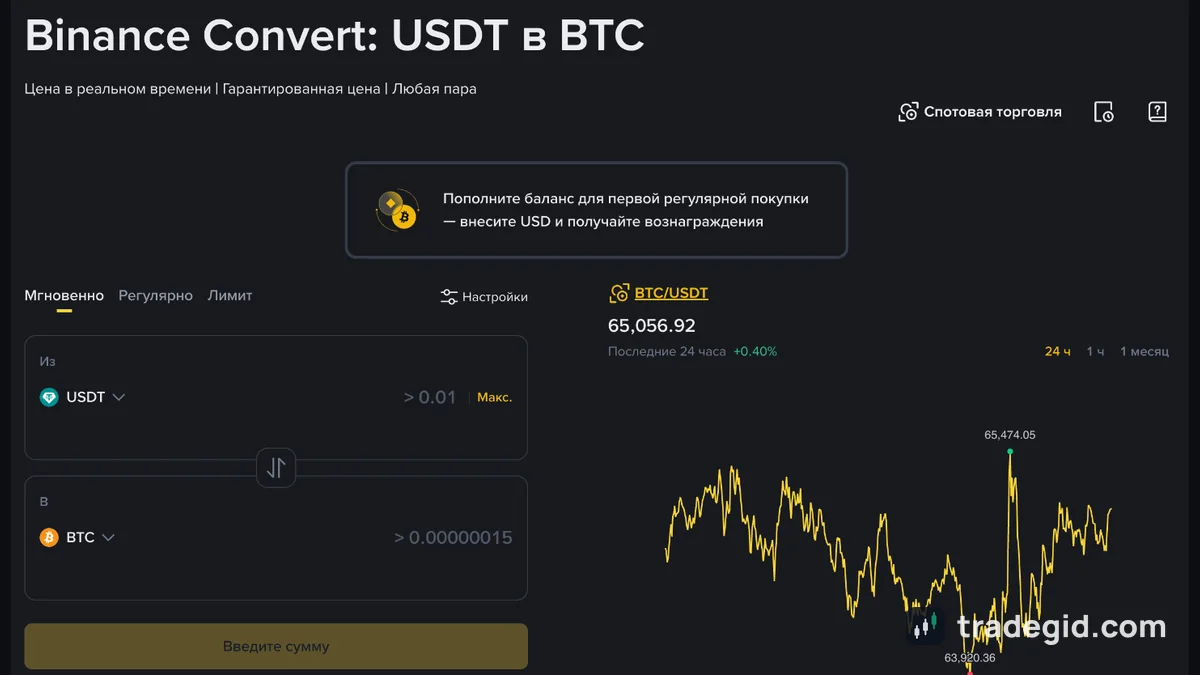
The screenshot shows the tabs "Instant", "Recurring" and "Limit", the "Settings" button and the subtitle "Real-time price | Guaranteed price | Any pair". The "Enter amount" button is inactive while the "From" field is empty. You pay for that simplicity with a spread inside the quote, and how to check it is described on the Binance fees page.
P2P: topping up in the app and in the browser
You can fund your account without a card through P2P: you buy USDT from another user while Binance holds the coins in escrow until the seller confirms payment. The section is in both the browser and the app. For the screenshot I chose buying USDT with hryvnia; whether P2P is open for your country, check in your account.
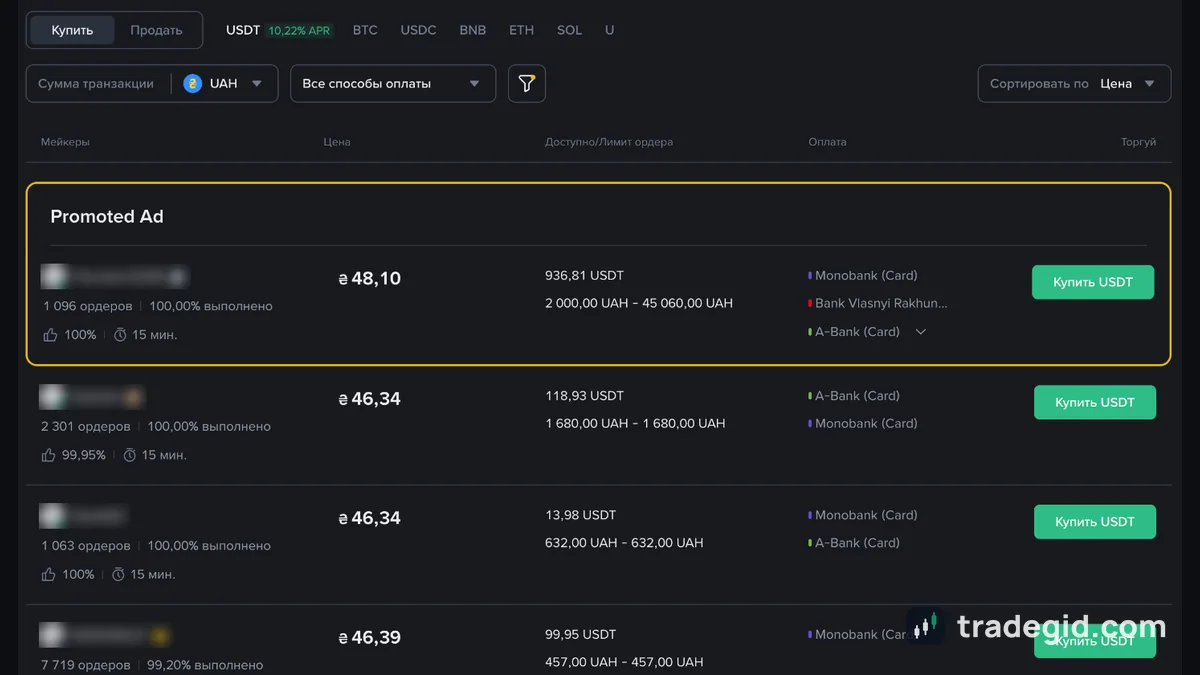
At the top is a Buy/Sell switch, coin tabs (USDT carries a "10.22% APR" tag - that is about Earn, not P2P), a transaction amount field with the UAH currency, "All payment methods" and sorting by price. Each row has the maker's nickname (I blurred them), the number of orders and completion rate, the price in hryvnia, available volume and order limit, payment methods such as Monobank and A-Bank, a "15 min." payment window and a "Buy USDT" button. The first framed row marked "Promoted Ad" is a paid ad: it is at 48.10 UAH, regular ones lower at 46.34 UAH. Pay only from your own card and only to the details in the order. For scam patterns, see P2P scams.
How to avoid downloading a fake
Fake Binance apps are made carefully and look identical. What helps is not your eyes but five checks.
- Domain. The address bar must say binance.com. Lookalike addresses, shortened links and sites from ads are phishing.
- Source. Only a link from the official site or the official store on your phone. Do not install setup files from Telegram channels, file hosts or mirror sites: that is exactly where code that steals passwords and sessions gets hidden.
- Developer. On the app's page check the developer name and the number of reviews. Copies look similar but the developer name is different.
- Anti-phishing code. Set one in the security settings: Binance puts it in every genuine email, and an email without it can go unopened.
- Requests for secrets. An exchange app does not ask for your wallet seed phrase, and support never asks for a 2FA code or remote access to your phone.
Domain, source and developer filter out almost every fake, and a request for a seed phrase or 2FA code gives a scammer away at once.
What to do right after installing
- Log in to the account you created through the link (email or phone, password, confirmation code).
- In the security section turn on the authenticator app and write the backup key on paper.
- Set the anti-phishing code and turn on the withdrawal address whitelist.
- Tap Verify Now and complete KYC: a document and a selfie check. The list of documents depends on your country.
- Turn on biometrics for opening the app, but do not disable the password and 2FA for withdrawals.
Login, 2FA, anti-phishing and KYC take about fifteen minutes, and without them you can neither fund the account nor keep money on it calmly.
More on keeping assets safe is in how to store crypto.
Availability by country
| Country or region | Status | Notes |
|---|---|---|
| India | Available | Registered with FIU-IND in 2024 |
| Nigeria | Limited | Naira services and P2P removed in March 2024 |
| Philippines | Blocked | Access blocked since 2024 at the SEC's request |
| EU | Restricted since 1 July 2026 | No MiCA licence; withdrawals still available |
| United States | Not served | US residents use the separate Binance.US |
| United Kingdom | No new users since 2023 | Check Binance's Terms of Use |
From our Binance review. Statuses change, so check the current list in Binance's Terms of Use and support centre.
Binance says the app is available in roughly 170 countries and regions, not in all of them, and keeps the list in its support centre. If the app is not in your country's store, check Binance's terms for your country. Do not change your Apple ID region, use someone else's account or declare a country you do not live in: such accounts get frozen during checks. More on countries is in the Binance review, and on registration and KYC in the step-by-step guide.
Register on Binance through the link, then the app from the official site.
New accounts get up to 100 USD in trading-fee vouchers after KYC.
Sign up on Binance58328288The code can only be entered during sign-up.