

OKX DCA Bot (Martingale): Spot DCA and Futures DCA Step by Step
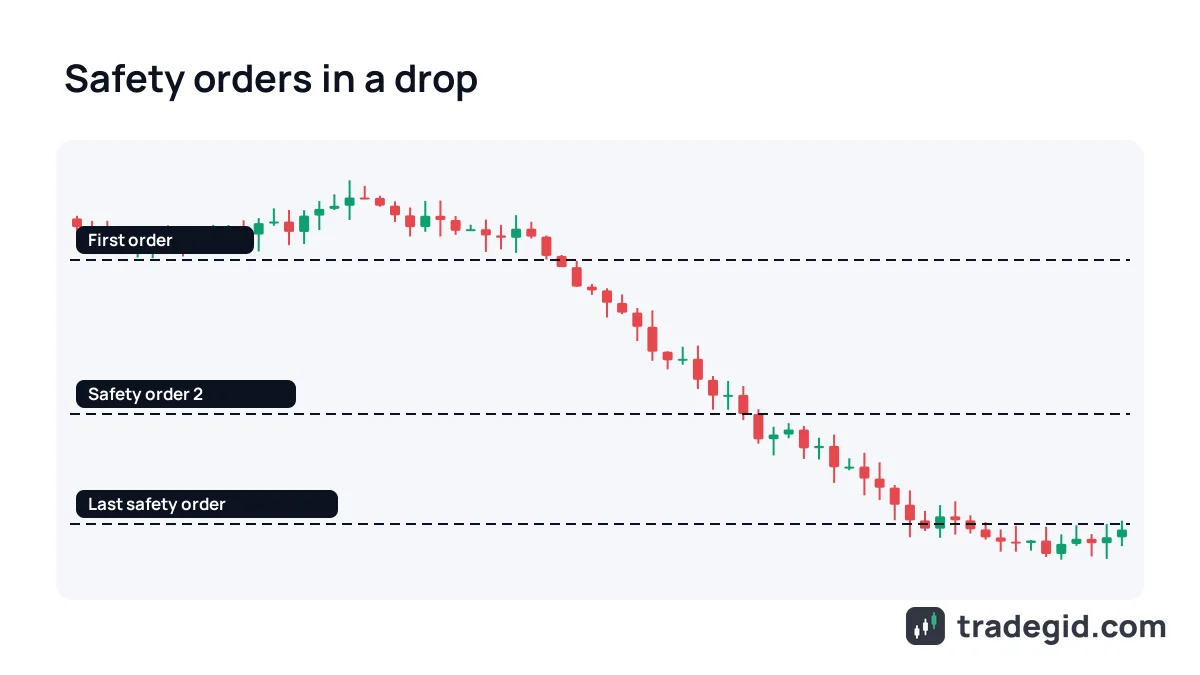
On OKX the martingale bots are Spot DCA (Martingale) and Futures DCA (Martingale): Trade > Trading bots > Marketplace. The bot enters with a first order, buys more with safety orders as the price falls, and closes the cycle at a take profit. Below: the steps, the parameters, the capital check in a simulator and the liquidation maths.
Contents
- What the martingale bot is called on OKX, and how it differs from Recurring buy
- Steps 1-3: sign-up, KYC and USDT in the trading account
- How to create a DCA bot on OKX: web and app
- OKX DCA bot parameters: what they do and what to set as a beginner
- How much money the safety orders need: the martingale simulator
- Spot or futures DCA bot: what leverage changes
- OKX DCA bot fees
- For new users
- Common beginner mistakes
- Other bots and exchanges
The DCA bot needs an OKX account. Signing up through this link opens the form with the referral code filled in, and bots unlock after verification.
New accounts via the link are enrolled in the OKX New User Bonus program automatically.
Sign up on OKXK2FMEIJ3The code can only be entered during sign-up.
What the martingale bot is called on OKX, and how it differs from Recurring buy
OKX has two bots with extra buys: Spot DCA (Martingale) and Futures DCA (Martingale). The word in brackets is not an accident: a first order for the cycle, then safety orders as the price falls, size and step multipliers, and a take profit for the cycle.
The "buy the same amount every week" job belongs to another OKX bot, Recurring buy. I explain the difference in the DCA bot guide. This page covers only the bots with extra buys. You can set them up four ways: Set myself (manual), Set myself - Auto fill (recommended values), AI strategy (parameters from a backtest) and Lead bots (a copy of a lead trader's bot).
Steps 1-3: sign-up, KYC and USDT in the trading account
- Sign up through the referral linkSign up on OKX: choose your country of residence, enter your email or phone, check that the referral code is filled in, confirm the code and set a password. Details in the registration guide.
- Verification (KYC)In your profile open Verification > Individual account, enter your details, photograph the document and pass the face check. Enter your real country, it must match your documents. Then turn on 2FA under Security.
- Fund the trading account with USDTAssets > Deposit, pick USDT and the network: the network must be the same on both sides. Make the first transfer a small test. If your USDT sits on another account, move it to the trading account with the Transfer button: the bot draws money from there, and after creation the initial funds are set apart from your account.
You need an account, finished KYC and USDT in the trading account, otherwise the create button will not work.
How to create a DCA bot on OKX: web and app
Spot path: Trade > Trading bots > Marketplace > Spot DCA (Martingale), in the app Trade > Trading bots > Spot DCA (Martingale). Futures: Trading > Trading Bots > Bot Marketplace > DCA Bots > Futures DCA (Martingale). Names are as in the OKX help center.
OKX DCA bot parameters: what they do and what to set as a beginner
| Parameter | What it does | Beginner setting |
|---|---|---|
| Initial order amount | First order of the cycle | 5-10% of the bot amount |
| Safety order amount | Size of a safety order | Equal to the first order or slightly bigger |
| Max safety orders | Cap on safety orders, in practice limited by funds | 3-5 |
| Price steps | Drop to the next safety order, % of the initial order price | 2-3% |
| TP target per cycle | Cycle profit that closes it | 1.5-3% |
| Amount multiplier | Grows the size of each next order | 1-1.5 |
| Price steps multiplier | Stretches the distance between orders | 1-1.3 |
| Stop loss (Spot) | Stops and sells the base coin at market | Below the last safety order |
| Leverage (Futures) | Nominal leverage, the help center says up to 100x | No more than 2-3x |
| Profit reinvestment (Futures) | Profit goes into the next cycle's margin and cannot be withdrawn until the bot stops | Off |
Source: OKX help center on Spot DCA (Martingale) and Futures DCA. The "Beginner setting" column is my experience, not exchange rules. OKX names no minimums or maximums for the parameters; the numbers in its articles are examples.
How much money the safety orders need: the martingale simulator
The main question with martingale is how much capital the whole cycle needs. First order 20 USDT, safety orders of 20 USDT, 4 of them: by eye that is 100 USDT. With multipliers the picture changes. Move the parameters yourself.
The simulator defaults: step 2% (each next one 1.10 times bigger), size multiplier 1.50, take profit 3%. The result: the bot swallows 182.50 USDT, the orders hold a drop of about 9.28% from the first order price, and after the last safety order the price needs to bounce 6.63% off the bottom to close the cycle.
The rule I set for myself: count the whole cycle, not the first order. If the total is more than 5-10% of your deposit, cut the multiplier or the number of safety orders instead of hoping the last one never fires.
Spot or futures DCA bot: what leverage changes
The spot bot buys the real coin: in the worst case you hold an asset that got cheaper, and there is no liquidation. The futures bot opens a long or short with leverage, and across a series of buys the effective leverage grows: the OKX help center warns that the displayed leverage is computed from the position size and the margin used, and rises if you grow the position without adding margin.
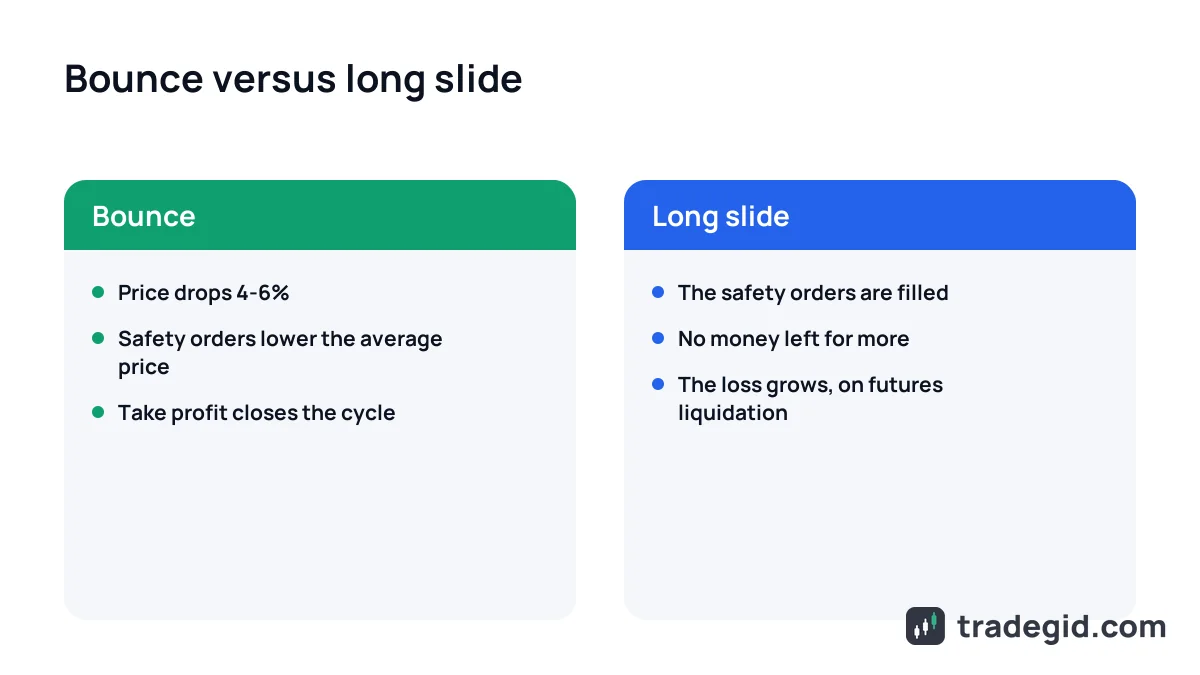
The table below is the simulator cycle on futures. The liquidation price is counted from the average price of the fully filled position. At 10x and 20x it sits almost against the last safety order, and at 20x the buffer is under a couple of percent. More: liquidation and leverage.
| Leverage | Liquidation price after all buys | What it means |
|---|---|---|
| 2x | 46.96 | There is a buffer |
| 3x | 62.61 | There is a buffer |
| 5x | 75.13 | There is a buffer |
| 10x | 84.53 | Thin buffer to liquidation, any extra dip is dangerous |
| 20x | 89.22 | Thin buffer to liquidation, any extra dip is dangerous |
A teaching estimate: margin equals 1/leverage of the whole position, with no maintenance margin, fees or funding. On the exchange liquidation comes a little earlier. Check your own price in the bot form and in the liquidation calculator.
- Beginners: the spot bot. No liquidation, and you know how much of the coin you will buy.
- The futures bot only after practice, with 2-3x leverage and a stop loss: the OKX help center advises setting one.
- A size multiplier of 2 with leverage is the worst mix: position and risk grow together.
- One bot takes no more than 5-10% of the deposit.
- Do not add to the position "to push liquidation away": it makes the loss bigger.
My order: spot first, then futures at 2-3x, always a stop, a small share of the deposit. If liquidation sits right against the last order, the leverage is too high.
OKX DCA bot fees
There is no separate bot fee: bot trades pay the normal fee. The bot's spot orders are limit orders, while futures closes on a stop and forced closes use the taker rate.
| What | Rate | Comment |
|---|---|---|
| Bot subscription | 0 | Free |
| Spot, maker | 0.08% | Limit orders |
| Spot, taker | 0.10% | If an order fills at market, for example on a stop loss |
| Futures, maker | 0.02% | Limit orders |
| Futures, taker | 0.05% | Stop and forced liquidation |
| Funding | Floating | You pay or receive while the position is open |
Data as of November 2026, the global okx.com platform, Regular user tier, see OKX fees. OKX Europe uses different rates.
For new users
As the exchange itself puts it: rewards for all new users. OKX runs a new-user bonus program with tasks. Amounts and conditions depend on your country and change, so check them in your account after you sign in.
- New accounts that sign up through a referral link join the new-user rewards program: tasks such as a deposit and a first trade. Look under My rewards and the Campaign center.
- In the My vouchers tab of the trading bots section you will see vouchers if any were issued to you.
- For tasks, funding with a USDT transfer from another wallet or exchange is simplest: an external transfer counts, an internal one does not.
There is no fixed "everyone gets N dollars" bonus: the task list shows only in your own account. Do not take more risk than planned for a reward.
If you do not have an OKX account yet, open the sign-up link, pass KYC and start with the spot DCA bot and a small amount.
New accounts via the link are enrolled in the OKX New User Bonus program automatically.
Sign up on OKXK2FMEIJ3The code can only be entered during sign-up.
Common beginner mistakes
- Counting only the first order. The real need is the whole ladder of safety orders with multipliers.
- A size multiplier of 2. A few safety orders turn into a big sum, and the largest part of the money goes in at the very bottom.
- No stop loss. The OKX help center warns that in a prolonged decline an asset can head toward zero, and on futures losses grow with the position.
- 10x leverage or more on the futures bot. Liquidation lands next to the last safety order.
- Mixing it up with Recurring buy. That one buys on a schedule and has no extra buys or take profit.
- Starting after a sharp rally. The first order is at the top and the take profit is far away.
Almost every loss comes from a wrong ladder calculation and leverage without a stop, not from a bot malfunction.
Other bots and exchanges
The general idea of DCA and martingale is in the DCA bot guide. The OKX futures grid bot is in the Futures Grid guide, the spot one in the Spot Grid guide, and the rest of the exchange's bots in the OKX bots overview. The same bots on other exchanges: Binance and Bybit.
New accounts via the link are enrolled in the OKX New User Bonus program automatically.
Sign up on OKXK2FMEIJ3New accounts via the link: tasks worth up to 250 USDT; 25% off spot fees paid in MNT.
Sign up on BybitJ8NKMG