

Kraken Sign-Up: Account, Verification and First Deposit
A Kraken account takes a few minutes to open: email, password, email confirmation and a short profile form. Verification is the slow part; mine switched status the same evening. Kraken is not available everywhere, so check your country first.
Contents
Open a Kraken account with a link or the invite code kypj2dhk.
Invited new users get a surprise reward of 5-200 $ after depositing and trading at least 200 $ (in eligible regions).
Sign up on Krakenkypj2dhkThe code can only be entered during sign-up.
What to have ready
I went through sign-up with a Russian-language interface, so button names below are quoted as they appear for me, with a translation in brackets. In English the order of the screens is the same.
- An email address you can always reach. The confirmation letter and every verification request go there.
- A passport, ID card or driving licence: valid, with all edges visible and readable text.
- Proof of address (a utility bill or bank statement no older than 3 months). Kraken does not ask everyone, but it is better to have it at hand.
- A smartphone for the selfie and an authenticator app. Files can be JPG, PNG or PDF up to 5 MB.
You need all of this once; if the document is already on your phone, verification takes a single sitting.
Link or code: which one to use
Kraken gives you two ways to attach an invitation. One is to open the referral link before you create the account. The other is to type the invite code kypj2dhk during sign-up. Both lead to the same offer for new users, and I cover its terms on the Kraken referral code page.
The link is simpler because the invitation records itself. If you sign up with the code, open «Предложения» (Offers) in the left menu after login. It shows whether the invitation counted and which terms apply to your account.
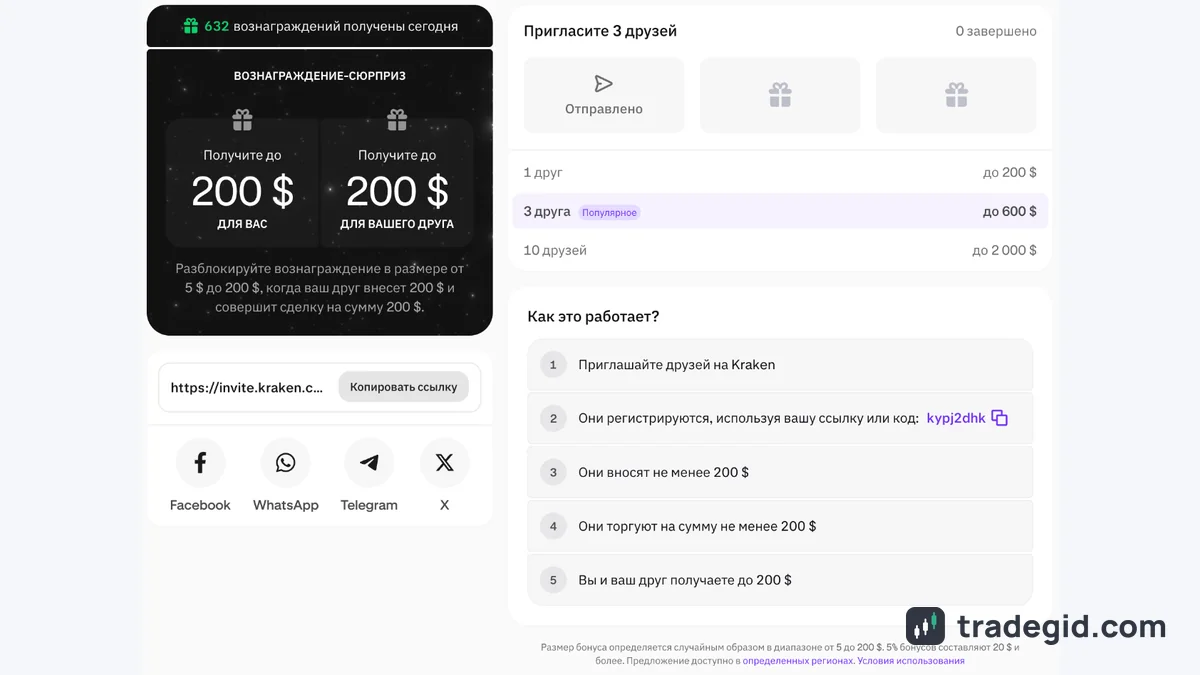
This screenshot shows where to find your own code later: «Предложения» in the left menu, referral tab. The five steps of the program are listed there too. For you they start at step 2, because you are the friend who signs up with the link or code.
Sign-up step by step
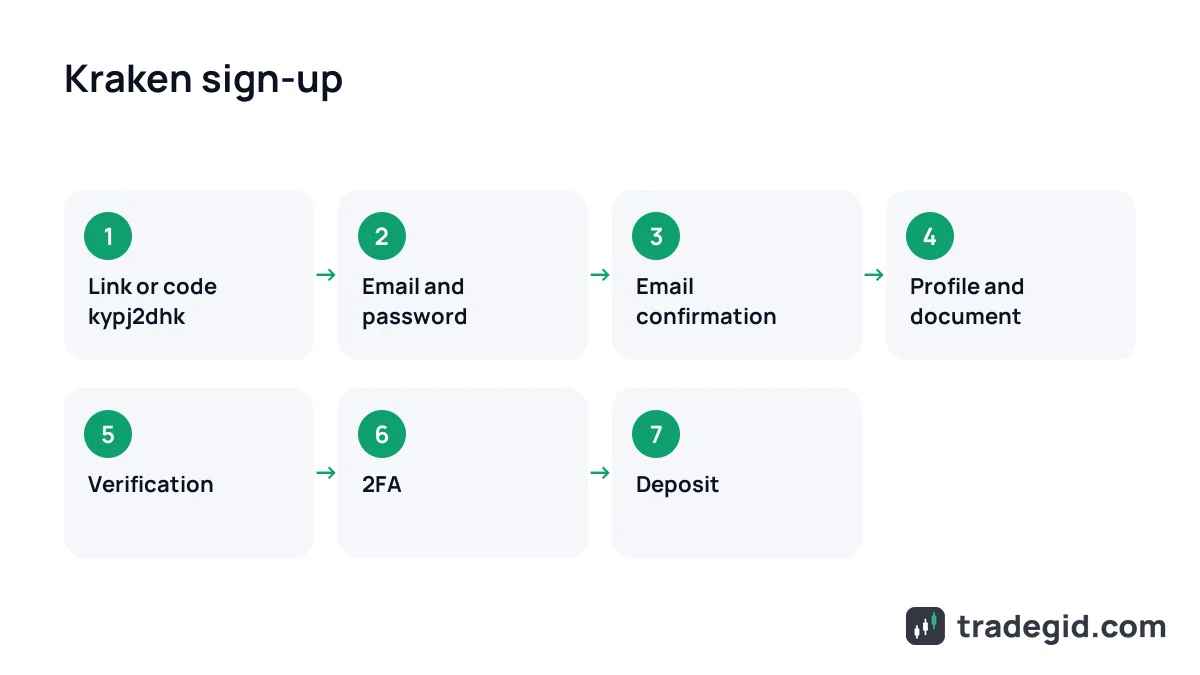
Verification: what they ask and how long it takes
Level names at Kraken have changed over time. The current help article lists two: «Verified» and «Higher limits». The older Intermediate and Pro are the same levels under former names.
| Verified | Higher limits | |
|---|---|---|
| What you need | Photo ID, address, selfie | Extra documents on Kraken's request |
| Time per Kraken | Usually up to 30 minutes, about 45 if manual | A few days, manual review |
| Fiat per month | Up to $100,000 | Above $100,000 |
| API keys | Up to 16 | Up to 25 |
From Kraken's help centre, November 2026. Margin, derivatives and xStocks availability depends on your country.
After I sent my data, the status showed «Мы проверяем вашу информацию» for a few minutes and changed to confirmed the same evening. That is not guaranteed: at busy hours the queue stretches, and it does not by itself mean something is wrong with your application.
If the status will not move, do not upload documents again. Kraken says plainly that a repeat does not speed things up and several applications slow the check. Look in your inbox and Spam: if another document is needed or the application was rejected, the reason arrives by email. While the status is «В ожидании» (Pending), you can replace a file in account settings, under Verification. No email after 2-3 business days - write to Kraken support from the same account.
2FA: set it up before the first money
According to Kraken's help article, you can use a passkey, a hardware key or an authenticator app. For the app, each action - login, trading, deposit, withdrawal - is switched on separately, so go through every toggle. I would start with login and withdrawals.
The weak point is usually email, not the exchange: keep a separate address for Kraken with its own two-factor protection. «Support» messages on Telegram asking for a code or telling you to install a «verification app» are scams; Kraken never asks for that.
The first deposit
The deposit section shows a list of assets. For USD you first see a warning: the name on your bank account must match the name on your Kraken account. Dollar transfers go through SWIFT, and a name mismatch is the most common reason a payment bounces.
For euros, look for SEPA if your country supports it; it is usually the cheapest route. A card is convenient but needs a higher verification level, and for the referral reward a bank deposit is probably what you will need anyway. Crypto can be sent in from another wallet with no limit, just pick the same network as the sender.
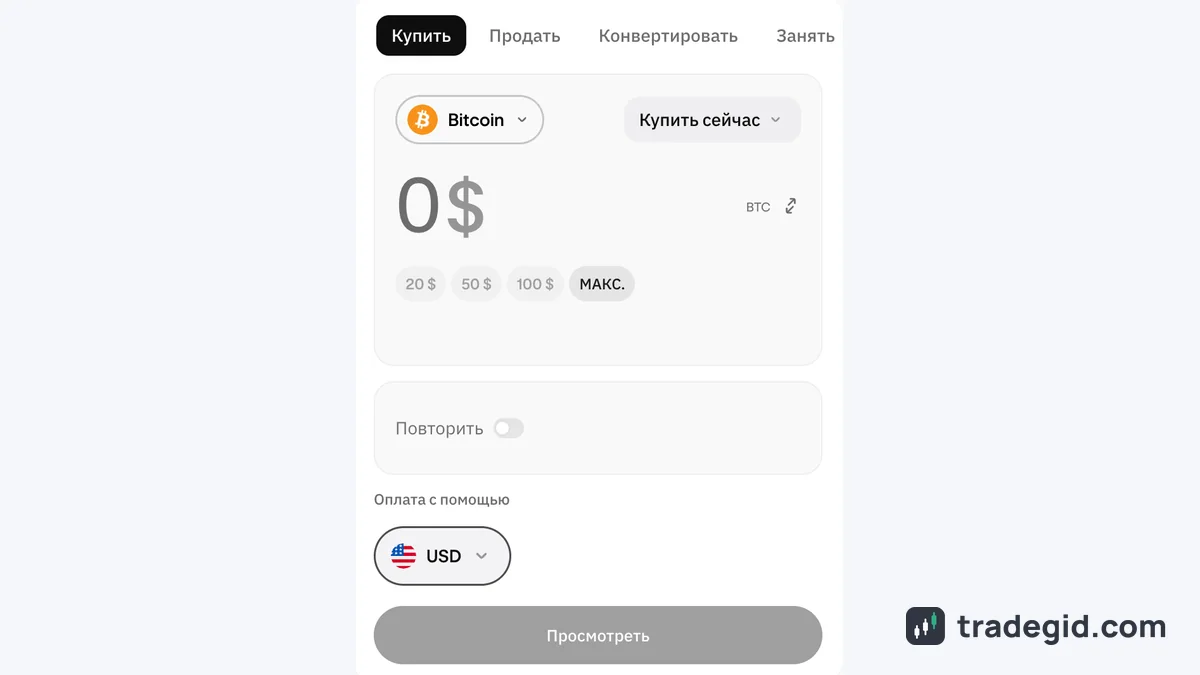
Once the money lands, the first entry point is the widget on the right of any page. Tabs «Купить», «Продать», «Конвертировать» and «Занять» (Buy, Sell, Convert, Borrow), quick amounts of $20, $50, $100 and «МАКС» (Max), and below them «Повторить» (Repeat) for a recurring purchase. It is the simplest route and also the most expensive: 1% plus spread. Kraken Pro is cheaper; more on that below and on the fees page.
| Operation | Limit |
|---|---|
| Fiat deposit and withdrawal | $100,000 per day, $500,000 per 30 days |
| Crypto deposit | No limit |
| Crypto withdrawal | Dynamic, depends on usage |
Per Kraken's help centre, November 2026. Exact figures are on the limits tab in settings.
What to do right after login
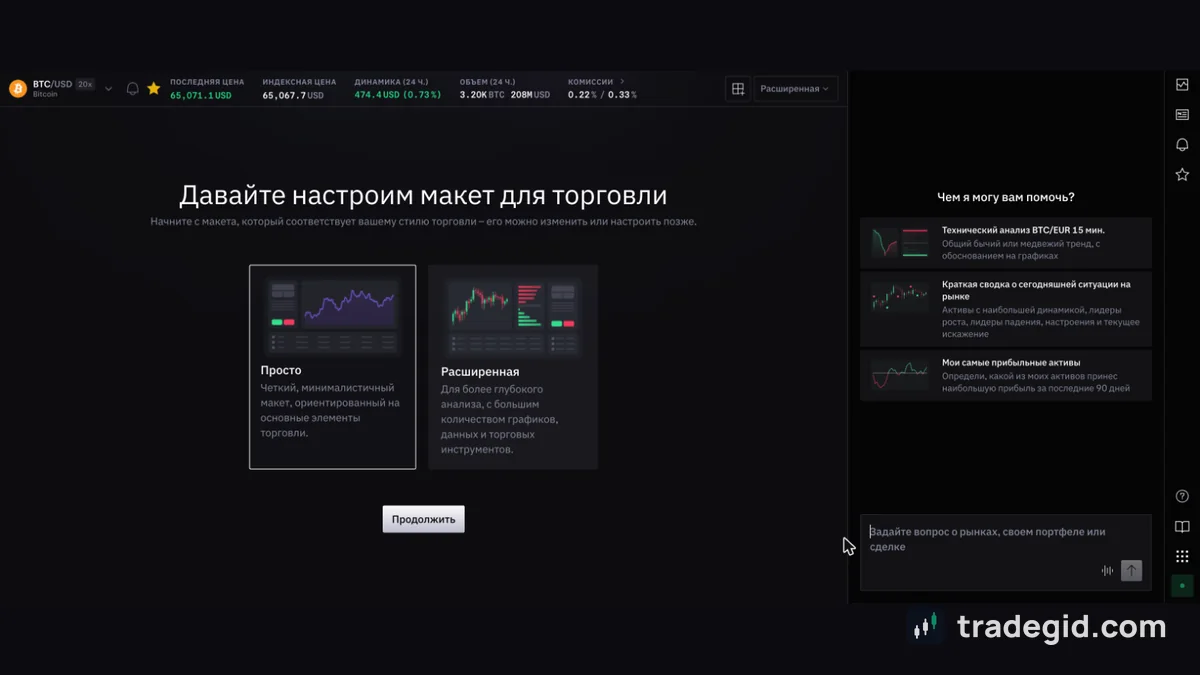
On my first login to Kraken Pro I was asked to pick a layout. «Просто» (Simple) keeps the bare minimum, «Расширенная» (Advanced) shows the chart, order book, order form and tabs at the bottom. A Kraken AI panel opens on the right; you do not have to use it. I picked Advanced, and all other guides on this site assume it.
- Check in settings that 2FA is on for login, trading and withdrawals.
- Open «Предложения» and make sure the invitation was recorded.
- Make the first purchase small and look at how the fee estimate appears before you confirm.
- Open the Kraken overview for a tour of the terminal, xStocks and Earn.
Spend the first half hour on protection and a look around, not on trades.
Where Kraken is unavailable or limited
The US is covered except Maine and New York, and has no xStocks. Canada has no margin, derivatives or xStocks. The UK has no retail derivatives or xStocks. In the EEA it works, but some tokens are restricted. If Kraken does not fit, Bybit and OKX have their own country policies, which you need to check separately.
Invited new users get a surprise reward of 5-200 $ after depositing and trading at least 200 $ (in eligible regions).
Sign up on Krakenkypj2dhkNew accounts via the link: tasks worth up to 250 USDT; 25% off spot fees paid in MNT.
Sign up on BybitJ8NKMGNew accounts via the link are enrolled in the OKX New User Bonus program automatically.
Sign up on OKXK2FMEIJ3