

DCA and Martingale Bot on Gate: Step-by-Step Setup and Capital Needed
Gate's DCA bot is called Martingale: Spot Martingale buys more of a coin as it falls with no leverage, and Futures Martingale does the same long or short with leverage. On the website the path is Bots > Create a Bot > Recommend > Spot Martingale. Below: how to set it up and how much money it can swallow.
Contents
- What the Martingale bot on Gate is
- Steps 1-3: sign up, KYC and USDT
- How to create a Martingale bot on Gate: web and app
- Martingale parameters on Gate: what they do and what beginners should set
- How much capital you need: the simulator
- Spot or futures: liquidation and funding
- Fees for Martingale bots on Gate
- For new users
- Common beginner mistakes
- Other bots and exchanges
A Martingale bot needs a Gate account with KYC passed. The registration link opens a form with the referral code already filled in.
New accounts: a welcome package worth up to 135 USDT for tasks; lower fees paid in GT.
Sign up on GateUVRGV1FXThe code can only be entered during sign-up.
What the Martingale bot on Gate is
The bot places a first order, and when the price drops by a set percentage it buys more, larger each time. Your average price falls, and when the market climbs above it by the TP Target Per Cycle, the bot sells everything and starts a new cycle. The principle and how it differs from scheduled buying are in the DCA bot guide.
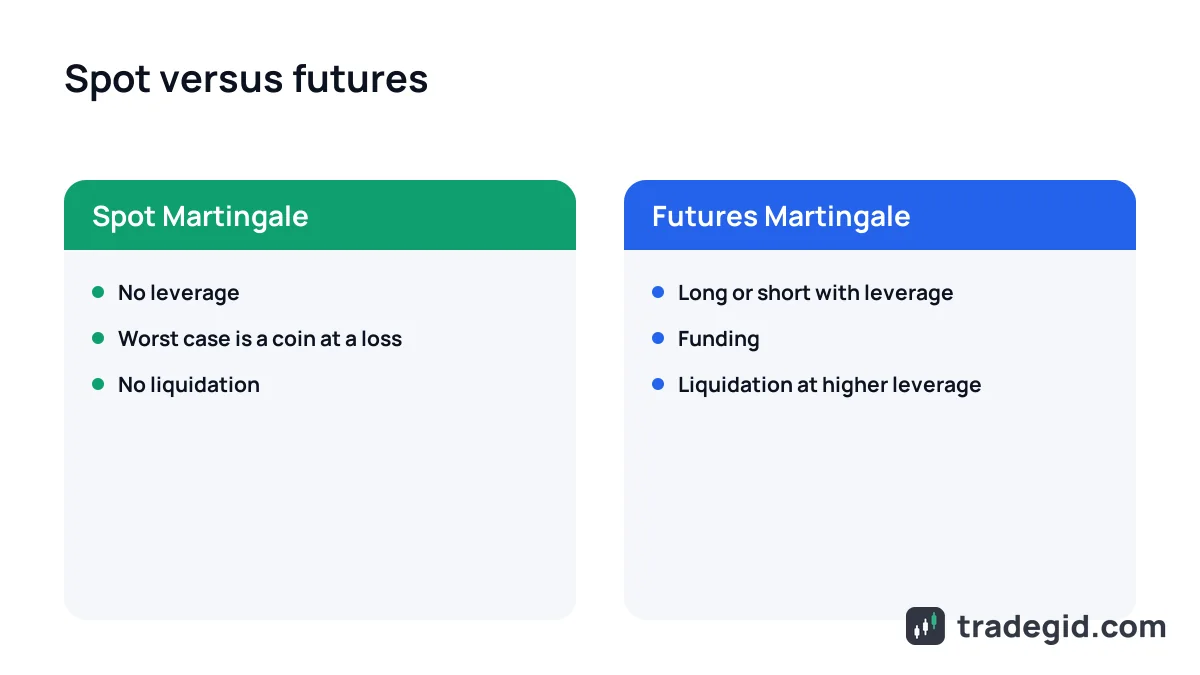
Gate has two bots. Spot Martingale uses no leverage: if the market does not come back, you hold a cheaper coin. Futures Martingale runs long and short with leverage, so liquidation sits on top of the extra buys. The parameters are similar but named differently, so I cover both below.
Steps 1-3: sign up, KYC and USDT
- Sign up with the referral linkIf Gate is available in your country, register with the link: the form opens with the referral code. Confirm your email or phone, set a password and turn on 2FA. More in Gate registration.
- Verify your identity (KYC)Pass identity verification. Your country of residence must be the real one: Gate's restrictions depend on it, and a false country gets the account frozen.
- Put USDT in the right accountSpot Martingale uses your spot balance and Futures Martingale your futures account. If you funded through P2P, check that the USDT arrived and was moved to the right account.
Preparation is three actions: an account, KYC and USDT in the account the bot draws from.
How to create a Martingale bot on Gate: web and app
Website, per Gate's help: Bots > Create a Bot > Recommend > Spot Martingale. App: Create Your Own Bot > Average Cost > Spot Martingale. The futures bot opens from the same area as Futures Martingale. Names come from Gate's official guides, and the interface may have changed.
Martingale parameters on Gate: what they do and what beginners should set
| Parameter | What it does | What a beginner should set |
|---|---|---|
| Investment Amount | The bot's budget | An amount you can lock for weeks |
| Price Deviation | Drop from the last buy that triggers the next one | 3-5% for BTC and ETH |
| Max DCA Orders | Maximum extra buys per cycle | 4-6 |
| Amount Multiplier | Size of the next buy versus the previous, 1-2 | 1-1.5 |
| TP Target Per Cycle | Profit that closes the cycle; the take-profit price includes the fee | 2-4% |
| Stop-Loss Ratio | Drop from the average price at which the bot closes everything, 0.1-99.99% | Set it below the last extra buy |
| Trigger Price | The price at which the bot starts | Empty for a first run |
| Customize | Your own buy levels and sizes, up to 10,000 coin units per order | Only once you understand the mechanics |
Source: Gate's official Spot Martingale guide. The guide gives no minimum amounts: the form shows them.
| Parameter | What it does | What a beginner should set |
|---|---|---|
| Price Scale | Drop (for a short, a rise) that adds a position, 0.1-10% | 2-3% |
| Max DCA Orders | Maximum extra buys per cycle | 4-6 |
| Amount Multiplier | Size of the next buy versus the previous, 1-2 | 1-1.5 |
| PT Ratio Per Cycle | Profit that closes the cycle, at least 0.1% | 1.5-3% |
| Stop Loss Ratio | Stop from the average price, 0.1-99.99%; closes and ends the bot | Always |
| Trigger Price | Start price | Empty |
| Mode | AI Bot (Conservative, High-Risk, Low-Risk Arbitrage), Manual or Customize | Manual |
Source: Gate's official Futures Martingale guide. Leverage is set in the form and the guide names no maximum.
How much capital you need: the simulator
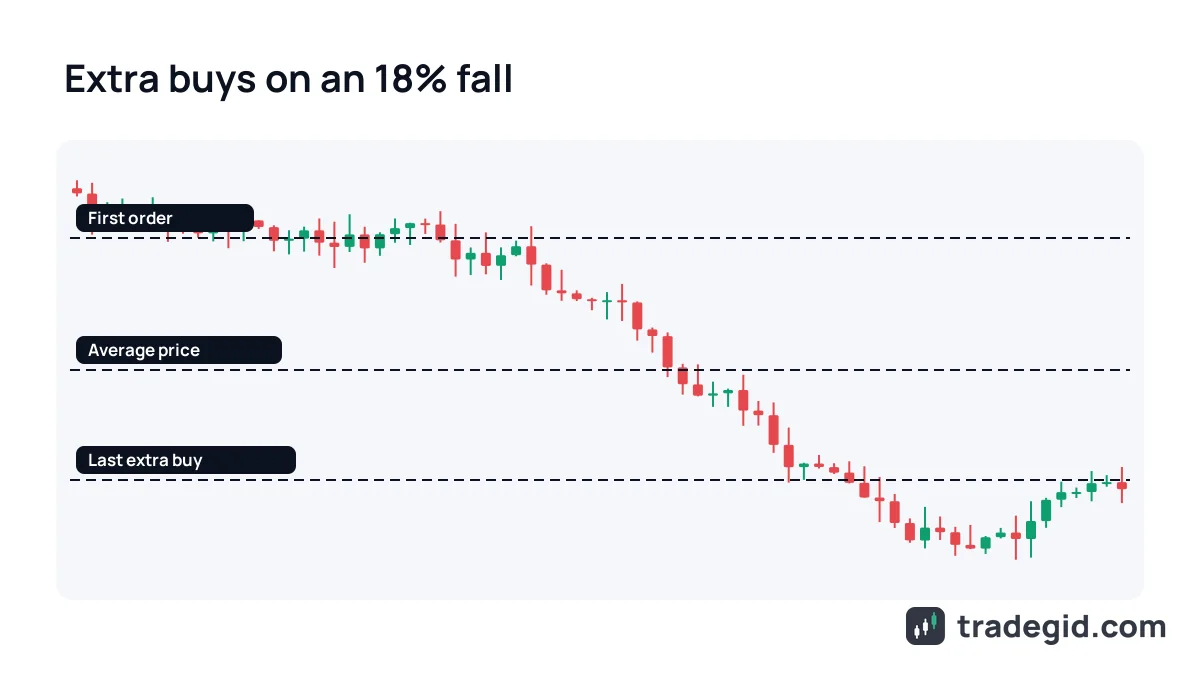
Take a first order of 20 USDT, 6 extra buys of 20 USDT with a 1.5 multiplier, a 3% drop between buys and a 3% TP. On Gate the step is fixed, so leave the step scale at 1.
The bot spends about 436 USDT and survives a fall of roughly 18% from the first entry. The average price sits about 13% below the first order, and the market needs to bounce about 9% from the bottom to hit the target. A multiplier of 2 gives about 1,280 USDT, a multiplier of 1 gives 140 USDT but needs a bounce of about 14%. Gate's guide warns that with a multiplier of 2 and five extra buys the last order is 32 times the first.
Spot or futures: liquidation and funding
Spot Martingale cannot be liquidated, but Futures Martingale can: Gate's guide warns directly about forced liquidation from floating losses and a growing position. Funding is settled periodically, and the bot stops by itself if the pair is delisted or trading is suspended. The higher the leverage, the closer liquidation sits to the extra buys.
| Leverage | Liquidation below average price by | Relative to the last extra buy |
|---|---|---|
| 3x | about 33% | about 30% lower |
| 5x | about 20% | about 15% lower |
| 10x | about 10% | about 5% lower |
| 20x | about 5% | above the last extra buy: liquidated first |
A rough estimate that ignores maintenance margin, fees and funding, assuming the bot filled all 6 orders. Read the real liquidation price in the position itself.
The point is simple: at 10x and above a martingale with six extra buys never reaches the last one. Start at 2-3x or on spot. Read more about liquidation and compare the Gate futures grid bot.
Fees for Martingale bots on Gate
Gate charges no separate bot fee: trades run at normal rates. On spot that is 0.1% maker and taker at VIP 0, and 0.02% and 0.05% on perpetual futures. The GT payment discount is not described for bot orders in the help. See the Gate fees page. In a martingale the fee is paid on every extra buy.
For new users
As the exchange puts it: welcome tasks for all new users. The current list is in Rewards Hub after you register.
- A welcome package of up to 135 USDT for tasks in Rewards Hub. These are task rewards, not withdrawable cash.
- A fee discount when you pay in GT: the help does not describe it for bot orders, so check before you do your math.
- Gate runs bot campaigns from time to time (for example, Bot Trial Fund for grid bots): check Announcements and Campaigns, and read each campaign's terms and country exclusions.
Bot trial funds usually work only for grid bots and give a limited amount, so do not plan a martingale around them.
If you do not have a Gate account yet, open the registration link, pass KYC and start Spot Martingale with a small amount.
New accounts: a welcome package worth up to 135 USDT for tasks; lower fees paid in GT.
Sign up on GateUVRGV1FXThe code can only be entered during sign-up.
Common beginner mistakes
- No stop-loss. Without a Stop-Loss Ratio the bot holds the loss through the last order and beyond.
- Multiplier 2. Each order doubles, and capital runs out on an ordinary correction.
- High leverage on futures. At 10x liquidation lands closer than the last extra buy.
- A weak coin. If an altcoin never returns to your average price, the cycle never closes and the money stays locked.
- Counting on trial funds. Vouchers and Trial Fund often work only for grid bots.
All of these come from having no limit: the bot will not stop in time by itself, and that is your job.
Other bots and exchanges
DCA principles and the capital math are in the shared DCA bot guide, and all bots are in the bots section. Martingale on other exchanges: Bybit, Bitget, Binance.
New accounts: a welcome package worth up to 135 USDT for tasks; lower fees paid in GT.
Sign up on GateUVRGV1FXNew accounts via the link: tasks worth up to 250 USDT; 25% off spot fees paid in MNT.
Sign up on BybitJ8NKMG