

Iceberg order and TWAP: how to buy or sell a large amount without slippage
An iceberg order splits one large order into small visible pieces so the rest stays hidden and does not scare the price. A TWAP order spreads the trade over a chosen time so you buy or sell at roughly the average price of that period. Both exist to reduce slippage on large trades. If you trade a few hundred or a few thousand dollars in BTC or ETH, you almost certainly do not need either.
Contents
The first time I needed this was on a thin altcoin: a market buy of a modest amount moved the price by a visible percentage, and I paid for it. On liquid pairs I have never used these tools. They solve one specific problem, and it helps to know whether you have it.
What slippage is and how the order book causes it
The order book is a list of waiting orders: sellers at ascending prices on one side, buyers on the other. A market buy takes the cheapest sellers first, then the next level, then the next. If your size is larger than the first level, you fill at several prices, and your average price is worse than the one on the screen. That difference is slippage.
OKX has both an Iceberg bot and a TWAP bot in its Slicing bots group. If your country is supported and you have no account yet, sign up through this link: the referral code is filled in for you and bots unlock after verification.
New accounts via the link are enrolled in the OKX New User Bonus program automatically.
Sign up on OKXK2FMEIJ3The code can only be entered during sign-up.
| Ask level | Price, USDT | Size, BTC | Cost, USDT |
|---|---|---|---|
| 1 | 100,000 | 0.5 | 50,000 |
| 2 | 100,050 | 0.5 | 50,025 |
| 3 | 100,150 | 1.0 | 100,150 |
| Total | average 100,087.5 | 2.0 | 200,175 |
Hypothetical order book to show the mechanics. The screen price was 100,000, you paid on average 87.5 USDT more per BTC, about 0.09%, or 175 USDT in total. On a thin coin the same logic can cost several percent.
On BTC with a few hundred dollars you pay no real slippage, because the first level is deep. It appears when your order is large compared with the depth of the book, which is typical for small coins and for big sizes. A limit order avoids slippage but may not fill. TWAP and iceberg are a middle path for large sizes.
Iceberg order explained
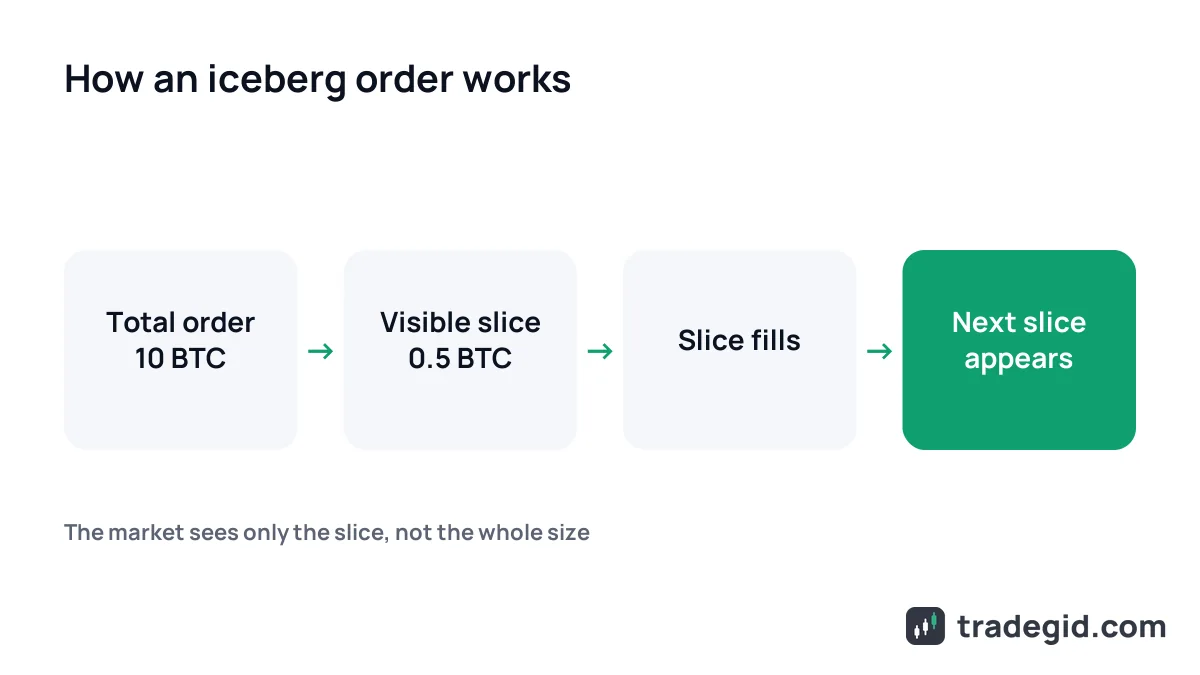
An iceberg order splits a big order into many small limit orders. Only a few are visible in the order book at a time. When a visible slice fills, the next one appears. Like the part of an iceberg above water, the market sees a fraction of your real size. That helps in two ways: the price is not pushed by one huge order, and other traders do not front-run a size they cannot see.
On OKX the main settings are the amount per limit order, how many orders are visible, and the total amount. In advanced settings you can choose an order preference (quick execution, a balance of price and speed which is the default, or passive queuing), set a limit price, and pick a start condition: immediately, at a price, or on the RSI-14 indicator. It works on spot, perpetuals, futures, margin and options, in either direction.
TWAP order explained
TWAP stands for time-weighted average price. Instead of one order, the bot places a smaller one at regular intervals over a period you choose. If you want to buy 12,000 USDT of a coin over 4 hours, the bot might buy 50 USDT every minute. Your result tends toward the average price of those four hours, and no single order moves the market.
On OKX you pick the pair and direction, set the accepted slippage (a fixed amount or a percentage) under the price range, a price limit, the time interval between orders, the size of each order and the total amount. A TWAP bot does not predict anything: if the price trends up during the four hours, your average will be higher than the starting price.
Iceberg vs TWAP: how they differ
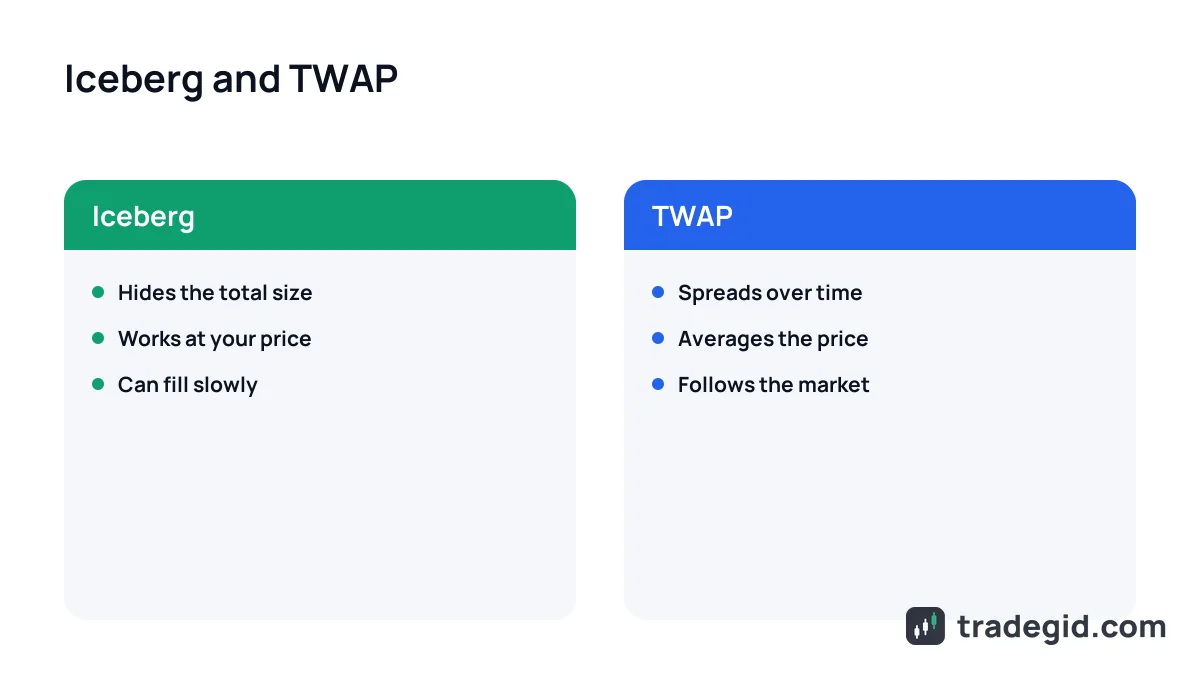
| Iceberg | TWAP | |
|---|---|---|
| Idea | Hide the full size, show small slices | Spread the trade across time |
| Main control | Slice size and number of visible orders | Duration, interval and size per order |
| Price relation | Slices are limit orders, within your limit price if you set one | Follows the market through the period |
| Best for | Large size at a target price | Large size where the average price is fine |
| Main risk | May fill slowly or not at all | Price drifts while the bot works |
| Visible to others? | Only the visible slices | Small orders on the market over time |
My own comparison of how the two are described in OKX and Bybit documentation.
Which exchanges offer them
| Exchange | Iceberg | TWAP | Notes |
|---|---|---|---|
| OKX | Yes, Iceberg bot | Yes, TWAP bot | Trading bots, Slicing bots. Spot, perpetuals, futures and more for iceberg |
| Binance | Not verified | Yes, spot algo orders (TWAP and POV) | Help states 100 USDC minimum, TWAP duration from 1 minute to 3 days, no extra fee beyond spot fees |
| Bybit | Not verified | Yes, spot and derivatives | Running time 5 minutes to 24 hours, interval 5 to 120 seconds, optional random size of plus or minus 20% |
| Bitget, Gate | Not verified | Not verified | I did not check an equivalent in their help, so I do not list one |
From the OKX, Binance and Bybit help centers, November 2026. Binance's pages describe access differently (verified users in the help, VIP in one blog), so check your account. Which tools you see depends on your region.
The OKX tools are bots, so they live next to the other bots in the OKX bots guide. OKX bots carry no separate fee on top of normal trading fees. The Binance and Bybit tools are order types in the trading interface rather than bots in the marketplace. Check minimums, because they exist: Binance sets 100 USDC, and Bybit calculates a minimum from the number of sub-orders.
Set up an iceberg or TWAP on OKX
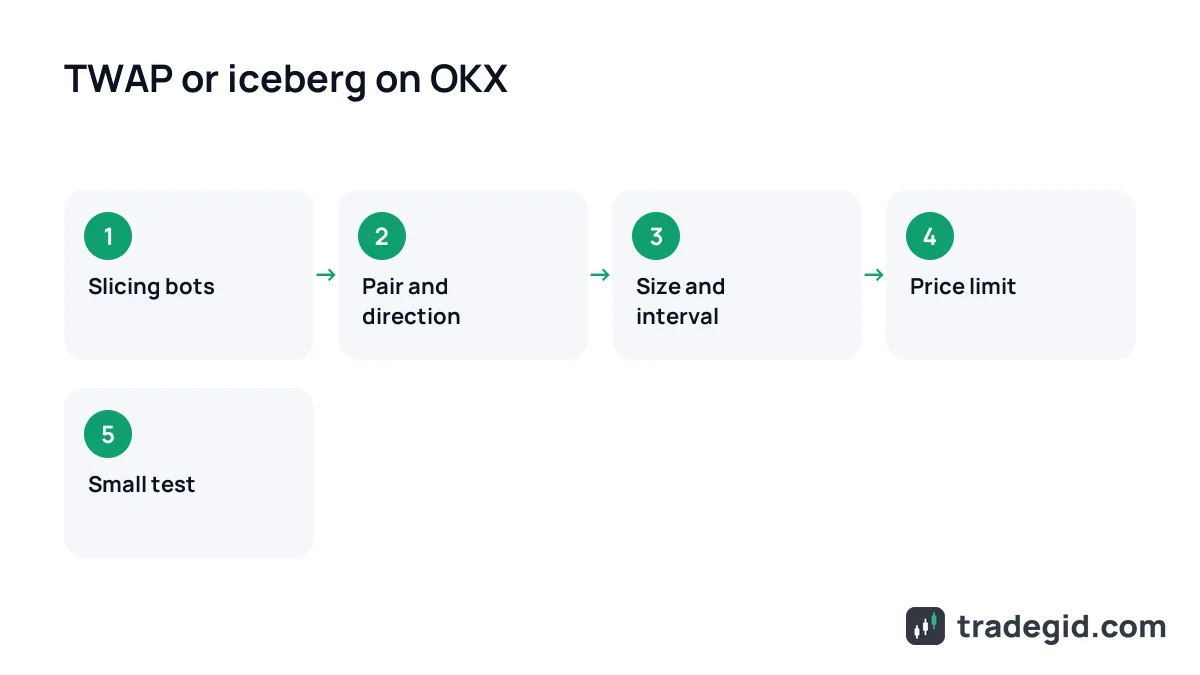
- Register and verifyOpen and verify an OKX account. The bots are not available before verification.
- Open Slicing botsIn the app go to Trade, Trading bots, and under Slicing bots choose Iceberg or TWAP.
- Choose the pair and directionSpot is the simplest. Pick buy or sell. For futures remember that leverage adds liquidation risk.
- Set the sizeIceberg: amount per limit order, number of visible orders, total amount. TWAP: total amount, size per order, time interval.
- Set the guard railsSet a limit price (iceberg) or the accepted slippage and price limit (TWAP) so the bot does not chase a runaway market.
- Start small and watchRun a small total first and check the strategy overview at the bottom of the screen and the details.
The setup takes a couple of minutes. The price limit and a small test run are the two steps that protect you.
Do you need it? A quick check
Common mistakes
- Using it on a tiny order. A few hundred dollars in BTC has no slippage worth fighting. You only add complexity.
- No price limit. A TWAP in a runaway market keeps buying higher. Set the limit.
- Interval too short or total too long. Many tiny orders on spot pile up fees, and a very long run exposes you to the trend.
- Expecting a guaranteed average. TWAP aims at the average of the period, it does not beat the market.
- Forgetting the balance. The funds must stay in the account throughout execution, otherwise the strategy stops or fills partly.
These tools fix execution, not direction. Use them for size, keep a price limit, and skip them for small trades.
If your aim is to grow a position gradually, a spot grid bot or recurring buy may fit better than slicing a large order. For trading by your own alerts, see the signal bot. Fee levels that affect small trades are on the OKX fees page.
New accounts via the link are enrolled in the OKX New User Bonus program automatically.
Sign up on OKXK2FMEIJ3New accounts via the link: tasks worth up to 250 USDT; 25% off spot fees paid in MNT.
Sign up on BybitJ8NKMG