

Download the Gate app: Android, iPhone and APK
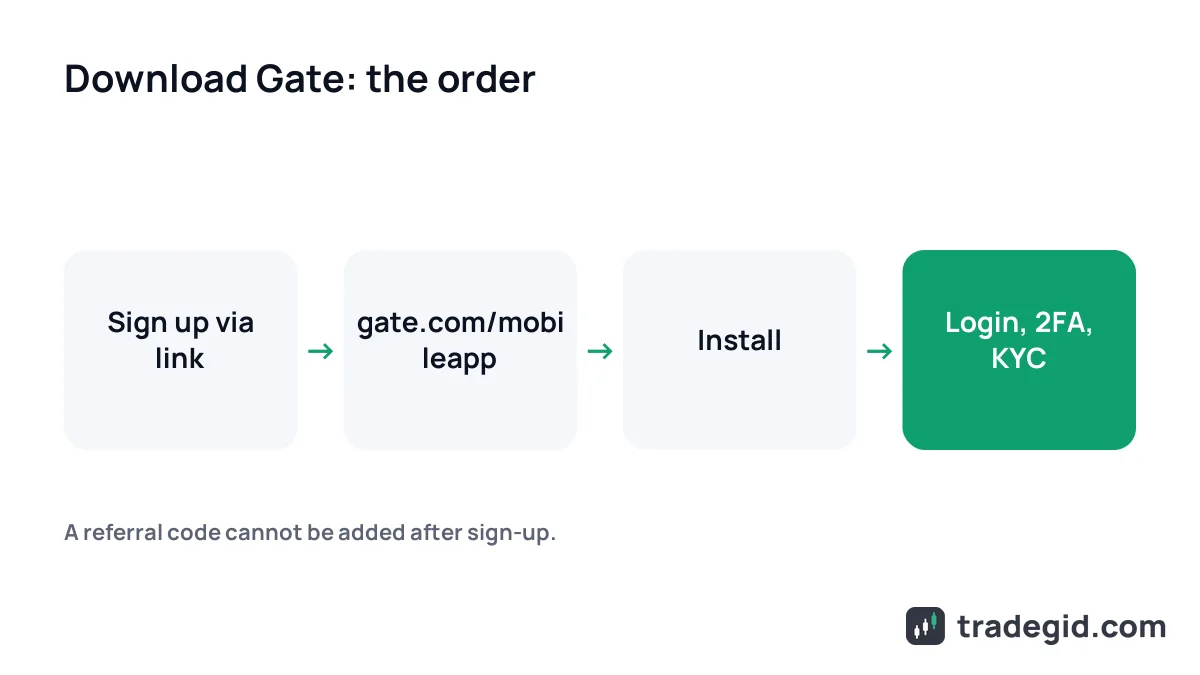
The Gate app exists for iPhone (App Store) and Android (Google Play, or an APK behind a button on the official download page, gate.com/mobileapp). Sign up through the referral link first: Gate has no option to add a code later. Then install from the official site and log in. Do not install files from chats or third-party catalogues.
Contents
Searches like "gate io apk" and "gate apk download" return the official page and piles of copies. I opened Gate's official download page and its help article on installing the app.
Sign up on Gate through the link, then download the app from the official site and log in.
New accounts: a welcome package worth up to 135 USDT for tasks; lower fees paid in GT.
Sign up on GateUVRGV1FXThe code can only be entered during sign-up.
The order: sign up through the link, then install
The referral code goes into the registration form. Gate's article on its referral programme says the invitation is recorded when the account is created and there is no "add a code later" option. So: sign up on Gate, then install the app and log in to that account. More in the Gate referral code page.
If you installed the app and signed up without the link, it cannot be fixed. New-user rewards are Gate's own: its task list includes "install the app"; check the rewards section after logging in for the rest.
Where to find the download on the official Gate site
The referral button opens the official Gate site. The download page is called Official Download and lives at gate.com/mobileapp. It has a Scan to Download QR code, App Store, Google Play and Android buttons, and iOS Guide and Android Guide links. Gate's install article sits in the Help Center under Guide for Beginners, Registration & Installation. The site footer has Verification Search for checking official channels.
Platforms: Android, iPhone, desktop
| Platform | Where to get it | What to know |
|---|---|---|
| Android | Google Play, or the APK behind the Android button on the download page | The APK sits on a domain other than gate.com (on 8 Nov 2026 it was m-down.gateapp.org) and the page does not explain why. Take the file only through the button on the official page |
| iPhone, iPad | App Store; the page also lists a Gate Beta build via TestFlight | Gate's help warns the app may not appear in the App Store of some countries |
| Windows, Mac | I could not confirm a separate client | Neither the download page nor the help article mentions one; use the browser at gate.com |
| EU | Gate EU, a Malta company with a MiCA licence | Spot only, no derivatives; the global gate.com is closed to residents of several EU countries |
Sources: the Official Download page, Gate's help article "How to Download and Install the Gate App" (published 2021), our Gate review.
Android: Google Play or the official APK
The official page has two Android buttons: Google Play and Android, the direct APK. Gate's help article (an old one, from 2021) describes only the APK. You can update from inside the app: User Center, About Us, Check for Updates.
For the APK Android will ask you to allow installs from unknown sources. Enable it only for the browser you downloaded with and switch it off afterwards. If the install is blocked, Gate's help suggests enabling "Install apps from external sources", turning off Pure Mode on phones that have it, or retrying in airplane mode.
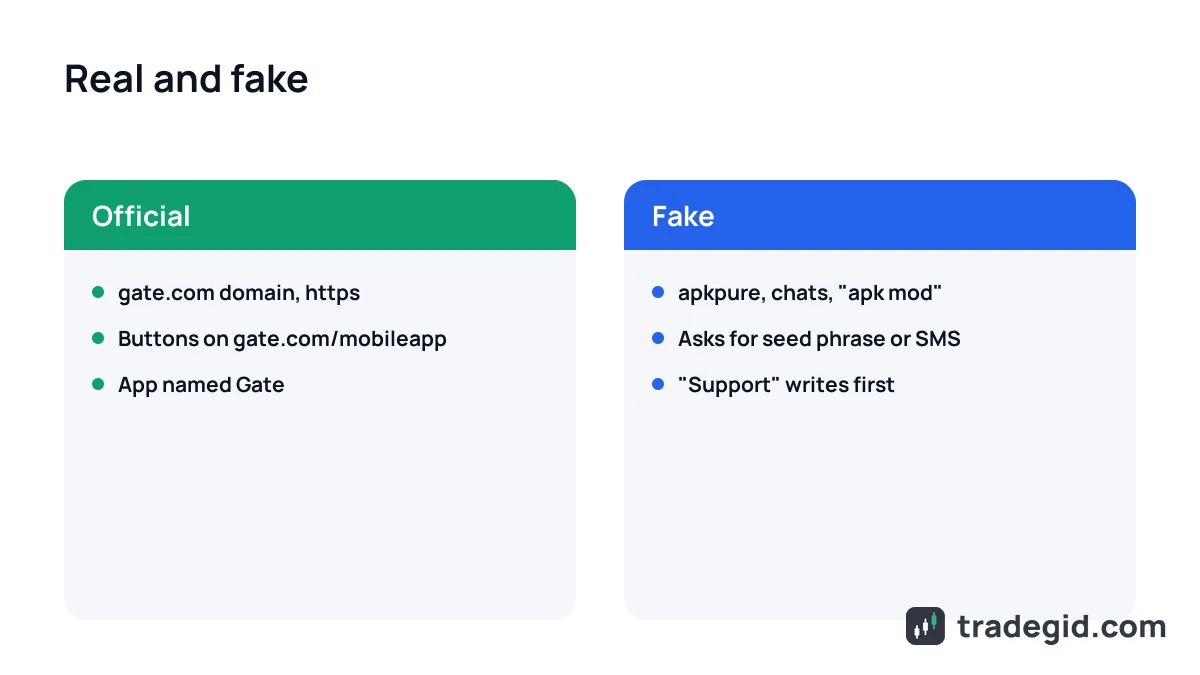
Do not install files from Telegram groups or catalogues like apkpure, apkmirror or uptodown, and above all not "gate io apk mod" builds: you cannot verify them, and such builds exist to steal logins.
iPhone: App Store only
On iPhone the route is the App Store. Gate's help itself warns the app may be missing in your country's store and asks you to use only your own Apple ID. If it is missing, I will not advise changing region, using someone else's account or a VPN: that breaks the rules and can end in a frozen account. Check in the user agreement whether Gate serves your country.
Gate Beta through TestFlight is a test build for volunteers; you do not need it for normal trading.
Desktop and Mac
I did not find a separate Gate desktop client on the download page or in the install help. You can trade from a computer in the browser at gate.com. Do not install "gate io for pc" programs from search results.
How to check the app is official
- Domain. gate.com (formerly gate.io) and https. Clones on pages.dev, daftpage and similar builders are phishing.
- Name. The page also lists a separate Gate Authenticator app: it is not the trading app. Check the name before installing.
- File source. Only the buttons on the Official Download page. Gate's help says to download only from official channels.
- Verification Search. The site footer has an official-channel check: use it when "support" messaged you first.
- Permissions. A trading app has no reason to read your SMS or call log; if it asks, do not install.
Domain, name and the buttons on the official page remove almost every fake; an APK from chats or catalogues is never needed.
What to do after installing
- Log in to the account you created through the link.
- Turn on 2FA with an authenticator app and keep the backup key on paper.
- Complete KYC: ID and selfie. Without verification there are no deposits or withdrawals.
- Start with a small amount to run the full deposit path once.
Do 2FA and KYC straight away: without them the account is weakly protected and deposits and withdrawals stay closed.
For where to keep crypto on and off an exchange, see how to store crypto.
Availability by country
| Country or region | Status | What to know |
|---|---|---|
| India, Philippines, Indonesia, Pakistan, Vietnam | Restricted | Named in the Restricted Locations list of the user agreement |
| Nigeria | Not named in the list | Check the current list before signing up |
| US, Canada, UK | Restricted | The US has a separate Gate US |
| Spain, Netherlands, Austria, Malta | Global gate.com closed | EU residents are served by Gate EU |
| Russia, Uzbekistan | Restricted | Named in the list |
Sources: Gate user agreement (clause 2.5) and the Restricted Locations help article. The list is open-ended and can change without notice. Store availability by country was not checked separately.
More in the Gate review. Never enter a false country of residence.
Sign up on Gate through the link, then install the app from the official site.
New accounts: a welcome package worth up to 135 USDT for tasks; lower fees paid in GT.
Sign up on GateUVRGV1FXThe code can only be entered during sign-up.